

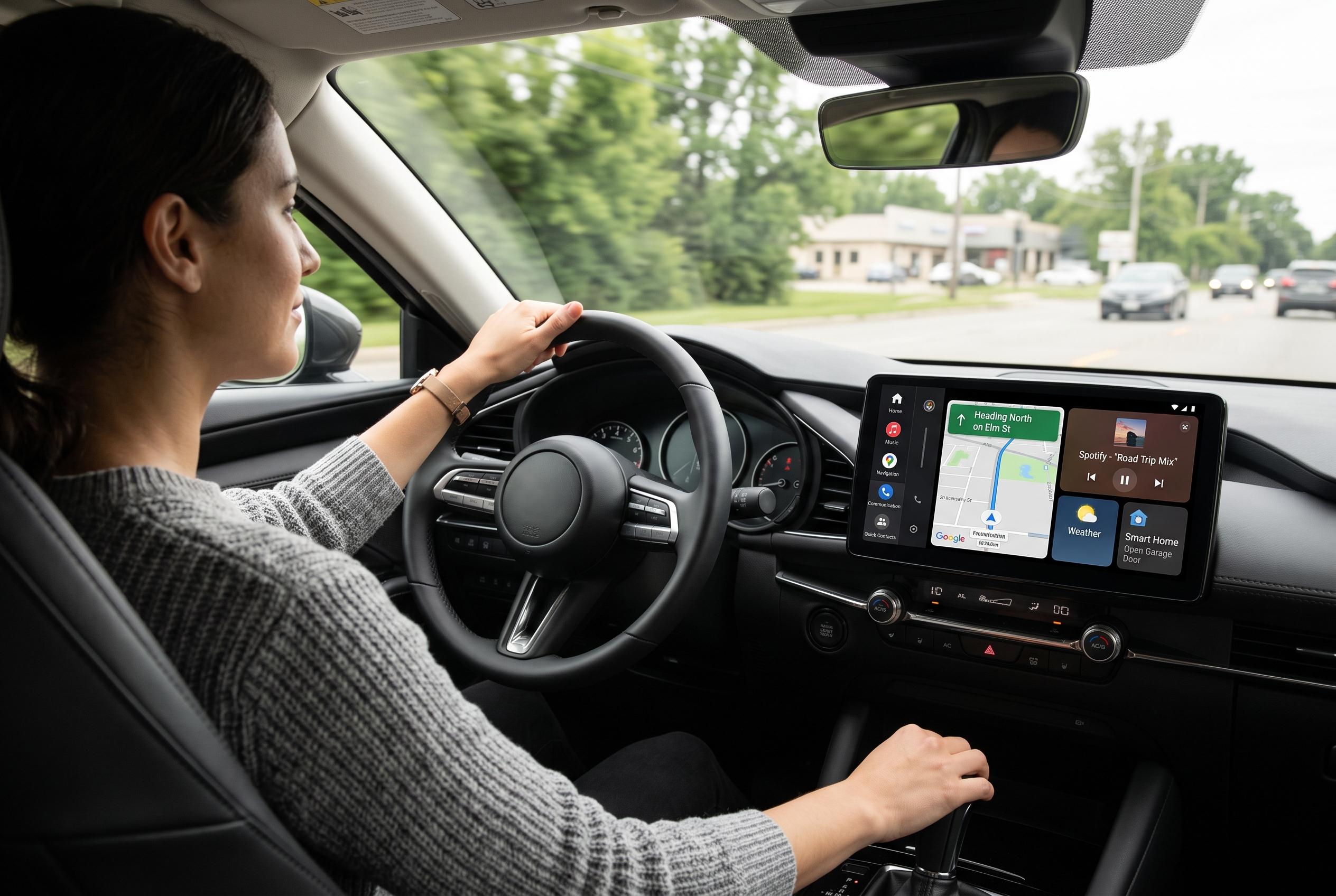

Minor customisations to Android Auto, such as personalised app layouts and persistent controls, could considerably reduce drivers’ reliance on their phones, improving safety and convenience on the road.
Small changes to Android Auto can make a large difference to how often a driver reaches for a phone. The platform already supports launcher customisation through the settings app on the handset, and Google’s own documentation says users can hide apps and reorder the launcher so the most useful tools appear first. That matters because a car interface works best when it reflects the way the driver actually uses it, rather than forcing repeated scrolling and searching.
One practical improvement is keeping the most-used apps close to hand. Android Auto’s launcher can be trimmed down so only relevant apps remain visible, while the rest are hidden. That reduces the need to browse through a long list just to start navigation or switch audio. It also pairs well with third-party tools such as AAWidget, which can place custom widgets on supported Android Auto displays for quick access to information such as clocks, weather and music controls.
Another useful change is to keep important controls visible even when a full-screen app is open. Guides to Android Auto taskbar widgets explain that they can preserve access to media controls, navigation cues and shortcuts without forcing a return to the main home screen. That is the central benefit: fewer screen changes, fewer touches and less temptation to pick up the phone for simple actions.
Voice control is becoming more capable as well. Recent reporting on Android Auto 16.7 says Google is expanding Gemini support and preparing home screen widgets, both of which would make the dashboard more configurable and reduce reliance on manual input. Android Authority has also reported that the forthcoming widget system is expected to work through a new “Car widgets” option in Android Auto settings, which would bring the car interface closer to a phone-style home screen.
Disclaimer: This content is intended for informational purposes only. Readers are advised to exercise their own judgement, conduct due diligence, or consult a qualified expert before acting on any information provided.



