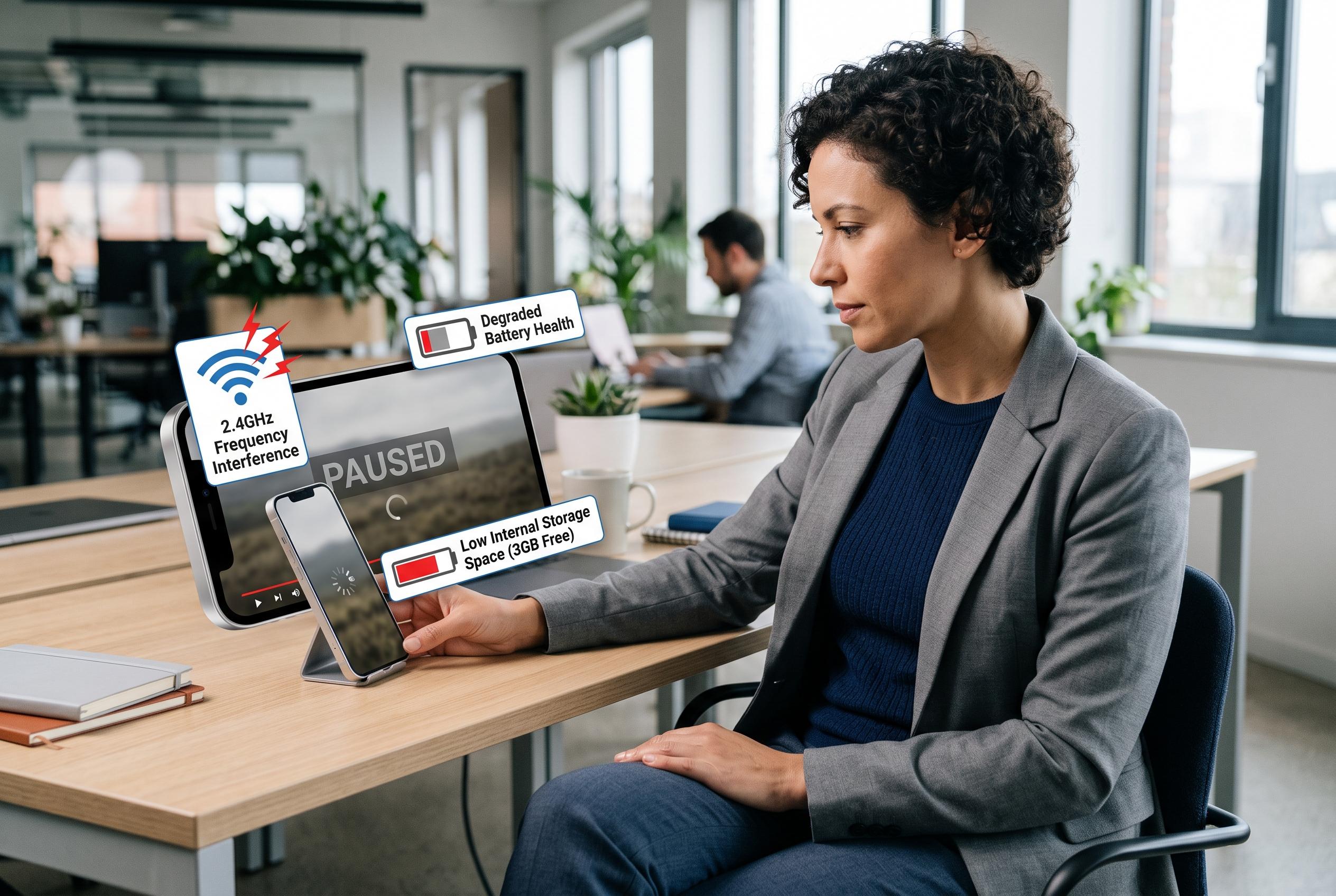

Many streaming problems stem from device limitations rather than service faults, with factors like Wi-Fi frequency, storage, and battery health playing crucial roles in playback performance.
Streaming problems are often blamed on the platform, but the real cause is usually closer to the device itself. Network band, local storage, battery condition and even the way audio is being delivered can all affect playback, especially during long viewing sessions. The most useful first check is not download speed alone but the Wi-Fi frequency your phone has joined. A 5 GHz connection generally carries more data and is better suited to high-resolution video, but its shorter range means 2.4 GHz can perform better when the router is several rooms away. The result is that buffering is frequently misdiagnosed as a service fault when it is really a signal issue.
Audio can create similar problems. Bluetooth headphones, particularly older models, add delay and compress the signal, and low battery levels can make that worse. Over extended sessions, wired listening is usually more stable, which is one reason Apple’s move to USB-C on the iPhone 15 and later matters for users who still prefer a cable. That wider connector support also makes it easier to use a broader range of wired audio accessories without adapters.
Phone storage matters more than many users realise. Streaming apps keep a rolling buffer on the device so playback can continue briefly if reception drops, such as on a train or in a lift. When a handset is nearly full, the app has less room to manage that buffer, which can lead to pauses, reduced resolution and intermittent stalls rather than a total failure. Clearing downloaded episodes and other cached media can free up more usable space than many other housekeeping steps. Brightness and display refresh settings also play a part: maximum brightness and high refresh rates raise power draw, increase heat and can trigger performance throttling, especially in battery saver mode.
Battery ageing is often the decisive factor on older phones. Apple says iPhone 14 models and earlier are designed to retain 80% of their original capacity after 500 complete charge cycles, while iPhone 15 models and later are designed to do so after 1,000 cycles under ideal conditions. In practice, performance depends on usage patterns, charging habits and temperature. MacRumors reported in 2024 that iOS 17.4 gave iPhone 15 owners a quicker way to check battery health, including cycle count, manufacture date and first-use date from Settings. If the battery can no longer supply current reliably under load, replacing it is usually more effective than clearing cache or changing app settings. A verified refurbished handset may also be a better option than an ageing device whose battery has already seen heavy use.
Disclaimer: This content is intended for informational purposes only. Readers are advised to exercise their own judgement, conduct due diligence, or consult a qualified expert before acting on any information provided.