

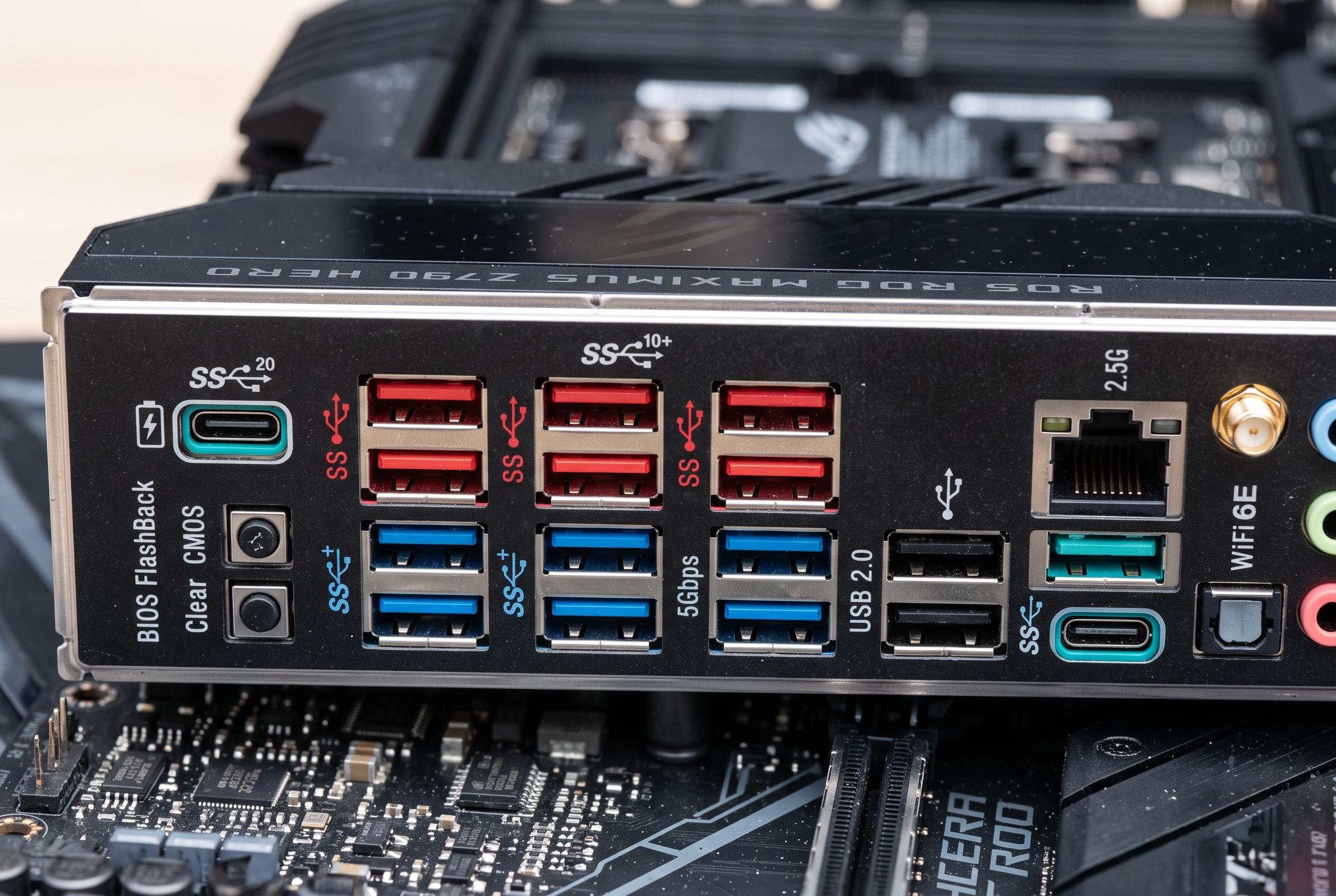

Understanding the variety of symbols, colours, and markings on USB ports can be complicated, but knowing their true meanings is key to choosing the right connection for faster data transfer and power delivery.
The small trident printed beside a USB socket is meant to tell users that the port belongs to the USB family, but it rarely explains much more on its own. As Engadget notes, that is part of the problem: USB has accumulated several generations, naming schemes and optional features, so a port’s appearance often tells only part of the story. The practical question is not just whether a connector fits, but whether it can move data quickly, supply power efficiently or carry video.
The simplest rule is that a lone trident usually points to an older USB 2.0 connection, still common for low-demand peripherals such as keyboards and mice. Engadget explains that the first major step up, USB 3, introduced much faster transfer rates and was later renamed several times by the USB Implementers Forum, adding to the confusion. In current marketing terms, what began as USB 3.0, USB 3.1 and USB 3.2 is generally presented as USB 5Gbps, USB 10Gbps and USB 20Gbps, with the speed often shown beside the trident and an “SS” marking.
Other marks help decode what a port can do beyond data transfer. According to guides from Lemorele, SlashGear, USB-Tec and PCWorld, symbols such as a battery, “PD”, a DisplayPort logo or a lightning bolt can indicate Power Delivery, video output or Thunderbolt support. Engadget adds that Thunderbolt over USB-C offers a tighter set of guarantees than plain USB-C, while USB4 itself is limited to USB-C and comes in 20Gbps, 40Gbps and 80Gbps variants. That means the connector shape alone is not enough; the standard underneath matters just as much.
Colour can offer another clue, but it is not a reliable standard. Engadget says black or white often corresponds to USB 2.0, blue commonly indicates a 5Gbps port and red or yellow may signal higher speed or always-on charging, although manufacturers do not always follow the same conventions. That is why the best check is still the specification sheet or the manual. For buyers of laptops, hubs and cables, reading the label matters more than guessing from the socket’s finish.
Disclaimer: This content is intended for informational purposes only. Readers are advised to exercise their own judgement, conduct due diligence, or consult a qualified expert before acting on any information provided.



