

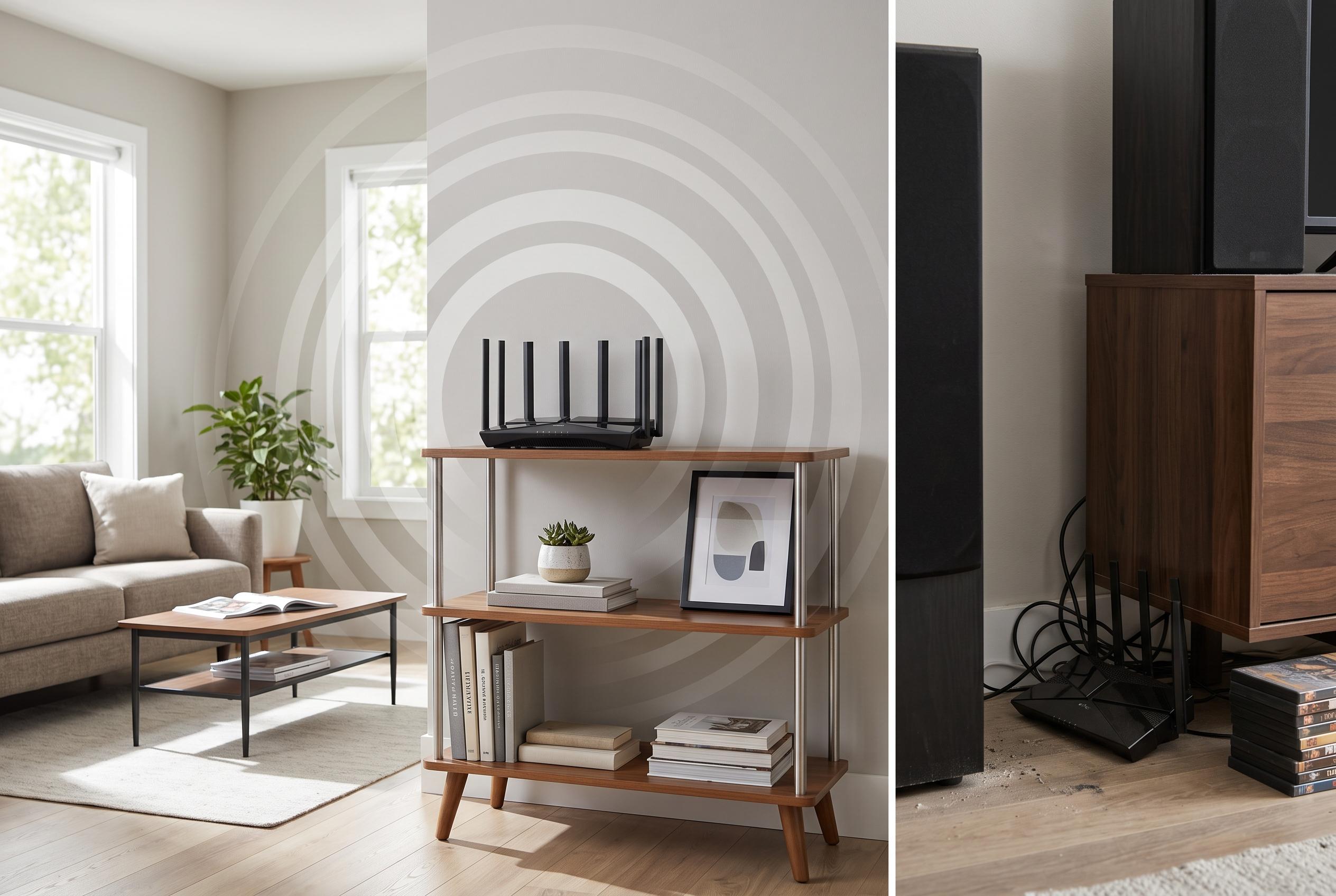

A common Wi-Fi performance problem may be easily solved by repositioning your router rather than upgrading your hardware, as proper placement can significantly improve signal strength and reliability.
I had spent too long treating weak Wi-Fi as a problem that could be solved with a better router or a hidden software setting. In practice, the issue was much simpler: my internet line was fine, but the wireless network was underperforming because the access point was badly placed. My desktop, connected by Ethernet, could still reach the full 300Mbps I paid for, yet nearby wireless devices were struggling far below that. That mismatch made it clear the fault was not with the connection itself, but with how the signal was reaching the rest of the house.
The turning point came when I stopped changing settings and started looking at the room. The router had been sitting low down beside a refrigerator, which is about as awkward a position as a home network can get. TP-Link and Netgear both advise placing routers in open, central, elevated positions and away from large metal objects and other interference sources. Google’s Nest Wifi guidance makes the same basic point: keep the router off the floor and in plain view where possible. Once I moved the unit higher, away from the appliance, the signal had a clearer path to the televisions and other devices that had been struggling.
That improvement fits the physics. Wireless signals weaken as they travel through walls, furniture and other obstacles, and metal and thick building materials can make the loss worse. In my case, raising the router also changed the geometry of the signal paths, which mattered because some of the devices were mounted higher on the wall than the router had originally been. Even though the walls themselves did not change, the new position reduced the amount of obstruction between the access point and the equipment that needed it most.
The broader lesson is that Wi-Fi performance is not just about hardware quality or firmware features. Placement, height and the layout of the room are part of the system too. Before spending money on a replacement router, it is worth asking whether the existing one is being forced to work against its environment. In my case, the best upgrade was not a new device at all, but a better position for the one I already owned.
Disclaimer: This content is intended for informational purposes only. Readers are advised to exercise their own judgement, conduct due diligence, or consult a qualified expert before acting on any information provided.



