

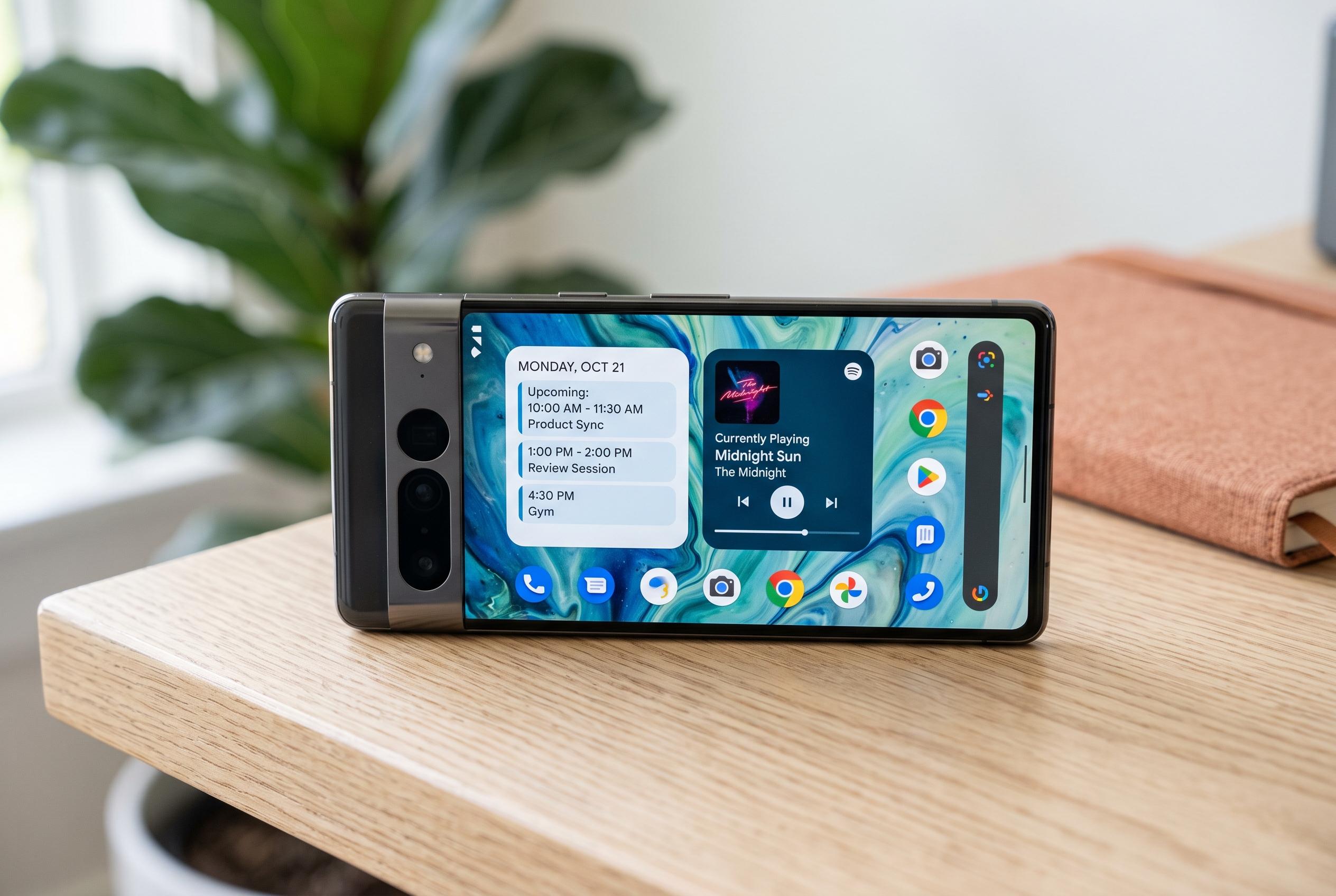

Recent Android home screen widgets expand beyond aesthetics, offering smarter ways to view schedules and manage music, prioritising user convenience and daily habits.
The best Android home screen widgets do more than decorate a display. They surface useful information at a glance, cut down on taps and make the phone feel more intentional. Calendar widgets are a clear example: Google Calendar-style agenda views and simple list-based widgets put upcoming events, appointments and reminders directly in front of the user, making them easier to act on than an app buried behind a launcher.
Among the stronger options are Cal Widget and Minimalist Agenda Widget. Cal Widget offers either an agenda view or a grid calendar and is designed to read from an existing calendar rather than replace it, which keeps it practical for people who already rely on Google Calendar or another service. Minimalist Agenda Widget takes a similar approach but adds broader calendar support, including Outlook, along with more detailed customisation such as text size, colours, alignment and whether to show end times or location fields. For anyone who wants a home screen that shows the next commitment clearly, both apps prioritise utility over ornament.
Music widgets are another category that earns its place. YouTube Music now has a recently played widget for Android, giving users quick access to recent albums, playlists and videos, while also keeping playback controls and rating buttons close at hand. Android Central has also noted YouTube Music’s refreshed Now Playing layout, which reorganises queue and track details for easier navigation. For users who switch between services, Material Music Widget goes further by supporting a wide range of streaming platforms and local players, effectively acting as a central control panel for what is playing.
The common thread is simple: the most valuable widgets are the ones that reflect daily habits. Calendar tools keep schedules visible, music controls save time and reduce friction, and broader widgets work best when they are tied to tasks that happen every day. A crowded home screen is not automatically a better one. The most effective setups are usually the ones that reserve space for information the user genuinely needs, not just items that look polished.
Disclaimer: This content is intended for informational purposes only. Readers are advised to exercise their own judgement, conduct due diligence, or consult a qualified expert before acting on any information provided.



