

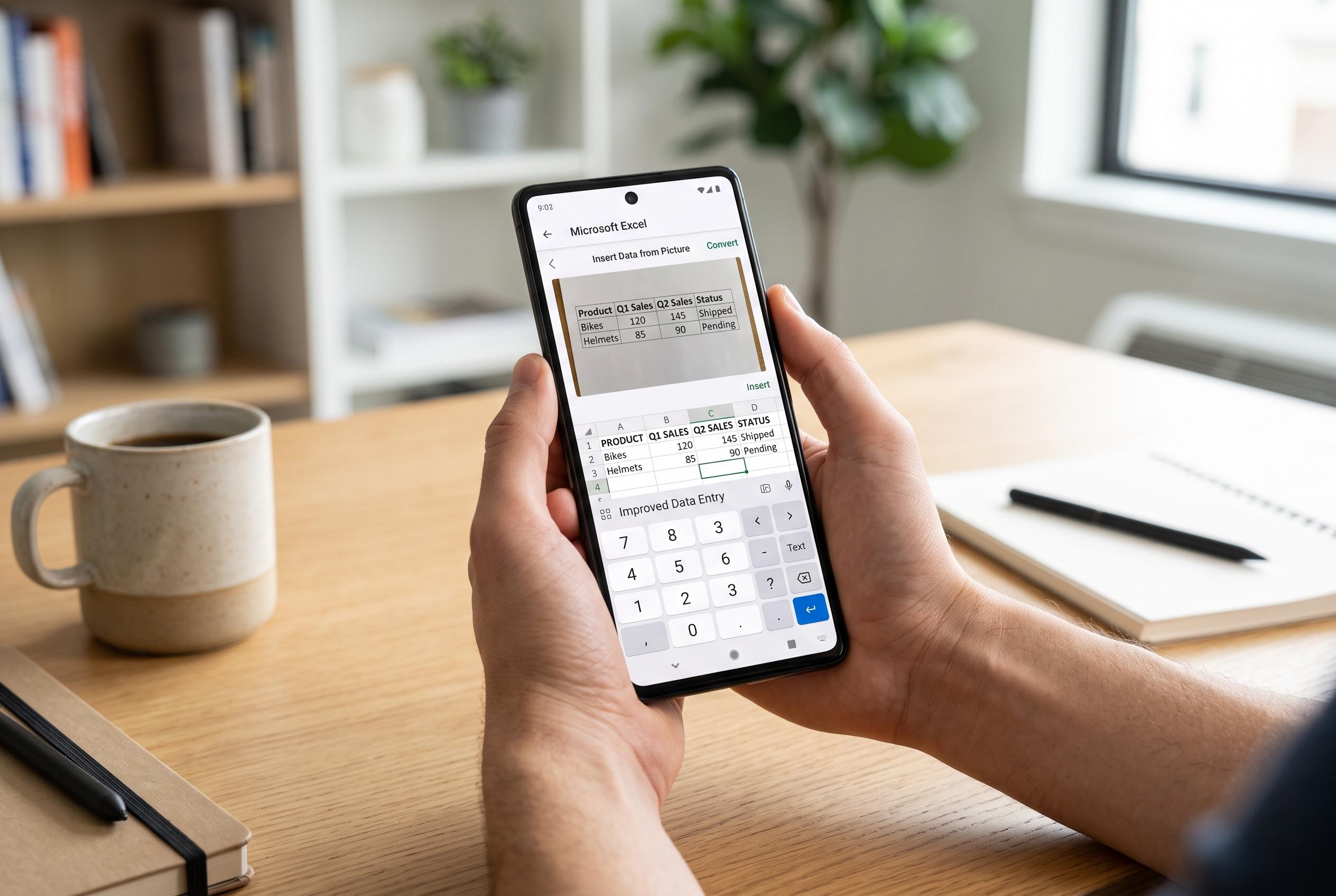

Microsoft’s mobile Excel app on Android has received significant updates, including better data entry options, real-time calculations, and a new photo-to-sheet feature, narrowing the gap with desktop functionality for on-the-go users.
Excel on Android has long had a poor reputation, but that is increasingly out of date. Microsoft’s mobile app now covers several of the tasks that matter most when you are working away from a desktop, and its strongest features are practical rather than flashy. For users already tied into OneDrive or SharePoint, the Android version is far less of a compromise than it used to be.
One of the biggest improvements is data entry. Microsoft’s own support material shows that the app is designed to make typing, formula entry and cell navigation easier on touch screens, while Microsoft Garage has also offered an Excel-focused keyboard layout for Android with a 10-key number pad and prioritised operators. That matters because spreadsheet work is often slowed down by ordinary phone keyboards, which are built for messaging rather than calculations.
Excel on Android is also more useful for quick analysis than many users expect. Microsoft documents a status-bar calculation view on mobile that can show sum, average, count, minimum and maximum as soon as cells are selected. In practice, that means simple checks can be done without building a formula or switching to a larger screen. Microsoft has continued to add mobile features too, including improved formula autocomplete and a natural-language “Tell Me” tool for finding commands.
Syncing is another area where the app has become more dependable. Microsoft’s mobile help pages explain that workbook changes are stored and managed through cloud-connected file handling, with offline support for Android tablets and tools for working with files across devices. That makes a difference when connectivity is poor, because edits are less dependent on a perfect live connection than in some competing spreadsheet apps.
The most striking mobile-only feature remains the ability to convert a photographed table into a live sheet. Microsoft’s support guidance explains that users can capture printed or handwritten tables with the camera, review the extracted data, and correct uncertain entries before inserting them into a workbook. For anyone who regularly copies figures from paper into spreadsheets, that alone can save substantial time.
Even so, Android Excel is not a full substitute for a desktop setup. Serious modelling still benefits from a large display and a physical keyboard, and the app is most compelling for people who already work within Microsoft’s cloud ecosystem. But the gap is narrower than it once was, and for everyday spreadsheet work, the mobile version now feels genuinely usable rather than merely tolerable.
Disclaimer: This content is intended for informational purposes only. Readers are advised to exercise their own judgement, conduct due diligence, or consult a qualified expert before acting on any information provided.



