

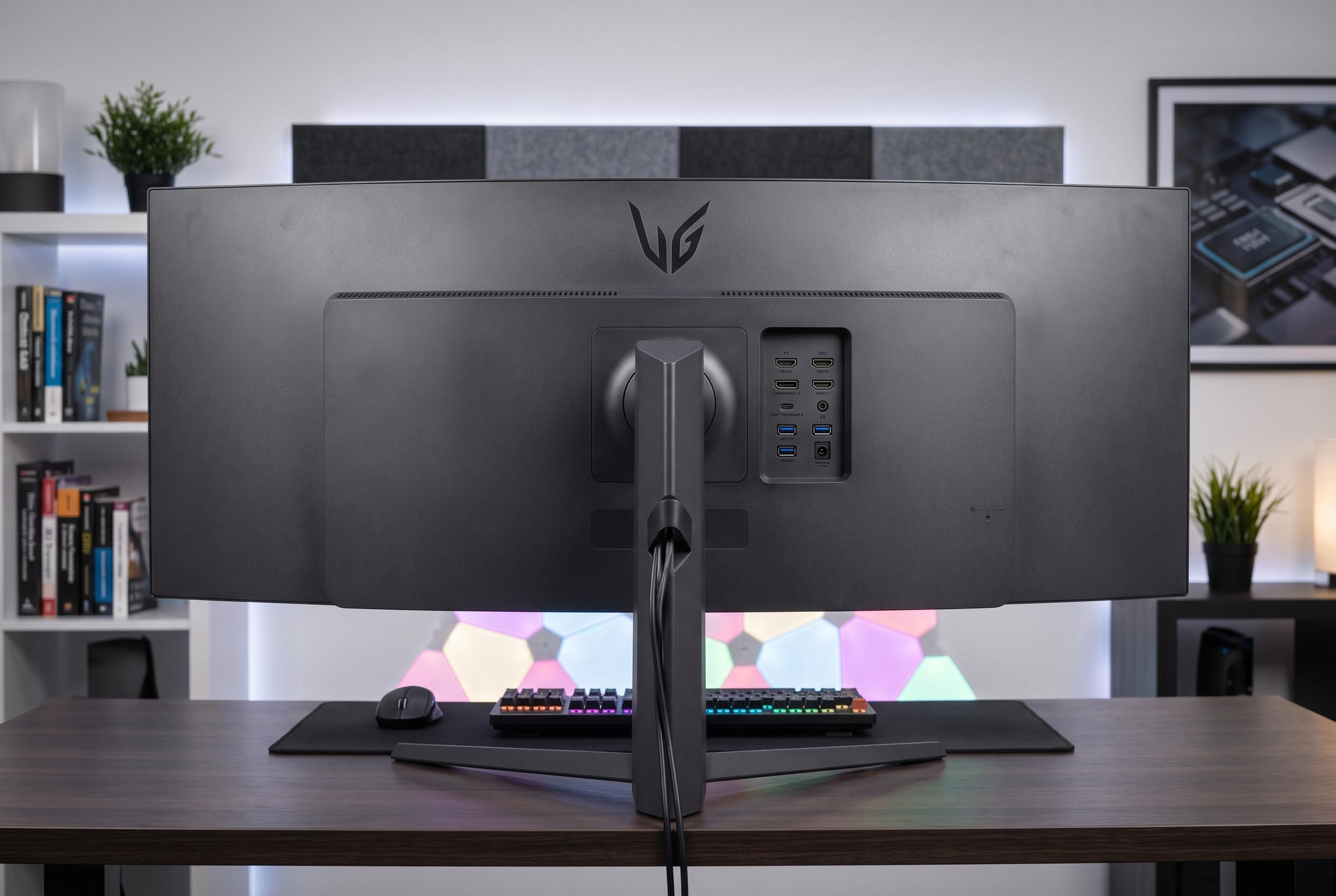

LG’s UltraGear evo G9 redefines ultra-wide display standards with a 52-inch immersive panel, combining high-performance features and versatile connectivity, though its size demands serious hardware and space considerations.
LG’s UltraGear evo G9 is not a monitor so much as a statement of intent. At 52 inches, with a 5,120×2,160 panel, a 240Hz refresh rate and a 1000R curve, it is designed to dominate a desk as much as a game. The result is an extravagant display that blends vast scale with strong image quality, though it demands both space and serious hardware to make proper use of it. Tom’s Hardware described it as extreme in every respect, and that is a fair summary of the experience.
The first challenge is simply accommodating it. With the stand fitted, the G9 measures roughly 117cm across and weighs 16.8kg, so this is not the kind of screen you casually slot into an existing setup. LG’s choice of a relatively compact, flat base helps recover some desk space, and the curved chassis makes the width more manageable than a flatter panel of the same size would be. Build quality is solid throughout, with a heavy, premium feel and understated styling rather than any attempt at visual drama.
Connectivity is unusually complete. LG includes DisplayPort 2.1, two HDMI 2.1 ports, USB-C with display output and up to 90W charging, alongside USB-A ports and a headphone jack. That makes the G9 practical as both a gaming display and a docking-style monitor for a laptop. Review testing also found the USB-C connection capable of driving the panel at native resolution with high refresh rates and variable refresh rate support, which is unusually flexible for a screen of this size.
Picture quality is where the G9 makes its strongest case. LG uses a VA panel with 95% DCI-P3 coverage, a 4,000:1 contrast ratio and DisplayHDR 600 certification, and the default colour mode is well judged. Reviewers said colours looked balanced and lively without obvious oversaturation, while brightness and contrast were strong enough for both bright games and darker films. Tom’s Hardware likewise praised the monitor’s vivid colours, sharpness and HDR performance, noting that its automatic HDR switching and retained picture settings help preserve image quality when HDR content is detected.
For everyday use, the huge canvas is the main appeal. Even when scaled for desktop work, the screen offers enough room for several applications at once, and the 200Hz experience over USB-C gives the interface a notably fluid feel. There is a trade-off, though: at this size and resolution, text is not as razor-sharp as on a smaller 4K monitor, and macOS scaling is not ideal at the panel’s native 5K2K mode. The upside is that the 21:9 format and 1000R curvature make productivity and entertainment unusually immersive, particularly in games that support the aspect ratio properly.
Gaming performance is impressive but not effortless. The monitor’s low input lag, quick response and 240Hz ceiling are all appealing, yet the 11-million-pixel workload is punishing, even for high-end graphics cards. That makes upscaling technologies and frame generation especially useful. The lack of a dual-mode feature is a missed opportunity, because a lower-resolution, higher-refresh option would have suited demanding titles better. The wider view in compatible games is still the G9’s defining strength, however, and Tom’s Hardware’s conclusion was broadly the same: it is superb for gaming and productivity, but expensive and hard to feed.
Disclaimer: This content is intended for informational purposes only. Readers are advised to exercise their own judgement, conduct due diligence, or consult a qualified expert before acting on any information provided.



