

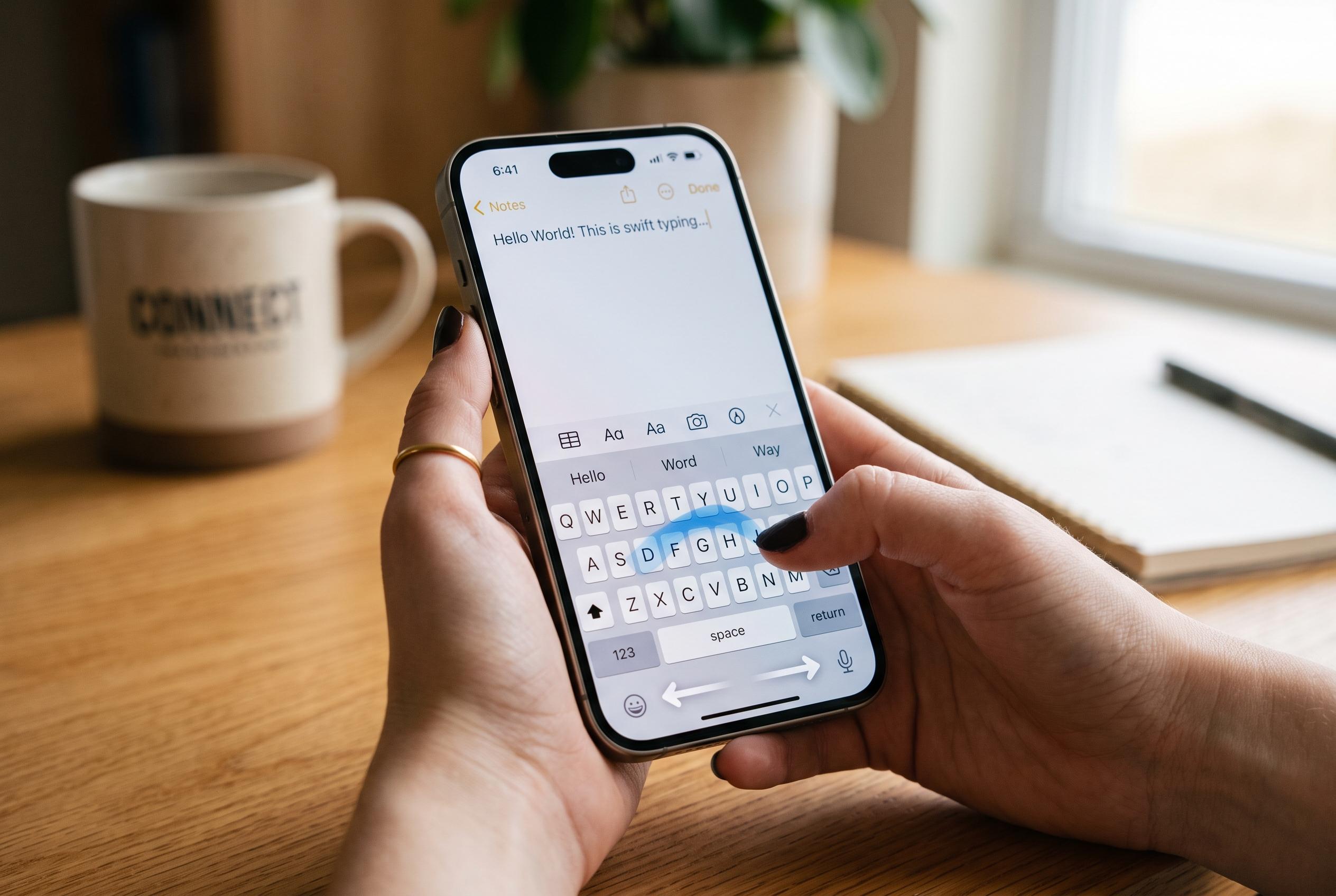

Many iPhone users overlook built-in features like swipe typing and gesture controls that can dramatically improve message speed and accuracy, revealing a more capable keyboard than often assumed.
Many iPhone users still type every message letter by letter, yet Apple’s keyboard includes several tools that can make writing faster and more accurate. According to AP’s One Tech Tip series, features such as swipe typing, cursor control and gesture-based editing are already built into iOS, although they are easy to miss because they sit deep in the settings and support menus.
One of the most useful functions is Apple’s swipe keyboard, marketed as QuickPath. It allows users to spell words by dragging a finger from one letter to the next rather than lifting and tapping each key. Apple says the feature can be switched on in Settings under General and Keyboard by enabling “Slide to Type”. It is designed for one-handed use and can be especially helpful for short messages, when speed matters more than careful typing.
Editing is another area where the iPhone keyboard can save time. Apple’s support guide explains that holding down the space bar turns the keyboard into a trackpad, letting users move the text cursor with far greater precision than tapping in the middle of a sentence. That can make it easier to insert a forgotten word, correct a typo or adjust punctuation without deleting and retyping whole lines.
Text selection is also more flexible than many people realise. Apple says users can double-tap a word to select it or triple-tap a paragraph, while the trackpad mode can be used for finer control. Once text is highlighted, it can be cut, copied and pasted through on-screen commands. Apple also documents three-finger gestures that let users pinch in to copy and spread out to paste, including images in some apps.
AP notes that these shortcuts do not always feel equally smooth across every device or app, and some may work better on larger screens such as the iPad. Even so, the broader point is clear: the iPhone keyboard is more capable than it first appears, and a few small habits can make routine typing noticeably faster.
Disclaimer: This content is intended for informational purposes only. Readers are advised to exercise their own judgement, conduct due diligence, or consult a qualified expert before acting on any information provided.



