

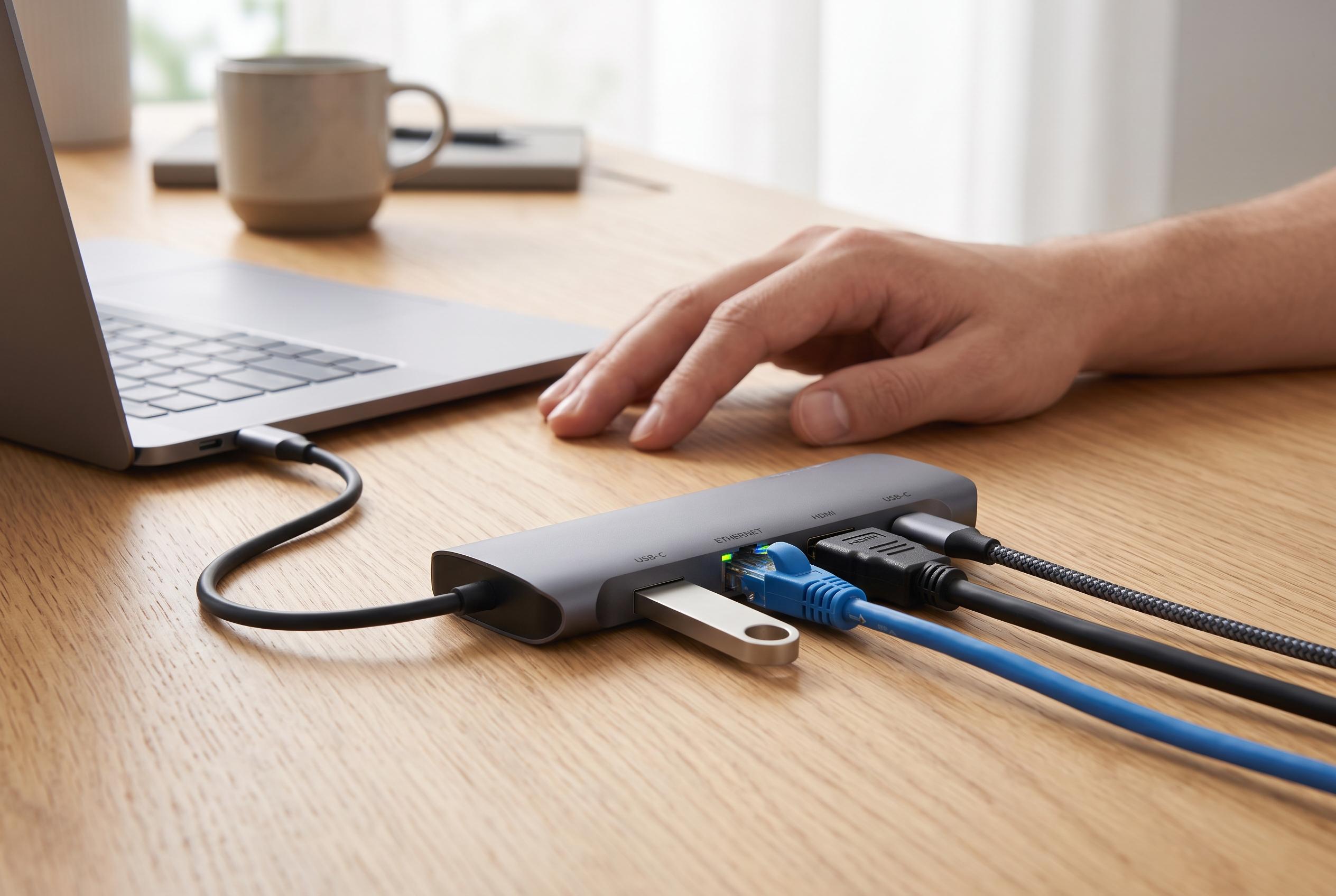

As USB Type-C becomes the standard for consumer electronics, the variety of adapters and hubs highlights the importance of selecting the right device to maximise performance and compatibility.
USB Type-C has become the default connector for much of today’s consumer electronics because it combines data, charging and video in one port. Dell’s UK support guidance describes it as a more capable standard than older USB types, with faster transfer speeds, stronger power delivery and support for display output. That broader function is why it now appears on laptops, phones, tablets, cameras and gaming devices alike.
A USB Type-C adapter is essentially a bridge between that modern connector and older or different hardware. In practical terms, it lets users connect a USB-C device to a USB-A port, attach storage and peripherals, or adapt a laptop for video output and charging. Belkin’s UK guide distinguishes between simple adapters, multi-port hubs and full docks: adapters solve a single connection problem, hubs add extra ports, and docks are designed to turn a laptop into a more fixed workstation.
The appeal of USB-C is not just convenience. According to Dell and technical buying guides from Alibaba, the standard supports high data rates, with common implementations reaching up to 10 Gbps, and can deliver enough power for demanding devices, including laptops. The connector is also reversible, which removes one of the most familiar irritations of older USB plugs. That combination has made USB-C the preferred choice for both everyday charging and more specialised tasks such as external storage and monitor connections.
Choosing the right adapter still matters. Alibaba’s USB-C buying guides note that passive adapters, active video adapters, chargers and multi-port hubs all serve different purposes, and the wrong one can limit speed, charging capability or display support. That point is important for users who expect one small accessory to do everything. A simple USB-C to USB-A adapter may be fine for a flash drive, but a workstation setup usually needs a hub or dock with dedicated HDMI, Ethernet or power pass-through.
Some products also illustrate the practical middle ground between portability and expansion. B&H Photo’s listing for a Moshi USB-C multiport adapter shows the sort of device many users now choose: a compact unit with USB-A, USB-C and HDMI connections, 5 Gbps data support, 4K video output and pass-through charging. That type of accessory is useful for travel or desk use when a laptop has too few built-in ports.
The main limitation is that USB-C is a connector, not a guarantee of identical performance. Dell and Belkin both stress that features vary by device and accessory, so buyers still need to check whether a port supports charging, video, data transfer or all three. For that reason, USB-C adapters are best understood not as universal fixes, but as practical tools that extend a device’s capabilities while preserving compatibility with older equipment.
Disclaimer: This content is intended for informational purposes only. Readers are advised to exercise their own judgement, conduct due diligence, or consult a qualified expert before acting on any information provided.



