

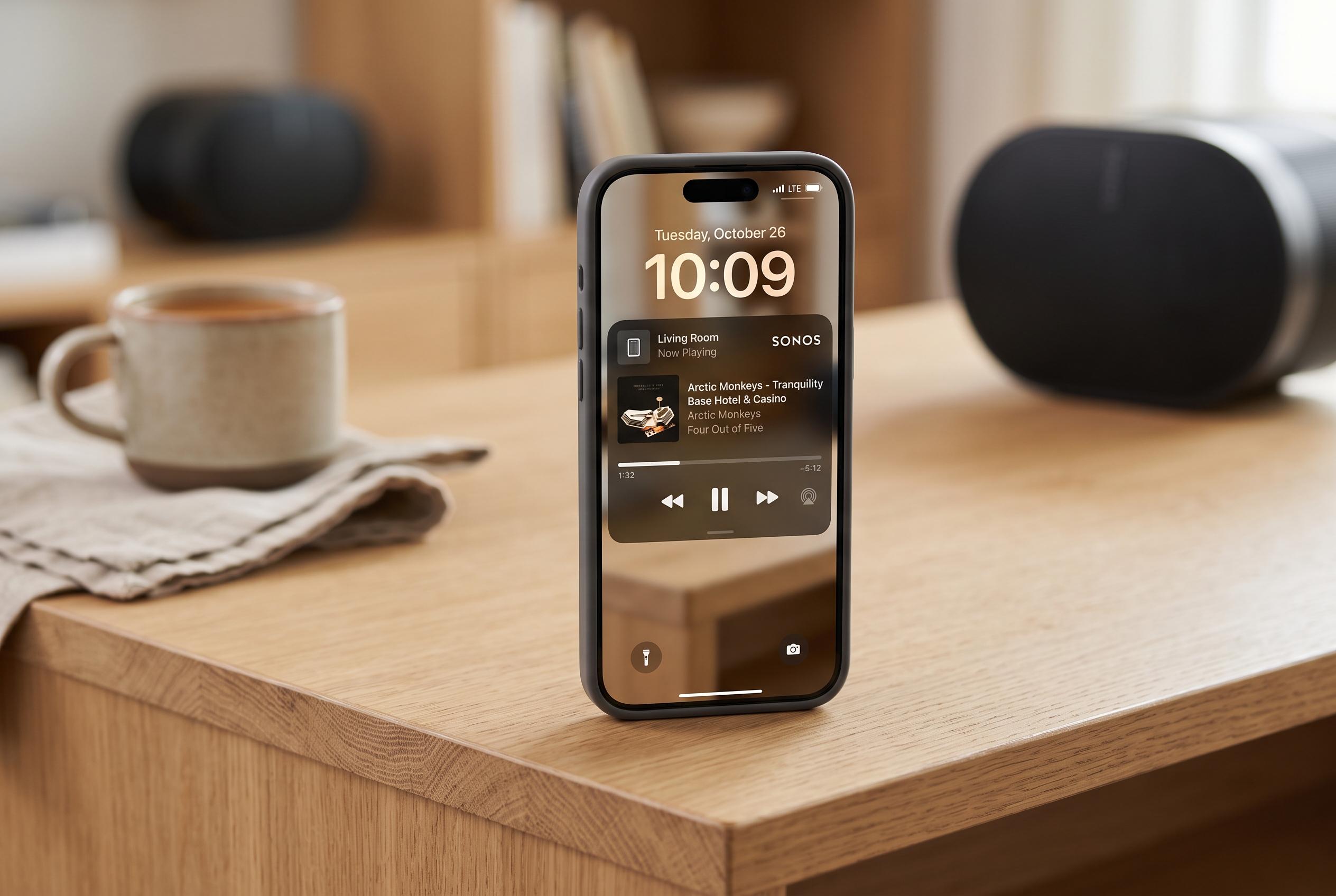

Sonos has introduced Live Activities support to its iPhone app, allowing users to control playback from the Lock Screen more conveniently. The feature is now rolling out and works across various streaming services and even when audio is sent via Bluetooth or AirPlay.
Sonos has added Live Activities support to its iPhone app, giving users a quicker way to reach basic playback controls from the Lock Screen. The feature is rolling out now and appears once audio is playing on a Sonos system and the app has been sent to the background.
The Live Activity shows the room or group that was last active, together with buttons for play, pause and track skipping. That makes it possible to make simple changes without reopening the Sonos app, which is designed for iPhone and iPad users running iOS 18 or later, according to Apple’s App Store listing.
The new control layer is not limited to playback started inside the Sonos app. Sonos says it also appears when audio is launched through Direct Control from supported services, as well as when playback is sent to Sonos via Bluetooth or AirPlay. Sonos’ support pages say direct control works with services including Spotify, TIDAL, Pandora, Amazon Music and others, while AirPlay provides another route for streaming audio from iPhone, iPad or Mac to compatible speakers.
There are clear limits at launch. Album artwork is not shown in the Live Activity, and Sonos says it is still looking at ways to improve the Lock Screen experience. TechRadar reported that the controls can also appear on Apple Watch and in CarPlay, but that they are not yet functional there. On iPhone, the feature also has to be switched on manually in the Sonos app.
The addition is notable because Live Activities, introduced by Apple in iOS 16, are now commonly used for persistent, glanceable information such as deliveries, timers and transport updates. For Sonos, the format gives the company a native iPhone route to a feature Android users have had for some time, and it arrives as the firm continues to rebuild trust after the difficult 2024 app overhaul described by MacRumors.
Disclaimer: This content is intended for informational purposes only. Readers are advised to exercise their own judgement, conduct due diligence, or consult a qualified expert before acting on any information provided.



