

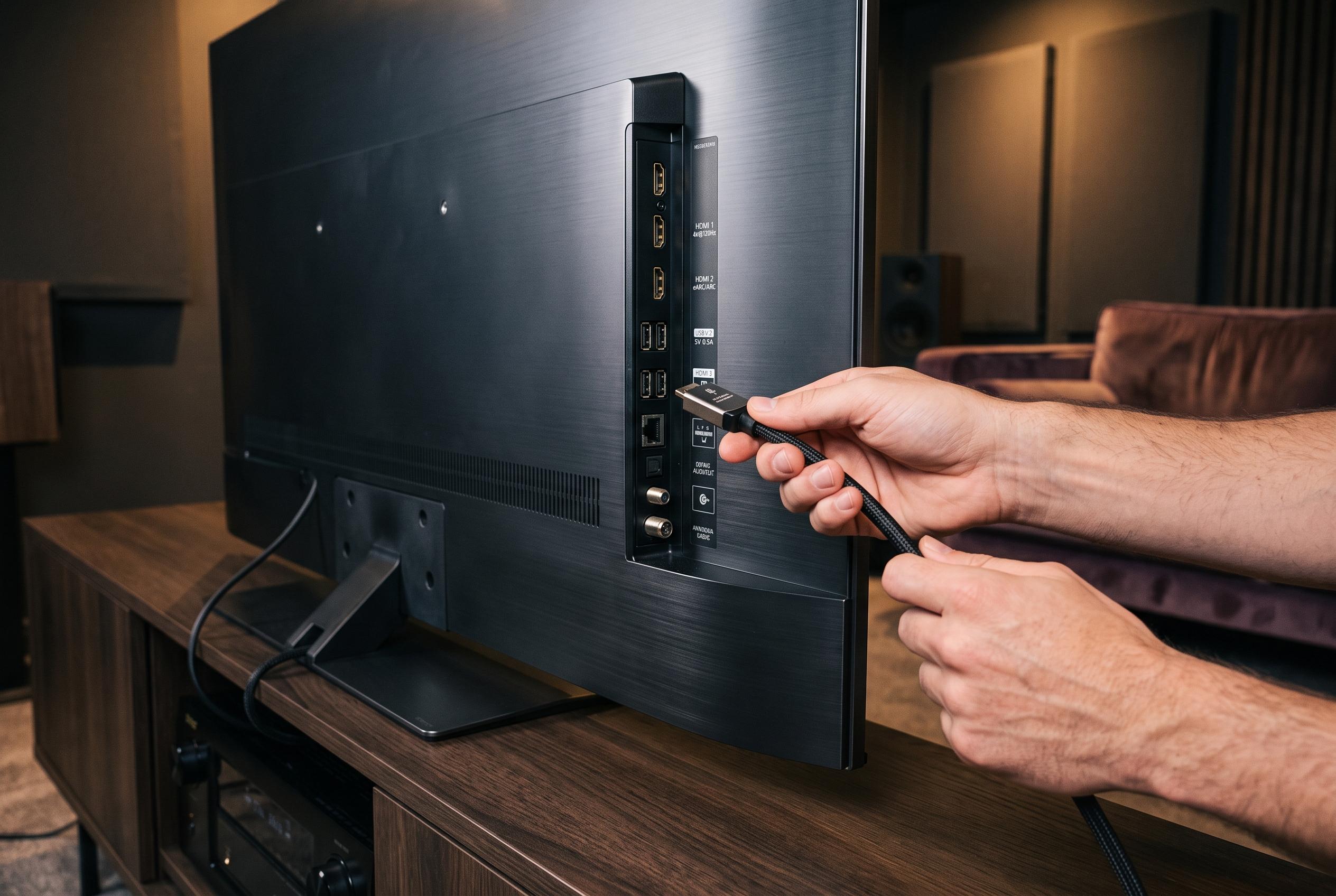

With a multitude of devices vying for TV ports, understanding differences in HDMI and USB standards is key to avoiding performance issues and unlocking optimal functionality for gaming, streaming, and audio equipment.
Modern televisions can connect to far more than just a set-top box. Soundbars, streaming sticks, gaming consoles, PCs, external drives and AV receivers all compete for the same back panel. The trouble is that many of the ports that look interchangeable are not. HDMI sockets can differ in bandwidth and feature support, while some USB ports are restricted to service tasks or updates only.
The most common mistake is with soundbars. If a television has an HDMI port marked ARC or eARC, that is usually the correct connection point. These standards allow audio to travel back from the TV to the soundbar over the same cable, which avoids extra wiring and often lets the television remote control volume through HDMI-CEC, provided the feature is enabled on both devices.
Gaming hardware needs a more careful choice again. According to MakeUseOf, only some HDMI ports on a modern television support the full HDMI 2.1 feature set needed for 4K at 120Hz and variable refresh rate. That matters for PlayStation and Xbox consoles, and equally for PCs used as living-room displays. Plugging such devices into a standard HDMI 2.0 port can quietly limit them to 4K at 60Hz.
By contrast, a streaming stick does not need the best port on the set. Fire TV Sticks and Chromecast devices are usually fine on an HDMI 2.0 input, which preserves 4K at 60Hz with HDR. It also makes sense to use a nearby USB port for power, but only if that port can supply enough current. A weak USB output can cause boot failures or unstable playback.
External drives and AV receivers present their own complications. MakeUseOf notes that some USB sockets are labelled for media playback or hard drives, while others are marked service only and will not recognise storage at all. Power delivery also matters, especially with spinning hard drives. For older AV receivers without HDMI ARC, the optical audio output remains a practical choice and avoids wasting the TV’s eARC-capable port on legacy equipment.
Disclaimer: This content is intended for informational purposes only. Readers are advised to exercise their own judgement, conduct due diligence, or consult a qualified expert before acting on any information provided.



