

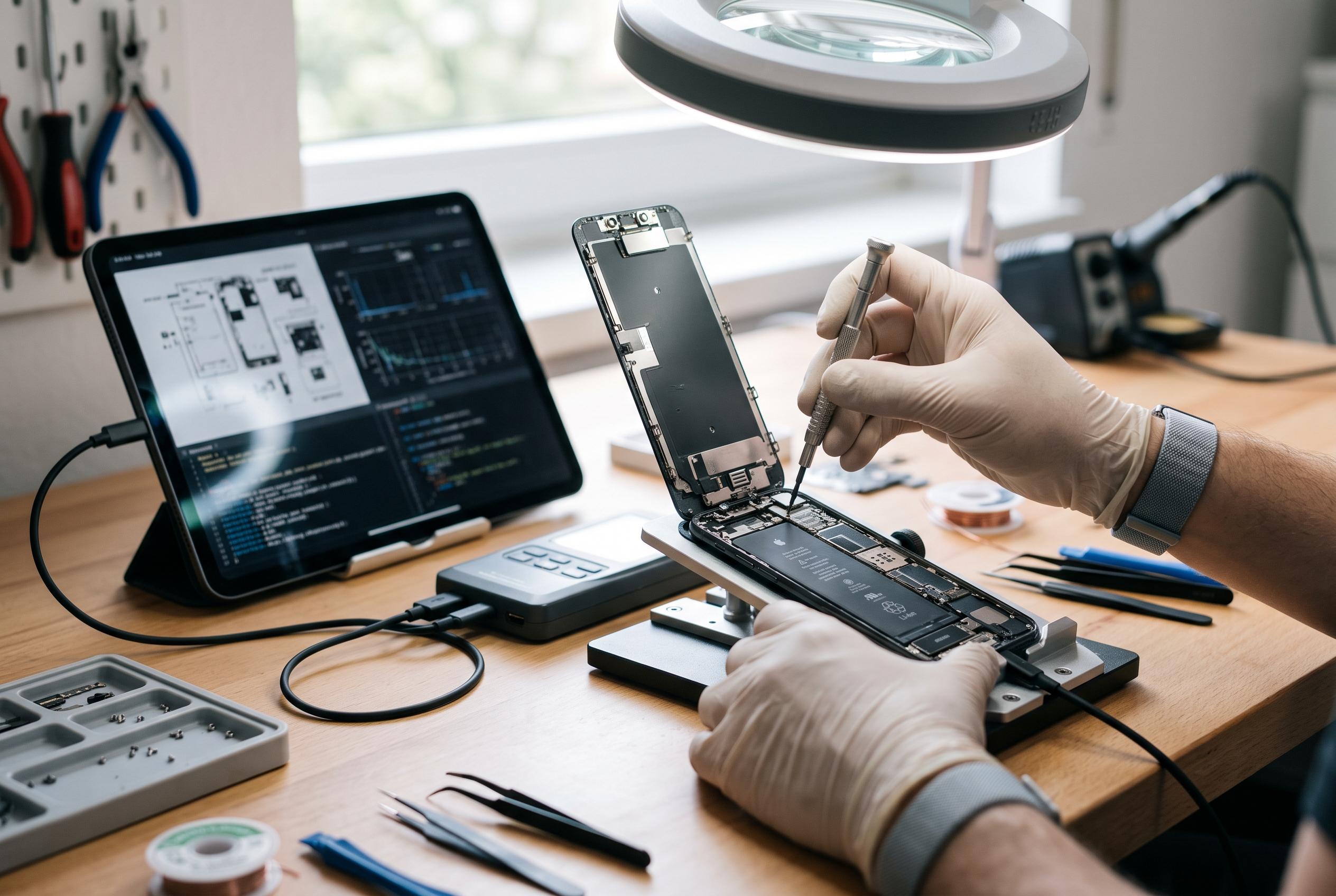

Official programmes from Apple and Samsung are elevating DIY phone repairs from amateur pursuits to professional-standard procedures, emphasising diagnostics, model-specific tools, and software verification, though caution remains vital for owners considering home fixes.
DIY phone repair is increasingly being treated less as a hobbyist gamble and more as a manufacturer-supported service path. Apple said in a 17 November 2021 announcement, (apple.com) that its Self Service Repair programme would start with iPhone 12 and iPhone 13 models and focus first on display, battery and camera modules, while Samsung’s current UK self-repair hub, (samsung.com) now offers guides, parts and videos for a broad range of Galaxy handsets that extends to the S25 line. The practical consequence is that a successful home repair is now expected to follow the same sequence as a workshop job: identify the fault, prepare the correct tools, replace the correct part and verify the result.
The clearest lesson from the official manuals is that diagnosis should come before disassembly. Apple’s iPhone 14 Repair Manual, (support.apple.com) opens with “Important: Read this first” and places battery safety, broken glass safety, “Quick Checks” and Apple Diagnostics for Self Service Repair ahead of the physical repair procedures. Its troubleshooting sections split problems into battery, charging and power faults, wireless charging issues, unexpected freezes or restarts, camera and LiDAR faults, Face ID, display and image defects, Multi-Touch, SIM, haptics, buttons and sound, (support.apple.com) which underlines an important point: a black screen, a dead phone or an intermittent charging problem may have more than one cause. iFixit’s phone repair hub, (ifixit.com) reflects the same reality from an independent angle, with common problem threads ranging from “Phone Won’t Turn On” to moisture warnings at the USB charging port and SIM recognition faults after a drop.
That means the toolkit should be chosen for the device and the job, not assembled from whatever is nearest at hand. Samsung’s official screen-repair guide, (samsung.com) says its demonstration uses a Galaxy S21 Ultra and notes that even within the S21 family the positions of ports and connectors vary by model. The parts list it gives is much more specific than a basic screwdriver set, including a screen kit, back-glass adhesive tape, front-camera adhesive tape, an internal metal plate and designated screws, alongside a heating bag, suction cup, opening picks, a PH0 screwdriver and an opening tool. Samsung also specifies a mask, safety glasses and ESD-safe gloves, (samsung.com) while iFixit says some procedures may also call for items such as a spudger, digital multimeter, isopropyl alcohol and cotton swabs rather than brute force. (ifixit.com)
Preparation extends to the condition of the phone itself. Samsung’s guide says the handset should be powered off, backed up, fully discharged and stripped of its SIM tray before any opening begins, and it advises working in a ventilated area because burns and other injuries are possible during heated disassembly. (samsung.com) Android Authority adds a more direct warning for battery jobs, (androidauthority.com) noting that puncturing a lithium-ion cell can cause a fire and that sharp tools should not be used to lever a battery free. Samsung’s broader self-repair support page goes further still by telling users not to attempt a self-repair at all if a battery is swollen. (samsung.com)
Once the phone is open, precision matters more than speed. Android Authority describes the typical battery workflow, (androidauthority.com) as applying heat to soften adhesive, lifting the back cover, disconnecting the old battery, removing it carefully and installing the replacement, but Samsung’s own guide shows why each of those steps must be model-aware. It says only demagnetised tools designed for small electronics should be used because components are sensitive to electromagnetic force, and it warns that third-party replacement parts may not function properly. (samsung.com) The same guide also lists several adhesive and structural items beyond the display itself, a reminder that a phone repair often involves restoring layers, seals and brackets as well as swapping a visibly broken part. Android Authority notes that replacement adhesive may be needed if any meaningful level of water resistance is to be preserved after the device has been opened. (androidauthority.com)
Parts sourcing has improved, but it remains uneven. Apple said when it launched Self Service Repair, (apple.com) that customers would be able to buy genuine parts and tools and that the online store would initially offer more than 200 individual parts and tools for common iPhone 12 and iPhone 13 repairs. Android Authority reported, (androidauthority.com) that Google, Samsung and Apple have all moved towards selling official spares directly to users, but it also cautioned that self-repair schemes rarely cover every model at once and that buyers may still end up on secondary marketplaces where authenticity is difficult to verify. Samsung’s own material shows that progression clearly: its 2023 screen guide was limited to the Galaxy S20, S21 and S22 ranges plus two Galaxy Book models, (samsung.com) whereas its current UK hub now lists newer Galaxy A, S, Z and Tab devices as supported in at least some markets. (samsung.com)
The last stage is verification, and the official programmes increasingly treat that as a software task as well as a hardware one. Apple’s iPhone 14 manual includes Apple Diagnostics for Self Service Repair as part of the troubleshooting and repair framework, (support.apple.com) rather than as an optional extra after the fact. Samsung similarly tells users on its support hub to run diagnostics in the Samsung Members app after completing a repair, (samsung.com) and it offers a separate Self Repair Assistant app to pair a new battery’s serial number and recalibrate the handset. In other words, reassembly is no longer the true finish line; a repair is only complete when the phone’s hardware and software both recognise the new component correctly. (samsung.com)
That is why the case for doing the work yourself is narrower than many owners assume. Apple said at launch, (apple.com) that self-service was intended for people “with the knowledge and experience to repair electronic devices”, and it added that professional service remained the safest route for most customers. The company set that against an existing network of more than 5,000 Apple Authorised Service Providers and 2,800 Independent Repair Providers, (apple.com) while Android Authority estimated that an official battery replacement would usually cost about $50 to $100 including labour and taxes. (androidauthority.com) For a straightforward screen, battery or charging-port repair, DIY can still make financial sense, but only when the owner treats it as a disciplined technical procedure rather than a quick fix.
Disclaimer: This content is intended for informational purposes only. Readers are advised to exercise their own judgement, conduct due diligence, or consult a qualified expert before acting on any information provided.



