

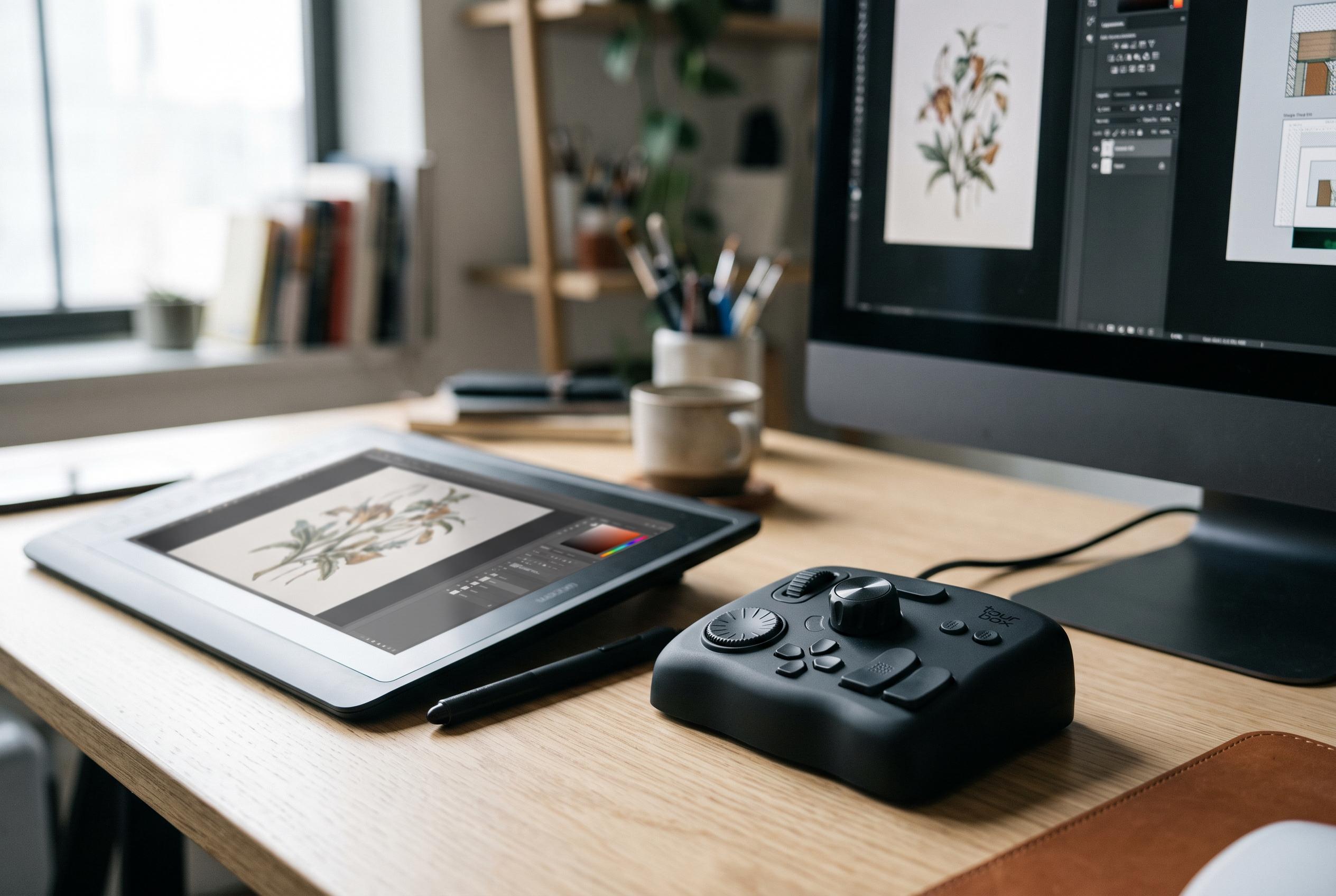

The TourBox Elite Plus emerges as the most versatile model in the range, effectively combining desktop and iPad workflows with sophisticated haptic controls and seamless device switching, setting a new standard for shortcut controllers amid expanding creative needs.
Across TourBox’s current four-device range, the extra money for the Elite Plus only becomes easy to defend when a tablet sits beside the computer on your desk. Recent assessments consistently point to the same conclusion: it is the only model in the line that properly bridges desktop and tablet work, while the cheaper Elite and NEO are the more rational buys if your editing never leaves Windows or macOS. Digital Camera World went further, arguing that the real choice between Elite Plus and Elite is not about core control quality but about whether tablet support matters, with Android still less mature than the iPad side. (digitalcameraworld.com)
That matters because TourBox was not conceived as a specialist panel for one application. DPReview’s earlier look at the platform described it as a shortcut console for the non-dominant hand, intended to take over repetitive commands while the dominant hand stays on a mouse, stylus or trackpad. The same review found the concept broad rather than narrow: if a piece of software relies on keyboard shortcuts, TourBox can usually be bent to fit it, which is why Photoshop and DaVinci Resolve were among the earliest test cases. The basic appeal of the family has changed less than the model names suggest. (dpreview.com)
In hardware terms, the Elite Plus is the fullest expression of that idea. Parka Blogs reports that the unit, released in early 2025 as TourBox’s fourth shortcut remote, weighs 376g before its AA batteries and is arranged around 11 buttons plus three clickable rotary controls. Nerd Techy says those controls are deliberately differentiated by shape, texture and resistance so they can be recognised by touch alone, while TechWalls highlights the adjustable, two-level haptic motor built into the knobs and scroll wheel. Taken together, the reviews describe a controller designed to stay fixed on the desk and be operated largely without looking down. (parkablogs.com)
The tablet story is where the Elite Plus justifies its name. Nerd Techy says it was TourBox’s first controller designed around iPad use and lists support across apps including Procreate, Clip Studio Paint, Photoshop, Lightroom, Capture One, DaVinci Resolve and LumaFusion. TechWalls’ Procreate testing adds the practical detail that often gets lost in product round-ups: the controller can handle canvas rotation and zoom, brush size, hardness, opacity and flow, as well as QuickShape and layer management, leaving the Apple Pencil to do drawing rather than navigation. That is a meaningful workflow change for illustrators. But Digital Camera World tempers the enthusiasm by saying iPad compatibility is “much more baked in” than Android, where ready-made presets are thinner. (nerdtechy.com)
For people who genuinely move between devices, the Elite Plus also gains credibility from how it switches. Nerd Techy says dual-channel Bluetooth allows simultaneous pairing with two devices and a one-button swap between them, with an LED changing colour to show the active channel. Digital Camera World adds that the unit can also run over USB when connected to a computer, which means the premium model is not merely a wireless variant but the only one in the family that is comfortable straddling computer and tablet workflows. If your setup already includes both, that is a practical distinction rather than a luxury feature. (nerdtechy.com)
The strongest desktop-only value argument, though, belongs to the NEO. Amateur Photographer says the wired model arrives with profiles for Photoshop, Lightroom and Premiere, connects by USB-C and uses the same left-hand logic as the rest of the range: tactile controls on one side, mouse or graphics tablet on the other. The same review is also more sceptical than most buying guides. It warns that the unmarked controls demand repetition before muscle memory takes over, and that the presets are not always consistent. More importantly for some photographers, Adobe Camera Raw remains a hole in the experience. As Andy Westlake put it, if Bridge and Camera Raw are central to the job, the NEO “isn’t for you”. (amateurphotographer.com)
That perspective also clarifies where the Elite sits. Amateur Photographer’s comparison says the Elite is, in physical terms, almost the same device as the NEO, with the biggest visible change being Bluetooth and a battery compartment for two AA cells. Parka Blogs, writing about the Elite Plus, frames the step up from Elite in similarly narrow terms: the major upgrade is iPadOS support. Put those points together with Digital Camera World’s verdict and TourBox’s range starts to look less like four radically different consoles and more like one control concept sold at escalating levels of connectivity, haptics and platform reach. (amateurphotographer.com)
The Lite remains the budget doorway into the family, but the sharper dividing line is not beginner versus expert. It is tablet versus no tablet. TourBox’s whole proposition, as DPReview noted years ago, is to make shortcut-heavy editing faster by moving common actions under the non-dominant hand; what the newer reviews add is that the Elite Plus is the version that finally extends that promise convincingly to iPad work, while the NEO and Elite stay strongest on the desktop. For buyers choosing between them now, that is the most useful way to read the range. (dpreview.com)
Disclaimer: This content is intended for informational purposes only. Readers are advised to exercise their own judgement, conduct due diligence, or consult a qualified expert before acting on any information provided.



