

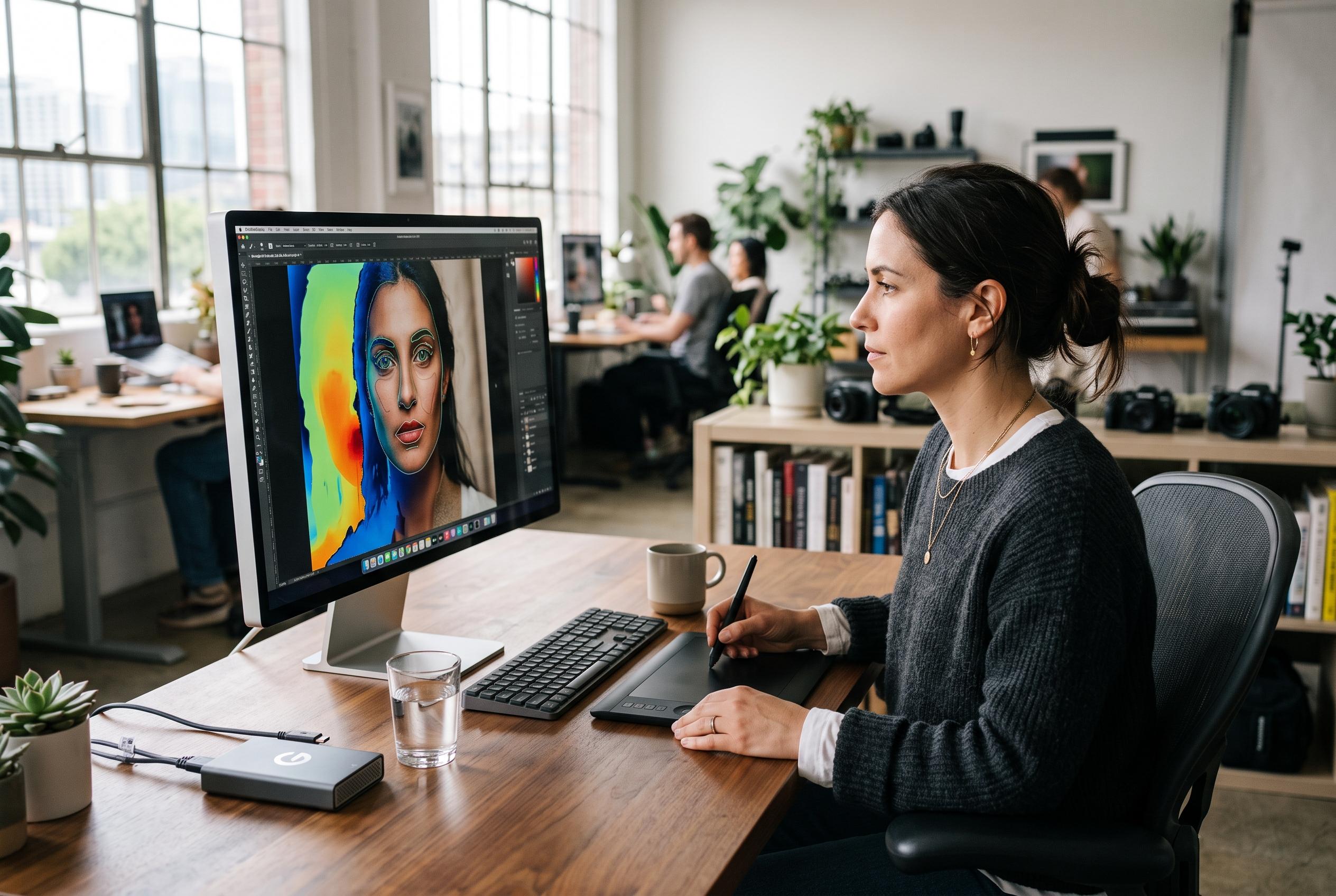

DxO has launched PhotoLab 10, introducing advanced AI-powered masking, depth inference, and granular facial segmentation, challenging Adobe’s dominance with a subscription-free alternative that pushes the boundaries of creative control in raw editing.
DxO’s PhotoLab 10 launch has quickly become more than a straightforward feature update. The RAW editor was introduced on 1 September 2026 as the company’s latest subscription-free, perpetual-licence rival to Adobe’s photography tools, centred on deeper AI masking, a new colour grading workflow and direct Affinity hand-off. Three days later, DxO issued PhotoLab 10.0.1 for Windows, saying it fixed a compatibility problem with Nvidia driver 616.56 that could block exports using AI-powered corrections; the company said macOS users were not affected. (dpreview.com)
The headline addition is Depth Masks, which use AI to infer distance from a single RAW file and build an editable depth map even when no depth metadata is embedded. DxO says that lets photographers isolate foreground, middle distance and background independently, then refine the selected band with sliders and feathering handles. The idea is not entirely new inside DxO’s ecosystem: DPReview and PetaPixel both noted that the feature first appeared in Nik Collection 9 earlier in 2026. In comments reported by Digital Camera World, product director Cyril Duchêne said: “It will emulate the depth of field as if you were moving it directly with your lens.” (dpreview.com)
Hands-on coverage suggests the tool is strongest when a picture is already organised into clear spatial layers. PetaPixel’s Ted Kritsonis wrote that Depth Masks worked especially well for skies, buildings and layered architectural scenes, including a photograph in Rome where the masked band could be extended over fencing and the base of the Vittorio Emanuele II Monument without spilling into the crowd below. He also found the black-and-white mask preview useful for checking edges. But the same review said rounded or overlapping forms were harder to isolate cleanly, and that extracting only the central statue and its base demanded repeated slider adjustments. (petapixel.com)
The broader masking overhaul goes further than distance-based selection. PhotoLab 10 can now recognise every person in a frame, create one mask for all of them, group only selected people together or split each person into a separate mask. Portrait work is where DxO is pushing hardest: facial segmentation now reaches eyebrows, eyes, irises, pupils, sclera, teeth, facial hair, skin and lips, on top of existing AI categories such as sky, subject, background, animals, flowers and vehicles. PetaPixel’s launch coverage said that granularity does not carry across to animals, where subject detection remains available but fine facial selections are much more limited. Jean-Marc Alexia, DxO’s vice-president of product strategy, said the company’s view is that “AI should help photographers realize their vision, not replace it.” (dxo.com)
That emphasis on selection tools also shapes the rest of the upgrade. Life after Photoshop argued that DxO has “clearly decided that masking tools are the next imaging frontier”, and PhotoLab 10 backs that up with a new Control Brush and elliptical Control Points in its long-running U Point system. The practical change is that users can paint broadly while still letting U Point decide what belongs inside the mask based on colour and brightness, rather than tracing edges manually. DxO’s own launch material says AI Masks can now be expanded or contracted with the familiar U Point eyedropper, effectively combining automatic subject recognition with colour- and luminosity-based refinement. (lifeafterphotoshop.com)
Outside masking, the update is more incremental but still useful. PhotoLab 10 adds a single-wheel Colour Grading tool for shadows, midtones, highlights and overall balance, replacing a more fragmented approach with one interface that can also link tonal ranges while preserving their relative relationships. PetaPixel highlighted that this wheel is distinct from the older hue-based control already in the software, while Kritsonis said the change feels more consolidated than inherently faster. DxO has also built Affinity export directly into the workflow, so files can be sent out for pixel-level retouching, layering and compositing. Digital Camera World reported that DxO is promising further enhancements to that connection, although the current implementation remains a hand-off rather than any kind of in-app layer system. (dxo.com)
There are also quieter workflow changes that matter in daily use, including as-shot crop ratios, histogram adjustments inside PhotoLibrary, easier folder relocation and improved database backup and restore. Pricing across the launch coverage was broadly consistent: most outlets put a new licence at $249.99 or £229.99, with upgrades from PhotoLab 8 or 9 at $129.99 or £114.99, while Japanese coverage listed ¥32,900 for a new licence and ¥16,900 for an upgrade. Trial length is less clear. DxO’s own launch page, DPReview, PetaPixel and Life after Photoshop all referred to a 30-day trial, whereas Digital Camera World described a seven-day trial. (digitalcameraworld.com)
Compatibility may prove as important as features for some buyers. DxO’s current store pages list Windows 10 22H2 as the baseline, reserve AI Masks for Windows 11 24H2, and set macOS 15.7 Sequoia as the minimum, with Apple silicon required for AI Mask and Dust Detection. That clashes with one point in PetaPixel’s hands-on article, which said the software “won’t run on macOS Sequoia or earlier”. The same review also said Android DNG files remain unsupported. For photographers considering a move away from subscription software, PhotoLab 10 looks like a serious masking-led upgrade, but the mix of post-launch driver fixes and conflicting compatibility notes means checking the current requirements before paying is sensible. (shop.dxo.com)
Disclaimer: This content is intended for informational purposes only. Readers are advised to exercise their own judgement, conduct due diligence, or consult a qualified expert before acting on any information provided.



