


Recognising signs of battery failure and understanding when and how to replace a laptop battery can extend device life and prevent safety risks, according to industry experts.
A failing laptop battery is more than a minor nuisance. If a machine drops from 60% to 5%, powers down the moment it leaves the charger, or runs far hotter than usual, the problem can interrupt work, put files at risk and limit a device that should be portable. According to guidance from HP and several battery-repair specialists, the first step is to separate ordinary battery ageing from a fault in the charger, port or power circuitry.
Lithium-ion batteries lose capacity over time through charging cycles, heat and general use. The warning signs are usually clear: much shorter runtime, erratic percentage readings, abrupt shutdowns and charging that stalls well below full capacity. HP’s support material also points to swollen batteries and charging faults as reasons to act promptly, while repair guides for Acer and other brands say a rapid drop in endurance is often the strongest indicator that replacement is justified.
A swollen battery is a safety issue, not just a performance problem. If the case is lifting, the trackpad feels raised or the laptop no longer sits flat, the device should be shut down, unplugged and kept away from heat or pressure. Repair specialists say swollen packs should not be punctured, compressed or thrown in household waste. They should be removed and recycled through the proper route by a qualified technician.
Before buying a new pack, it is worth checking whether the battery is actually the fault. A damaged cable, worn adapter, loose DC jack or USB-C port can create the same symptoms. Windows can help with diagnosis through a battery report, which compares original design capacity with current full-charge capacity. Manufacturer diagnostics can add further evidence, but they are not a substitute for testing the charger and charging circuit when the laptop only runs on mains power.
Compatibility matters more than the logo on the box. Guides from ComputerCompatibility, LaptopJudge and Accessories-Mall all stress that the correct replacement depends on the exact model, part number, voltage, connector and physical shape. An original manufacturer battery is usually the safest choice, but a reputable third-party option can make sense for an older laptop if the quality is verifiable. Cheap, unbranded packs carry a greater risk of poor fit, inaccurate capacity claims and weak protection circuitry.
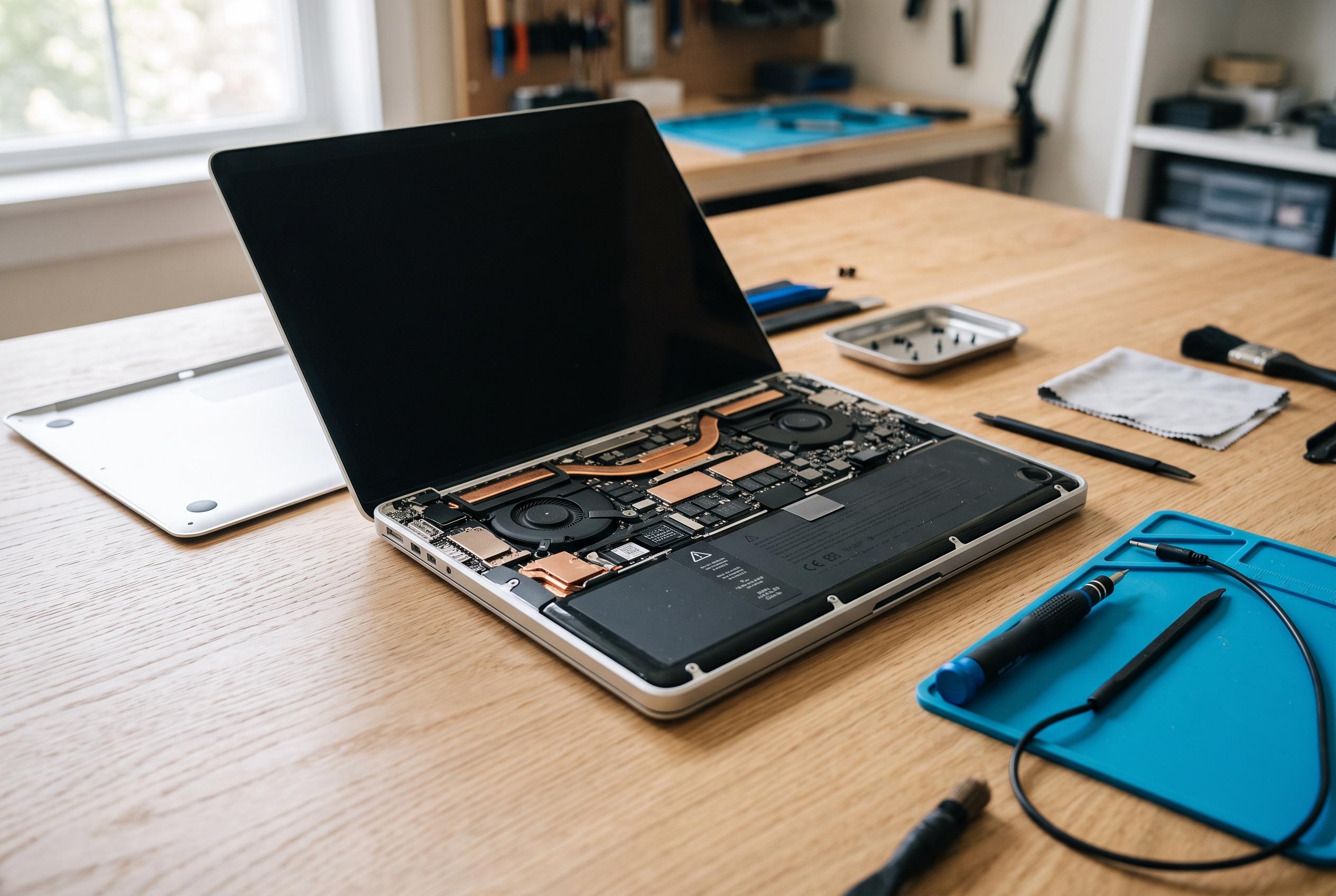
Replacement is easier on older machines with external batteries that slide out from the base. Modern thin laptops are more demanding, as the battery is often fixed inside the chassis with screws, adhesive and tightly packed connectors. In either case, a full backup is sensible before starting, because any repair that involves opening the machine can still expose hidden faults or accidental damage.
For an internal swap, technicians recommend shutting the laptop down completely, disconnecting power and removing the battery before touching screws or connectors. The order of removal matters, because screw lengths and cable routes vary. If adhesive is holding the pack in place, forcing it free can damage the chassis or the battery itself. Once the new unit is installed, the laptop should be checked for trapped cables, secure seating and correct charging recognition before regular use resumes.
Professional repair is the better option when the battery is swollen, the laptop is difficult to open or the charging fault is not clearly isolated. It is also the more cautious route if the device stores business records, schoolwork or family data that cannot be put at risk. A technician can test the adapter, inspect the charging path, source a compatible part and decide whether the issue is really the battery or a broader power-system failure. For older laptops that still meet daily needs, a quality replacement can extend service life by years. But when the battery problem is combined with a cracked screen, failing storage, port damage or obsolete software support, the total cost may make replacement more sensible than repair.
Disclaimer: This content is intended for informational purposes only. Readers are advised to exercise their own judgement, conduct due diligence, or consult a qualified expert before acting on any information provided.



