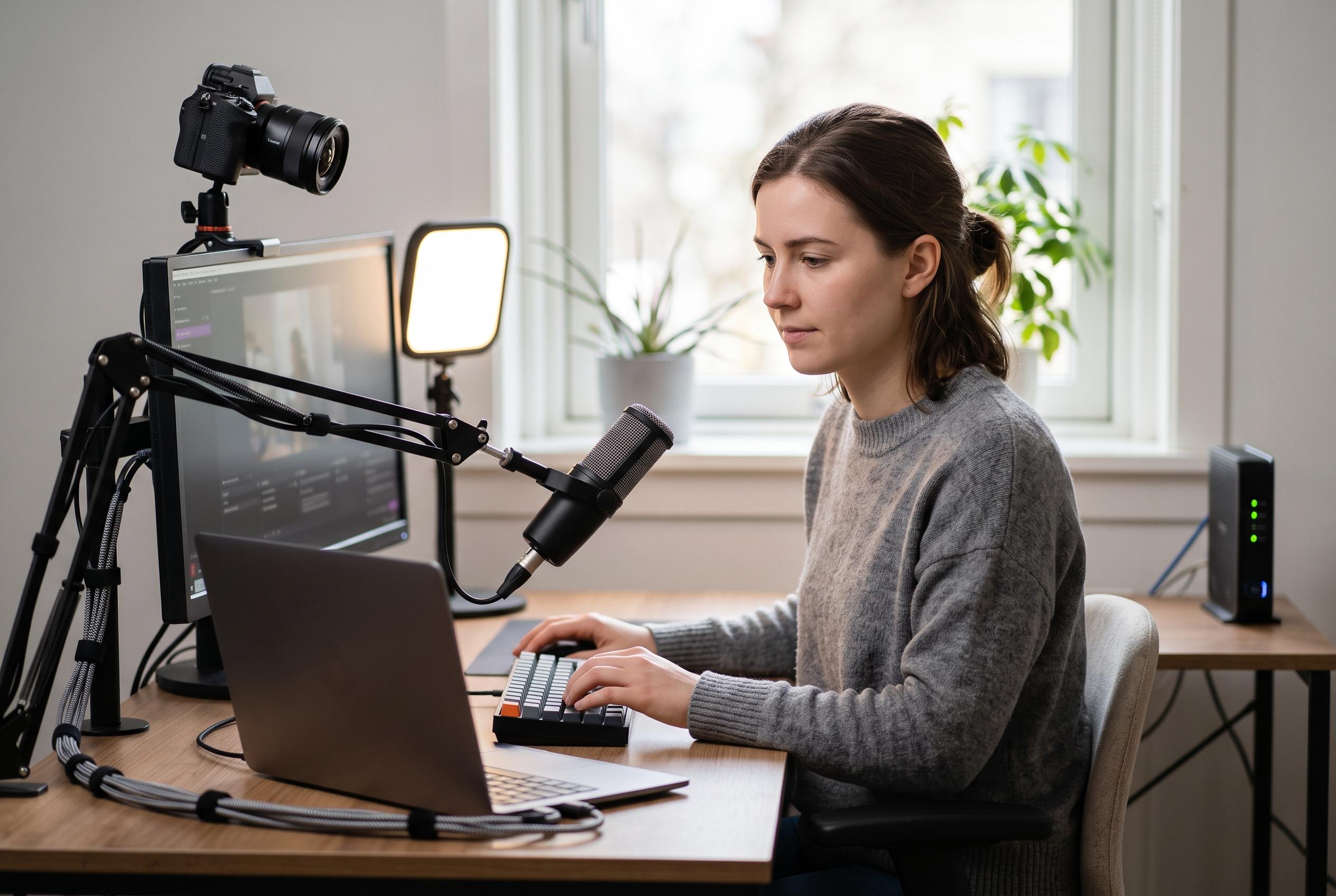

A well-balanced, simple setup with a webcam, microphone, and stable internet can improve a stream more than costly, underused gear. Experts recommend prioritising core essentials such as reliable encoding and clear audio for aspiring Twitch or YouTube broadcasters.
For anyone starting a Twitch or YouTube stream, the first priority is not a long list of accessories but a stable core setup. Frandroid’s beginner guide argues that it is better to begin with a modest, well-balanced package than to spend heavily on equipment that will not be used properly. The essentials are straightforward: a webcam, a dedicated microphone, a computer that can handle video encoding, reliable internet and software that is simple enough to learn quickly. From there, extra gear can be added only when it solves a clear problem.
On the camera side, the Logitech C920 remains a sensible entry point for basic streaming. TechRadar’s review notes that it offers 1080p capture at 30 frames per second and is often discounted, which helps explain why it has remained a common recommendation for years. Frandroid suggests that streamers who want smoother motion and better image quality should consider the Logitech StreamCam, while the Razer Kiyo Pro is aimed at users who want stronger low-light performance and HDR support. Razer says the Kiyo Pro uses a larger Sony STARVIS sensor and can record uncompressed 1080p at 60 frames per second, which places it closer to premium creator hardware than a simple webcam upgrade.
Audio matters at least as much as image quality, and for many viewers it matters more. Frandroid is right to stress that a webcam feed is often reduced to a small box on screen, whereas the microphone carries the stream throughout. That is why a dedicated USB microphone is a better first investment than relying on a headset mic. The guide points beginners towards the Bird UM1 as an affordable option, while also highlighting the MSI Immerse GV60 for those prepared to spend more on a cleaner and more polished sound. The key lesson is that even a modest microphone can make a stream feel more professional than a high-end camera paired with poor audio.
Beyond those basics, the most useful additions are functional rather than decorative. A second monitor makes it easier to read chat, manage scenes and monitor alerts without breaking the flow of a broadcast. Frandroid also recommends portable displays for streamers who need extra screen space in a compact format, such as Asus’ ZenScreen Go. Lighting can be surprisingly important in darker rooms, and the guide notes that a ring light or a compact monitor-mounted lamp can transform the look of a face cam without requiring a full studio setup. A green screen is useful only in specific cases; for many beginners, a neat room and careful framing are enough. Decorative LED panels, such as those from Nanoleaf, are more about atmosphere than necessity.
The guide also makes a practical point about the computer itself. Not every streamer needs a top-tier gaming rig, but a machine that can encode video smoothly is essential if the goal is a stable 1080p broadcast. Frandroid recommends Nvidia graphics cards where possible because NVENC offloads video encoding and reduces pressure on the rest of the system. That can matter just as much as raw gaming performance, especially when a stream and a game are both running at once. As for the network connection, fibre is strongly preferable. A wired Ethernet connection remains the safest choice for consistent upload performance, and basic ADSL is unlikely to be good enough for a clean stream at modern resolutions.
Software choice is simpler. Frandroid points to Streamlabs OBS as a beginner-friendly option with useful built-in tools for alerts, scenes and overlays, while noting that XSplit’s useful features are more restricted in its free tier. For many newcomers, standard OBS remains the most flexible route, particularly if they want to learn the basics without paying for software immediately. The broader advice from the guide is also sound: focus first on clear sound, acceptable lighting and stable encoding, then improve the set-up step by step. In streaming, a restrained and well-configured rig usually performs better than a pile of underused gadgets.
Disclaimer: This content is intended for informational purposes only. Readers are advised to exercise their own judgement, conduct due diligence, or consult a qualified expert before acting on any information provided.