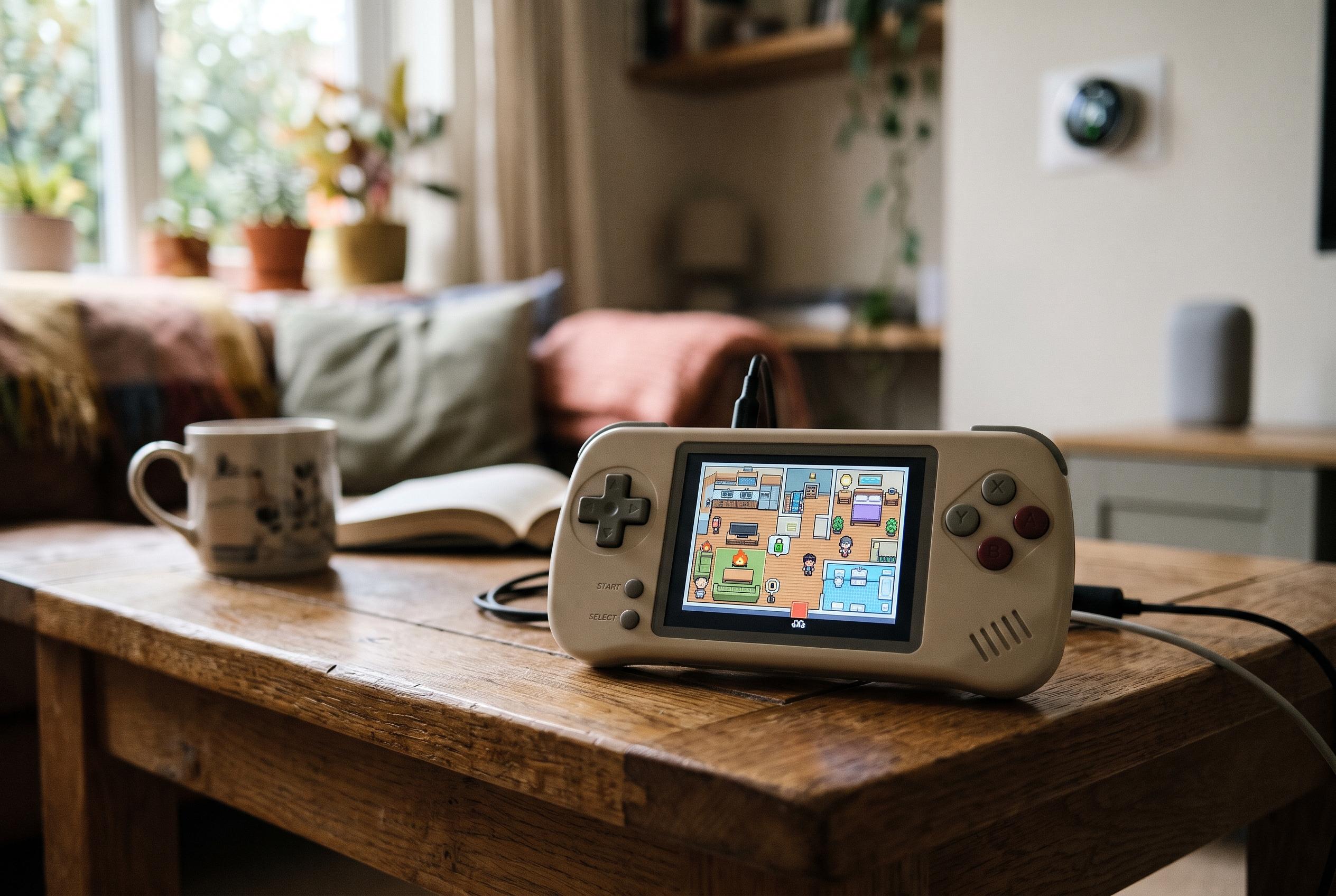

A Wi-Fi-enabled R36 Ultra has been transformed into a pixel-art map of the creator’s home, letting them trigger real-world automations by exploring it like a classic game.
A retro handheld gaming device has been repurposed into an unusually elaborate smart home controller, with the creator using Home Assistant and AI assistance to turn a small console into an interactive map of the house. The project began with a simple interest in the R36S family of devices, which are sold as cheap emulation handhelds, and evolved into a custom-built system that lets the user move through a pixel-art version of the home and trigger real-world automations from inside the game. According to the article on How-To Geek, the appeal lay less in practicality than in the novelty of building something playful that still had a functional purpose.
The device at the centre of the experiment is the R36 Ultra, a variant with Wi-Fi rather than the original model’s lack of wireless connectivity. Retail listings for the R36S line describe the handheld as a small, 3.5-inch IPS-screen console designed for retro gaming, with preloaded titles and support for multiple emulators. That made it a natural candidate for a project that depended on network access and lightweight Python software rather than a conventional smart home panel.
What sets the project apart is the way the game mirrors the house itself. The creator uploaded photographs of individual rooms, then used Codex to generate a top-down retro aesthetic inspired by classic adventure games. The process was not smooth: the AI could generate room art quickly, but it repeatedly misunderstood spatial orientation, producing awkward layouts in which doors appeared in walls or furniture was rendered at the wrong angle. A large part of the work involved correcting those errors through repeated prompting until each room looked recognisably like its real counterpart.
Once the artwork was in place, the software could communicate with Home Assistant over Wi-Fi and translate in-game actions into physical changes around the house. By walking to a switch, television, stereo or smart plug in the virtual home and pressing a button, the user could turn lights on and off, start music, activate an electric blanket, power up the television, open a streaming app, alter volume levels and raise the heating. The result is, in effect, a dashboard that must be explored room by room before a command can be issued.
The author acknowledges that this makes the system strikingly inefficient compared with a normal app or dashboard, especially when the desired device is in another part of the house. Yet that inefficiency is part of the appeal. The project is not trying to replace a conventional smart home interface; it is turning home control into a small game, and the creator says the result is exactly what they imagined. There is even scope for expanding it further, perhaps by adding experience points or other game mechanics tied to the reliability of the smart home itself. According to How-To Geek, the lesson is that the most frivolous ideas are sometimes the most enjoyable ones to build.
Disclaimer: This content is intended for informational purposes only. Readers are advised to exercise their own judgement, conduct due diligence, or consult a qualified expert before acting on any information provided.