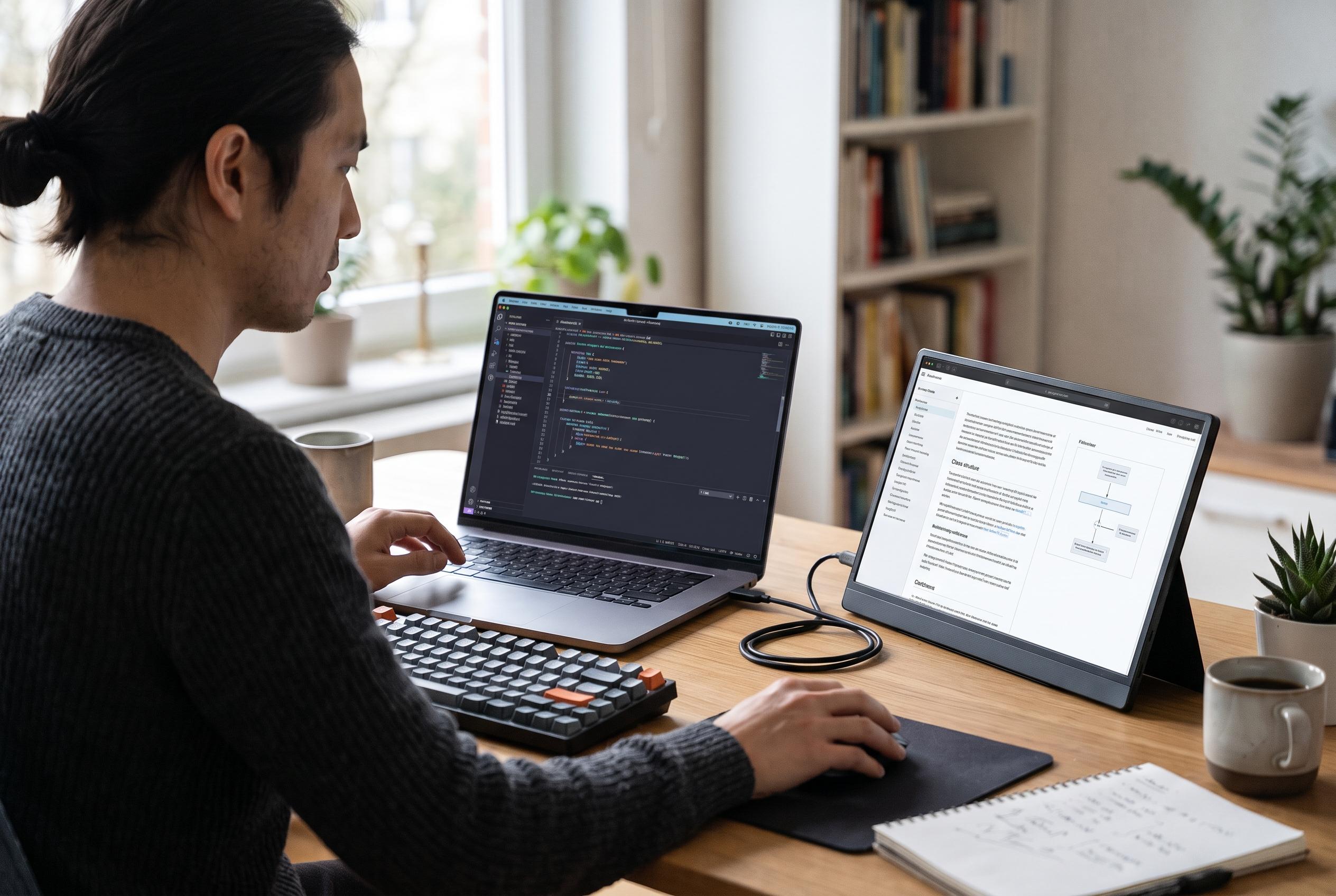

A portable display can keep code and reference material in view, but productivity gains depend on the task, the setup and whether your laptop supports video over USB-C.
Portable second screens are increasingly being positioned as a practical tool for developers who need code, documentation and terminal output visible at the same time. In a workflow built around frequent switching between references, editors and test results, the appeal is straightforward: a larger desktop can reduce window overlap and make it easier to compare information without constantly rearranging tabs. The guidance is especially relevant for laptop users, whose built-in displays often make multitasking feel cramped. According to the supporting material, the article’s product suggestions are promotional, so the claimed gains should be treated as task-dependent rather than guaranteed.
Evidence from multi-screen research is suggestive, though not definitive. An IDC brief sponsored by Dell reported that a small 2015 study found dual-monitor users were 18% more efficient on tasks that required several software applications, with fewer window switches and higher satisfaction. Separately, a research paper on review-style workflows noted an earlier estimate that reducing window toggling can save roughly ten seconds every five minutes of work. A more directly relevant paper on programming students found that extra monitors were used for reference guides and assignment material, but performance gains were modest and varied by task. Taken together, the research supports the idea that another screen can help when work depends on constant reference-checking, but it does not prove that every developer will work faster.
For buyers, the most useful specifications are practical rather than glamorous. A portable display should be light enough to carry daily, large enough to sit comfortably beside a laptop and sharp enough to keep code readable for long sessions. Full HD resolution is often sufficient at 14 to 16 inches, where text clarity matters more than raw panel size. The article’s buying guidance also highlights the value of a stable stand or cover, because a screen that wobbles on a café table or shared desk quickly becomes a nuisance. Those points are sensible, but they are also generic: the best choice depends on travel habits, desk space and how much reference material the user needs visible.
Connection choice is another key consideration. A portable monitor with USB-C can be convenient because a single cable may carry both power and video, which keeps a desk tidy and makes it easier to set up away from home. However, the Video Electronics Standards Association notes that USB-C shape alone does not guarantee display output; the laptop must support DisplayPort Alternate Mode or an equivalent video pathway. In practice, that means buyers should verify their machine’s specifications before assuming a portable monitor will work over one cable. If the port lacks video support, an adapter or a different connection will be needed.
Once connected, the value of a second display lies in layout discipline. The simplest arrangement is to keep the code editor on the main screen and move documentation, tickets or API pages to the portable panel. Some developers may prefer the reverse, or use the additional display for a terminal, browser, chat window or notes. The point is not to create more screens for their own sake, but to keep the most relevant information in view while preserving attention on the active task. The article’s suggested layouts reflect that principle, and the research on multi-monitor workstations supports the general idea that nearby source material can make retrieval and comparison easier.
Ergonomics remain important regardless of how compact the equipment is. OSHA recommends placing the top of the monitor at or slightly below eye level, positioning the screen so it can be read without leaning and keeping the primary display directly in front of the user, with a second display alongside it. The American Optometric Association also recommends the 20-20-20 rule: every 20 minutes, look at something 20 feet away for 20 seconds. Those habits matter because even a well-chosen portable screen can become uncomfortable if it is too high, too low, too bright or too close. In other words, the monitor is only part of the solution; the desk arrangement matters just as much.
Disclaimer: This content is intended for informational purposes only. Readers are advised to exercise their own judgement, conduct due diligence, or consult a qualified expert before acting on any information provided.