

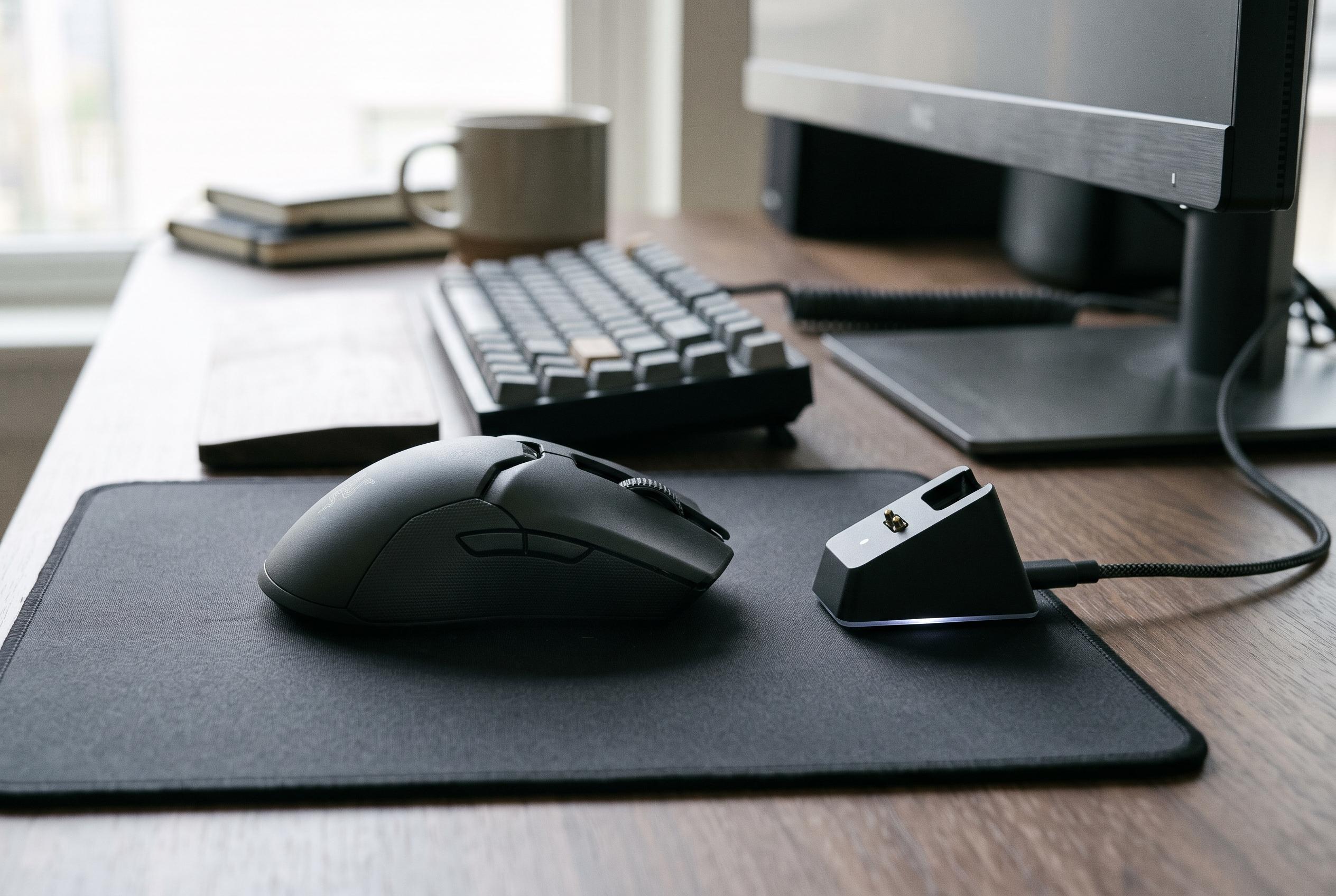

The NEX Pro pairs a high-spec sensor, ergonomic design and bundled magnetic dock at a competitive price, though its browser-based software lacks polish.
EPOMAKER’s NEX Pro is a wireless gaming mouse that makes a clear argument for priorities: strong internal hardware, practical ergonomics and a generous bundle, all at a price that remains below the level of many rivals with similar ambitions. The headline features are notable for the money. EPOMAKER pairs a PixArt PAW3950 sensor with Omron optical switches, an 8,000Hz polling rate and a magnetic charging dock that is included in the box rather than sold as a separate accessory. Independent hands-on reviews broadly support that positioning, describing the NEX Pro as a feature-rich model that aims to balance performance, comfort and value rather than chase extreme minimalism.
The design is conservative, but not dull. EPOMAKER has opted for a right-handed, asymmetrical shell with a raised rear section and a left-side thumb rest, a shape that multiple reviewers say works best for medium to large hands. At 122 x 65 x 42mm and 65g, it is light enough to feel responsive without entering the ultra-light class that often sacrifices solidity. Reviewers found the ABS shell generally well assembled, with a sturdy feel and only limited flex under heavy pressure, although the finish is not flawless and the main buttons can show a little lateral movement. EPOMAKER also supplies grip tape and spare PTFE feet, which adds to the sense that the company is targeting practical users rather than pure spec chasers.
The control layout is standard, with the main clicks, two side buttons and a clickable scroll wheel. The Omron optical switches are described as crisp, with a short travel and a firm, clean actuation. That optical design matters because it avoids the mechanical wear associated with traditional contacts, which should help consistency over time. The scroll wheel uses distinct notches and does not offer a free-spin mode, which keeps the mouse firmly in the gaming and general-use category rather than turning it into a productivity specialist. In use, the NEX Pro appears to favour straightforward control and reliable response over experimental ergonomics or elaborate extras.
Under the shell, the PAW3950 sensor is the main performance piece. EPOMAKER lists sensitivity up to 42,000 DPI, tracking at 750 inches per second and acceleration up to 50G, while the Nordic controller enables polling rates up to 8,000Hz over both wired USB and 2.4GHz wireless connections. Those figures are well beyond what most users will need, but they do point to a mouse built for low-latency input and precise tracking. Reviewers who tested the device in practice say the sensor behaves as expected, with fast and accurate cursor response and no obvious weakness in ordinary gaming scenarios.
Connectivity is one of the NEX Pro’s more interesting choices. It supports USB-C, 2.4GHz wireless and Bluetooth, but the Bluetooth mode is best treated as a convenience option for office work rather than a serious gaming link. The included dock is the most distinctive part of the package because it handles both charging and 2.4GHz reception. That means the receiver is effectively tied to the dock, so users who want maximum wireless performance will need to keep it nearby. EPOMAKER says the 500mAh battery can last up to 350 hours at 125Hz, while its own figures and independent tests suggest that endurance drops sharply at higher polling rates, with around 50 hours at 8,000Hz being a more realistic reference point.
The software story is less convincing. Instead of a full desktop application, EPOMAKER uses a browser-based interface that stores settings in onboard memory, allowing DPI, polling rate, lift-off distance, button mapping, macros and RGB lighting to be adjusted. In principle, that is flexible and avoids installation headaches. In practice, reviewers note that the interface still feels awkward, with menus that are not always clearly organised and lighting settings that can behave inconsistently, including on the dock. That does not undermine the mouse’s core appeal, but it does limit its polish for power users who regularly switch profiles or fine-tune settings. The result is a mouse that looks strongest where it matters most: performance, ergonomics and bundled hardware. The trade-off is that EPOMAKER has not yet matched the refinement of the better-established software ecosystems in this segment.
Disclaimer: This content is intended for informational purposes only. Readers are advised to exercise their own judgement, conduct due diligence, or consult a qualified expert before acting on any information provided.



