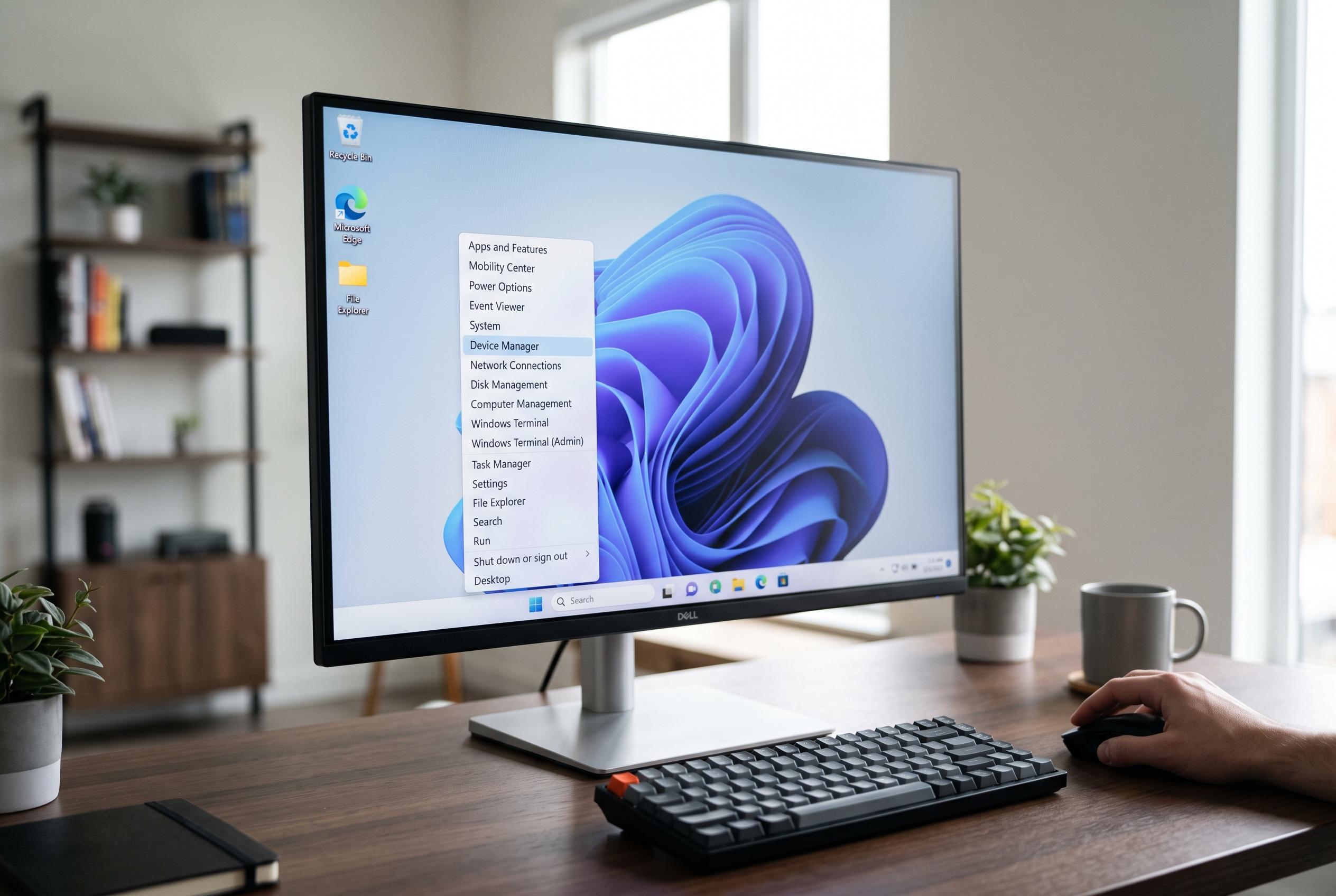

A new small shortcut accessible via right-click on the Start button or the Win+X shortcut simplifies access to essential system tools in Windows 11, promising faster and more efficient workflow for advanced users amid ongoing interface enhancements.
A small Windows 11 shortcut can save considerable time: right-clicking the Start button opens the Quick Link menu, also available with the Win+X keyboard shortcut, according to Microsoft support. It is a compact panel rather than a full menu overhaul, but it puts frequently used system tools within one click or key combination, which makes it useful for everyday administration tasks.
The menu is designed for speed. It provides direct access to tools such as Device Manager, Task Manager, Settings, Run, Disk Management, File Explorer, Search, Terminal and the sign-out or shutdown options. For users who routinely adjust hardware, check processes or open administrative tools, it avoids the need to dig through Settings or search results.
That kind of shortcut matters more in Windows 11, where Microsoft has spent recent updates trying to make core interface elements clearer and faster. Windows Central reported that Microsoft is working on a broader redesign of context menus, including a more compact layout and customisation options, after long-running complaints that right-click menus can feel cluttered or sluggish. In that context, the Win+X menu stands out as one of the few built-in right-click experiences that already does a practical job with minimal fuss.
The Start menu itself has also become more flexible. PCWorld and Windows Central have both noted that Windows 11 now allows more personalisation, from pinned apps and folder shortcuts to changes in the Start area and related navigation features. The Quick Link menu fits neatly into that trend: it is not decorative, but functional, and it is best seen as a power-user tool hidden in plain sight. For anyone who prefers direct routes over menus and submenus, it is worth remembering.
Disclaimer: This content is intended for informational purposes only. Readers are advised to exercise their own judgement, conduct due diligence, or consult a qualified expert before acting on any information provided.