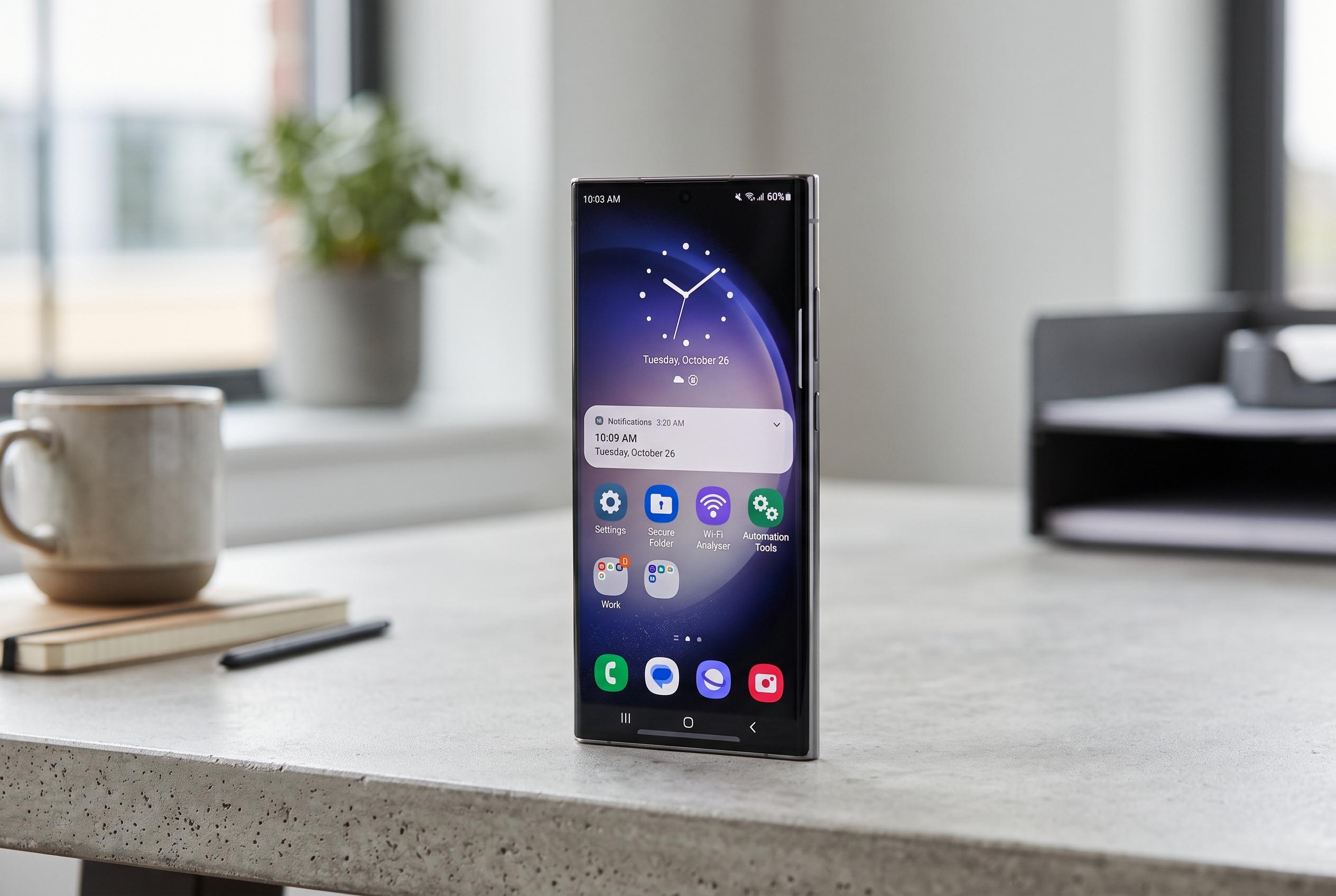

Samsung’s latest One UI update introduces a suite of practical features, including Secure Folder, Wi-Fi analyser, and automation tools, elevating user privacy and convenience amid critiques over preloaded apps and charging speeds.
Samsung phones often draw criticism for preloaded apps, intrusive prompts and slower charging than some rivals. Yet they also remain among the most capable Android devices on sale, largely because One UI includes tools that many competitors still do not match. Several of Samsung’s most useful additions are not flashy at all. They are practical, deeply integrated and, in some cases, difficult to replace once a user has relied on them for a while.
One of the clearest examples is Secure Folder, Samsung’s encrypted private space for apps, photos, videos and documents. Samsung’s UK and US support pages say the feature is protected by the Knox security platform and can be locked with a PIN, password or biometric check. It can also be hidden from the app drawer, which makes it more discreet than a normal locked album or app vault. TechRadar notes that the feature is designed to keep sensitive data separate from the main phone profile, making it closer to a second sandboxed environment than a simple privacy setting.
Samsung also includes tools that help with everyday technical problems. The built-in Wi-Fi analyser, which is tucked away rather than promoted prominently, can map signal strength around a home and identify crowded channels. That makes it useful for diagnosing dead spots or deciding whether a router should be moved. At the other end of the spectrum, Samsung DeX turns a Galaxy handset into a desktop-style workstation when connected to a display. With a keyboard and mouse, it offers resizable windows, a taskbar and drag-and-drop file handling, giving users a light PC alternative without extra hardware.
Personalisation is another area where Samsung stands out. Good Lock, Samsung’s official customisation suite, acts as a hub for downloadable modules that alter the home screen, lock screen, keyboard, notifications and display behaviour. Some modules add functions that rival Android users often have to seek in third-party apps, such as per-app refresh rates, extra one-handed controls and button remapping. Because the system is maintained by Samsung itself, the company can keep adding capabilities without requiring root access or unofficial tweaks.
There is also a free temporary cloud backup service that is easy to overlook. Samsung says it lets users store a phone’s data in Samsung Cloud for 30 days, including apps, messages, contacts, photos, videos, settings and even Secure Folder content. The feature is aimed at phone transfers, but it also offers a practical safety net before a factory reset or repair. For people who upgrade devices regularly, that can save considerable time and reduce the risk of data loss.
Finally, Modes and Routines give Galaxy owners a level of automation that is still unusual on mainstream Android phones. Samsung describes Modes as pre-set behaviour profiles for things such as sleep, work and exercise, while Routines use if-then rules to trigger actions based on conditions. That can mean lowering notifications during meetings, changing sound settings when earbuds connect or switching on battery-saving behaviour at a chosen charge level. Google offers a lighter version on Pixel phones, but Samsung’s system is broader and more flexible, which helps explain why many users treat it as one of One UI’s most valuable advantages.
Disclaimer: This content is intended for informational purposes only. Readers are advised to exercise their own judgement, conduct due diligence, or consult a qualified expert before acting on any information provided.