
As long hours in software like Adobe Premiere Pro and DaVinci Resolve take a toll, professionals are turning to innovative control consoles such as Logitech MX Creative Console and TourBox Elite to boost efficiency and comfort, highlighting a surge in bespoke creative hardware.
Creative work that depends on repeated shortcuts can quickly become physically taxing. Editors who spend long hours in Adobe Premiere Pro, DaVinci Resolve, Photoshop or Lightroom often rely on compact control surfaces to move common tools closer to hand and reduce dependence on mouse clicks. Creative Bloq says its testing focused on real editing workflows, with an eye on build quality, software maturity, customisation and the amount of time each console actually saves once the learning curve is over.
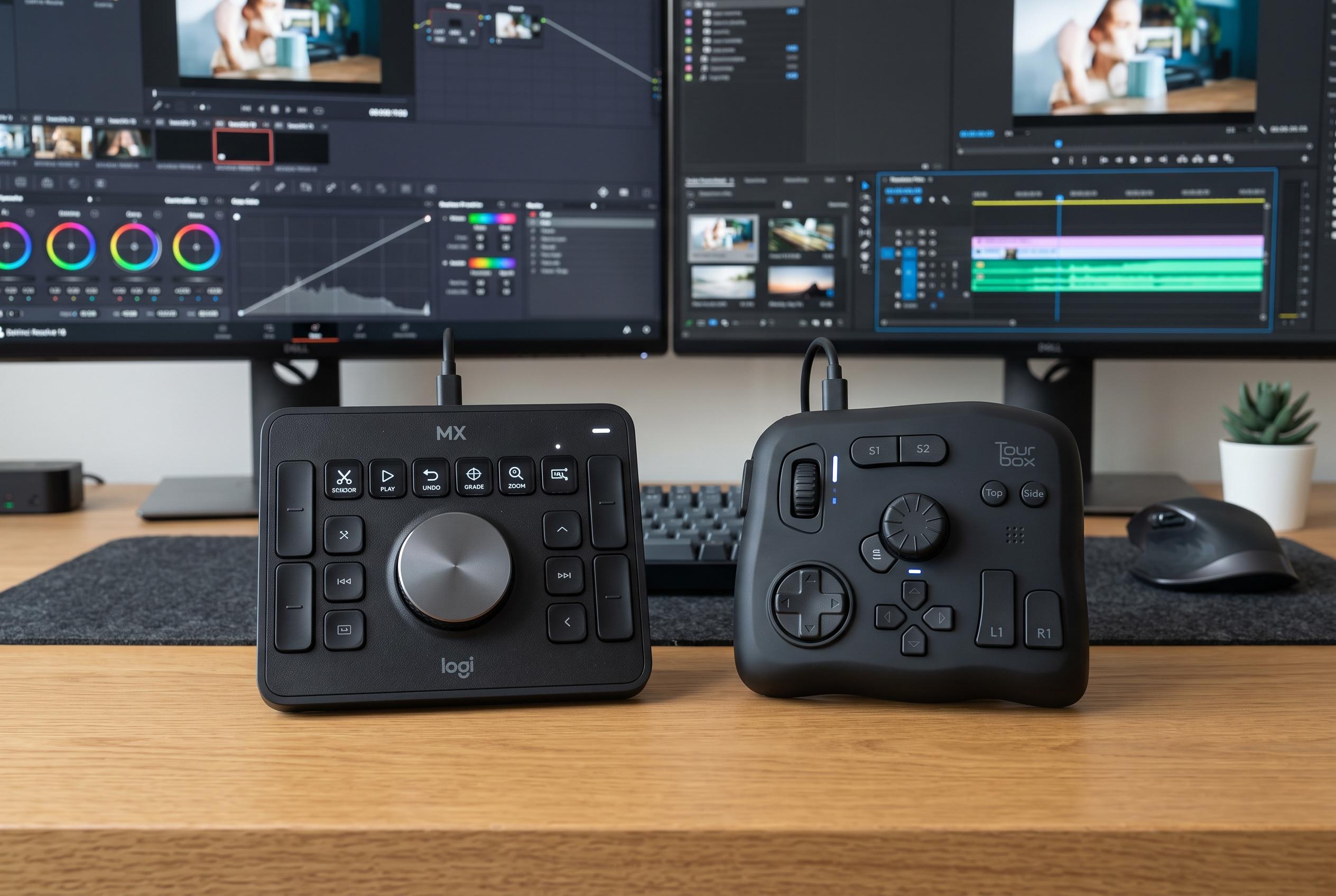
Creative Bloq’s top recommendation is the Logitech MX Creative Console, a two-piece system that combines a wired keypad with a wireless dial. The company says the setup provides 135 customisable actions across 15 pages, while the Logi Options+ software offers ready-made profiles and shortcut suggestions to speed up setup. In testing, the controls were described as precise and dependable, though the tethered keypad limits desk placement. At $199.99 or £199.99, it is not the cheapest option, but Logitech includes three months of Adobe Creative Cloud All Apps, which improves the overall value.
For users who want deeper customisation, Creative Bloq points to the TourBox Elite. The controller packs 11 buttons and three pressable dials, with more than 160 possible combinations when single clicks, double clicks and holds are counted. According to the review, the compact unit feels solid despite its plastic shell, haptic feedback gives each input a more tactile response and dual-channel Bluetooth lets it connect to two devices at once. The trade-off is setup time: building fully tailored presets takes patience. Digital Camera World notes that the closely related TourBox Elite Plus adds tablet support, but at a higher price and with limited Android usefulness.
The best value choice, according to Creative Bloq, is the XPPen Pilot Pro. It combines a joystick, dual dials and 19 buttons, with the joystick designed to switch quickly between tools such as Razor, Ripple Edit and Selection in Premiere Pro and DaVinci Resolve. The review says the hardware is well made and especially effective for colour work, but button placement on the left side is awkward and Bluetooth pairing was less reliable than expected. At £169.99 or $188.99, it undercuts both the Logitech and TourBox models while adding a carry case for users who move between studio and home. For editors comparing devices in 2026, the broader market still favours dedicated controllers over standard keyboards when speed, ergonomics and repeatable precision matter most.
Disclaimer: This content is intended for informational purposes only. Readers are advised to exercise their own judgement, conduct due diligence, or consult a qualified expert before acting on any information provided.