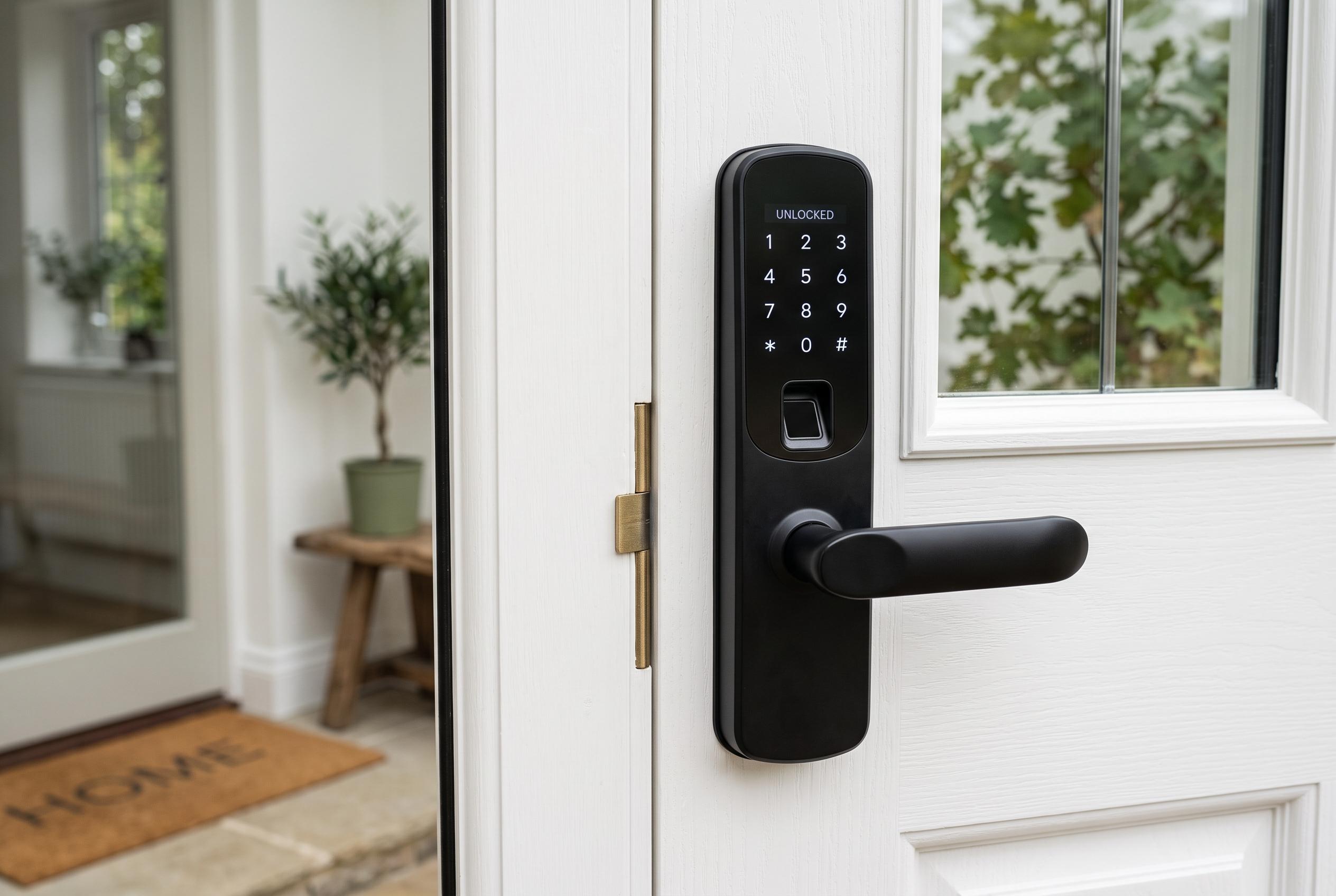

An overview of the latest smart door lock options highlights a trend towards user-friendly, versatile systems featuring biometric access, remote management, and tailored household access control, suited for busy families and tech-savvy homeowners.
For many households, the appeal of a smart door lock is not novelty but speed. Review guides from Tom’s Guide, Security.org, PCWorld and TechRadar all frame the category around the same basic trade-off: quick, keyless access on one side, and stronger control over who can enter on the other. For families, that balance matters most at school drop-off, after grocery runs and during the chaotic parts of the day when a physical key is just one more thing to fumble for.
The strongest options in this roundup reflect that reality. Fingerprint locks are the easiest to live with when hands are full, keypad models are useful for children, carers and temporary guests, and app-connected locks add remote management when someone forgets to lock the door. The more useful models also include auto-lock, activity logs, low-battery warnings and code sharing, which makes them more practical than a basic connected deadbolt. PCWorld’s broader smart-lock coverage and Security.org’s 2026 guide both point to ease of use and access control as the features that now matter most.
Among the deadbolt-style options, eufy’s Smart Lock C220 stands out for its built-in Wi‑Fi, fingerprint access and multiple unlock methods, including Apple Watch and voice support. The C33 is a simpler eufy choice for buyers who want quick installation and fingerprint entry without much setup overhead. Wyze’s Auto-Lock Bolt v2 aims at the same everyday use case, with a learning fingerprint scanner, automatic locking and USB-C emergency power. These are the kinds of details that matter in real homes, where convenience is only useful if it is reliable.
Philips appears twice in this field because it offers two different approaches. Its Wi‑Fi smart deadbolt focuses on broad code management and remote access, while the Philips WiFi Keypad Door Lock with Handle bundles the handle set and adds fast fingerprint access. That fits the broader trend highlighted by TechRadar and Tom’s Guide: consumers increasingly want locks that do more than replace a key. They want systems that can recognise a family member, issue a one-time code and still work like a normal lock when needed.
For buyers who prefer something more traditional, TEEHO’s TE001 is the plainest choice in the list. It keeps to keypad entry, guest codes and auto-lock, which is enough for many front doors, back doors or garage entries. TEEHO’s TE012W adds fingerprint access, built-in Wi‑Fi and app management while keeping the interface relatively simple. That makes it a stronger fit for households that want connected features without drifting into a more complicated smart-home setup.
Handle-style locks remain useful where a full deadbolt swap is not the best answer. The Fingerprint Smart Door Lock with Handle, Yamiry Fingerprint Knob and Veise VE017 all lean into shared access, temporary codes and family-friendly management. Veise goes further with app-based permission control and encrypted local storage, reflecting a broader industry move towards finer-grained access control rather than a single shared passcode. T3’s reporting on newer lock designs shows where the market is heading, with facial recognition, palm-vein scanning and other biometric methods beginning to push past standard fingerprint entry.
That does not mean every household needs the most advanced option. In many cases, the best smart lock is simply the one that matches the door, the family routine and the level of control the household actually needs. A locker-style app dashboard is useful for a rental property or a busy home with multiple users, but a low-friction keypad or fingerprint model may be enough for a smaller household. TechRadar and Security.org both stress that compatibility, platform support and installation should weigh as heavily as headline features.
The practical buying advice is straightforward. Choose fingerprint if you want the fastest everyday entry. Choose keypad if children, guests or babysitters need simple access. Choose Wi‑Fi and app control if you want to manage the lock away from home. And check the door fit before buying, because deadbolt sizes, door thickness and handedness still decide whether a lock will be easy to install or frustrating from the start.
Disclaimer: This content is intended for informational purposes only. Readers are advised to exercise their own judgement, conduct due diligence, or consult a qualified expert before acting on any information provided.