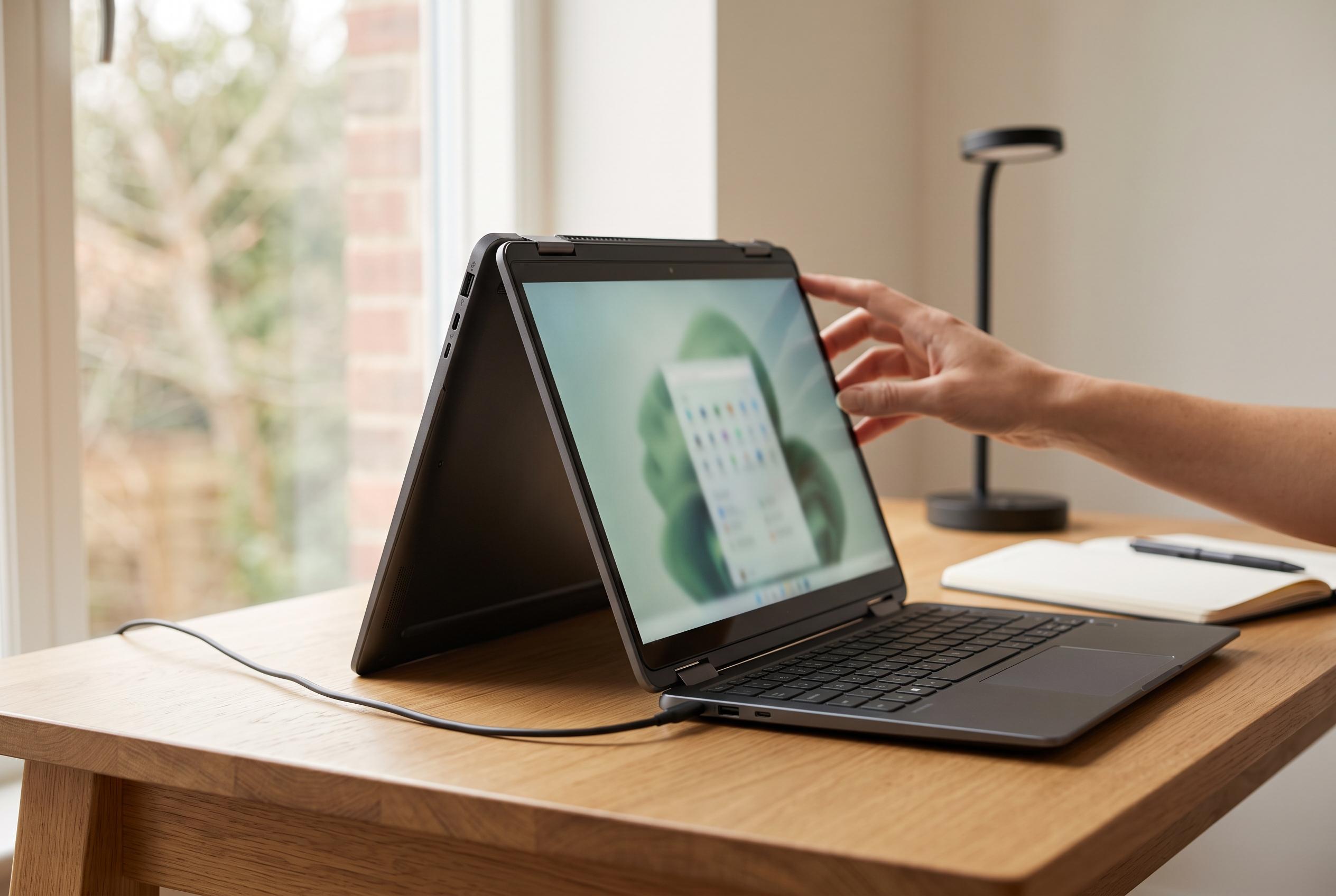

VAIO’s new 13.3-inch T series reintroduces its distinctive multi-flip form factor, offering a practical alternative to traditional 360-degree convertibles with a focus on design, build quality, and battery life, although it omits stylus support, raising questions about its versatility.
VAIO’s return to the multi-flip form factor feels like a deliberate answer to one of the long-standing compromises in convertible PCs. Traditional 360-degree designs are useful, but they leave the keyboard facing the rear when the machine is used as a tablet, which can feel awkward and slightly fragile in daily use. The new 13.3-inch VAIO T revives the company’s earlier multi-flip approach, keeping the keyboard on the inside even when the screen is folded over, and that makes the layout look more considered than many of today’s better-known convertibles. According to the review, that alone is enough to make the machine stand out in a market where most 2-in-1s now follow the same basic pattern.
The hardware list is firmly premium. VAIO offers Windows 11 Pro or Home, Intel Core Ultra 7 356H or Core Ultra 5 325 processors, up to 64GB of memory, and storage options ranging from a standard 512GB SSD to faster fifth-generation drives in capacities up to 2TB. The display is a 13.3-inch WQXGA touch panel with a 16:10 aspect ratio and 2,560 x 1,600 resolution, while the top bezel houses a 9.2-megapixel camera for Windows Hello face recognition and VAIO’s AI-based user sensing. The machine also includes a triple-microphone array, Dolby Atmos-capable stereo speakers, two Thunderbolt 4 / USB4 Type-C ports, two Type-A ports, HDMI, Gigabit Ethernet, a headset jack, Wi-Fi 7 and Bluetooth 5.4.
Design choices matter here, and VAIO has put genuine effort into the details. The chassis measures about 312 x 224.6 x 14.6-19.6mm and weighs roughly 1.253-1.368kg depending on configuration, which is respectable for a convertible with this mechanism. Buyers can choose between Fine Black and Fine Red, with the company also offering its Kachi-iro special edition. The review singled out the Fine Red model for its vivid finish, suggesting that the colour options are not merely cosmetic extras but part of the product’s identity. That matters because this is a machine intended to be used in public, where appearance is part of the appeal.
The multi-flip mechanism is the main event. Unlike a conventional 360-degree design, the display can be switched between notebook, view and tablet styles without the keyboard flipping to the outside. The screen is held with magnets, and the transition is designed to be simple enough to perform smoothly from a desk. According to the review, the magnetic hold is strong enough that the screen does not wander when the laptop is used in clamshell mode. That makes the mechanism feel practical rather than gimmicky, especially for users who want tablet mode without exposing the key deck underneath.
There is, however, one notable omission. VAIO has not included pen input, even though the company’s earlier multi-flip systems supported a stylus. The review argues that this reduces the appeal of the tablet mode for drawing, handwriting and precise annotation, since touch alone is a poor substitute for proper digitiser support and palm rejection. VAIO’s own wellness software also leans into the device’s built-in camera, using non-contact AI sensing to estimate blood vessel and pulse information, but the company notes that these readings are statistical approximations rather than medical measurements. That means the feature is best treated as a convenience tool, not a diagnostic one.
Input quality, by contrast, sounds very much like VAIO at its best. The keyboard has roughly 19mm pitch and 1.5mm travel, while the separate physical buttons on the touchpad give it a more defined click than many laptop trackpads. A tilt-up hinge adds a slight incline when the lid is opened, improving typing comfort. Performance is also strong enough for mainstream professional use: in the review, Core Ultra 7 356H test results pointed to ample headroom for web work, office applications, video calls and some light creative tasks, while graphics and game benchmarks suggested that older or lighter titles should run acceptably with adjusted settings. Battery life appears equally competitive, with the tested 70Wh configuration achieving about 21 hours in a YouTube playback test at moderate brightness and volume, reinforcing the view that this is a serious mobile machine rather than a niche design exercise.
The biggest question is whether the revived multi-flip concept can justify itself without a stylus. On balance, the review suggests that it can, because the VAIO T delivers a useful three-mode form factor, strong battery life, good build quality and a genuinely distinctive design. It is not the lightest or cheapest route to a convertible, and the lack of pen support keeps it from being a complete all-rounder. Even so, for buyers who want a premium 2-in-1 that avoids the compromises of a rear-facing keyboard, VAIO has restored a design idea that still makes sense.
Disclaimer: This content is intended for informational purposes only. Readers are advised to exercise their own judgement, conduct due diligence, or consult a qualified expert before acting on any information provided.