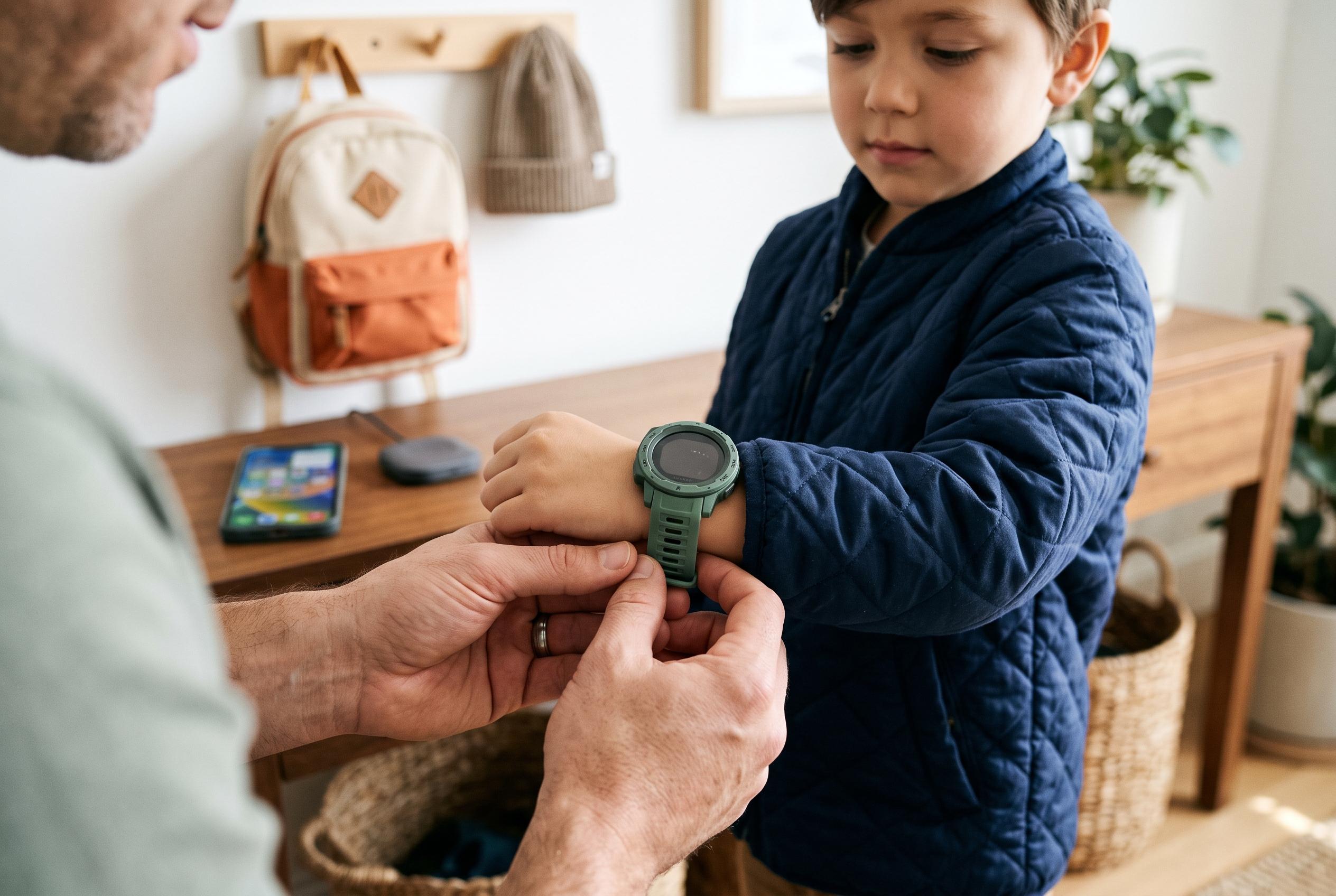

A curated review highlights the latest GPS smartwatches designed for children, emphasising safety-focused features, ease of use, and market innovations, offering parents a range of options from basic communication devices to activity-centred wearables.
The best children’s GPS smartwatches are designed to keep communication limited and practical. They let a child call a trusted adult, send a message, or share location without opening the door to the wider distractions of a smartphone. For families, that makes them useful for the school run, after-school activities, and changing pickup plans, provided the device is set up carefully and the school allows it.
The market is now split between simpler calling watches and more capable models that add games, activity features, video calling, and broader app control. Independent guides from Android Central, Tom’s Guide, SmartWatches.org and Atriarch each place different emphasis on those trade-offs, but the same basic question runs through them all: whether the watch is primarily a safety tool or a miniature entertainment device. That distinction matters because the more a watch can do, the more parents usually have to manage.
Among the purpose-built options, TickTalk 6 stands out for families that want communication without a lot of extra noise. It supports voice and video calls, real SMS to approved contacts, GPS tracking, location history and school controls, while leaving out open browsing and social media. That keeps the experience tightly focused on contact and safety. The watch is also one of the more expensive models in this group, and it requires a separate service plan, so buyers should look closely at the monthly allowance before assuming video calls will be broadly usable.
Garmin’s Bounce 2 is aimed at more active children and places more weight on movement and fitness features. Android Central also highlights Garmin’s Bounce line as one of the stronger child-focused options, largely because of the easy parental controls and straightforward setup. The key point for school use is that Garmin’s settings are not all identical: one mode simply silences the watch, while a stricter mode limits more functions. That distinction is important for parents who need the device to comply with classroom rules rather than merely go quiet.
For families seeking a first watch with a simpler design, Gabb Watch 3e remains an appealing choice. It allows approved calls and messages, but strips away the camera and a range of more distracting features. That is consistent with the positioning of several parent-focused guides, which treat Gabb as a distraction-light option rather than an all-purpose smartwatch. The compromise is that its emergency behaviour is more limited than some rivals, so buyers should check exactly what happens when the SOS function is used.
COSMO’s JrTrack 5 SE is better suited to families that want genuine text exchange with grandparents, carers or other trusted adults. It supports text, photo, audio and video messages with approved contacts, while still keeping broader internet access out of the picture. That makes it feel closer to a controlled communications device than a child’s entertainment watch. It is also a model where the service structure matters almost as much as the hardware, because the lower advertised monthly cost depends on upfront commitment rather than pure month-to-month flexibility.
Verizon’s Gizmo Watch line has long been a familiar name in this category, and third-party reviews continue to praise it for dependable GPS checks and tightly controlled contacts. The newer Gizmo Watch 4 keeps that focus, with calling, messaging, location tools and school mode, but it remains firmly tied to Verizon’s own account structure. That can be a benefit for families already using the network, because setup and billing sit inside one ecosystem, although it also means the total cost can be less obvious once taxes, fees and activation charges are added.
Fitbit Ace LTE takes a different route by turning activity into play. Tom’s Guide recommends it for Android-leaning families who want a lively wearable with messaging and location features, while noting that its subscription covers the connected services. The trade-off is that it works best when the child is motivated by its game-like structure. For some families, that makes it easier to keep the watch on a wrist; for others, it risks creating another screen to manage. The same is true of its contact system, which depends on the app rather than ordinary texting.
Bark Watch is the most monitoring-heavy device in the group. It scans supported communications for potentially worrying material and sends alerts to parents, while also offering GPS, calling, messaging and school or bedtime controls. That gives it a different purpose from the rest of the field: it is less about simple contact and more about oversight. Families considering it should think carefully about privacy expectations, because the value of the service lies precisely in how much it can inspect.
Xplora’s X6Play is one of the more style-conscious models, with swappable bands and frames and an activity rewards system that aims to make movement more engaging. It also includes calling, GPS and safe zones, which keeps it in the mainstream of children’s smartwatches rather than the toy-like end of the market. The camera and regional school-mode behaviour are points worth checking before purchase, especially for families whose schools are strict about connected devices.
For parents already using T-Mobile, the SyncUP KIDS Watch 2 is attractive mainly because it fits into an existing account. The device combines calling, video calling, approved contacts, games and location tools, and it is easier to justify if the household already depends on T-Mobile service. However, the full financial picture can depend on promotions and bill credits, which means a “free” watch may still create a financed balance if the line is cancelled early. As with most watches of this type, location should be treated as approximate rather than exact.
Apple Watch SE 3 GPS + Cellular sits slightly apart from the rest because it is a broader smartwatch rather than a dedicated kids’ device. For older children in an Apple family, that can be an advantage: parents can use Family Setup, control contacts, manage Schooltime and allow a wider set of apps as the child matures. Tom’s Guide points to this as one of the stronger options for iPhone households. The downside is that it asks for more parental judgement at setup, and it makes more sense once a child is ready for greater flexibility.
What all of these watches share is a basic limitation that parents should not ignore: GPS is only as fresh as the last successful update. A map pin can be delayed, approximate, or affected by poor signal, indoor placement or a low battery. That is why the most useful tests are practical ones. Check the timestamp, try a call, and see how the device behaves on the actual route between home, school and after-school activities. The watch should support a safety routine, not replace it.
In practice, the best choice depends on how much a child needs to communicate and how much device management a family is willing to take on. TickTalk 6 and Gabb Watch 3e suit households that want communication first. Garmin Bounce 2 and Fitbit Ace LTE make more sense if activity features matter. Verizon’s Gizmo Watch 4 is strongest inside a Verizon household, while Apple Watch SE 3 is the more expandable option for older children in an Apple ecosystem. That is the real dividing line in this category: not which watch has the longest feature list, but which one fits the child, the school and the family bill.
Disclaimer: This content is intended for informational purposes only. Readers are advised to exercise their own judgement, conduct due diligence, or consult a qualified expert before acting on any information provided.