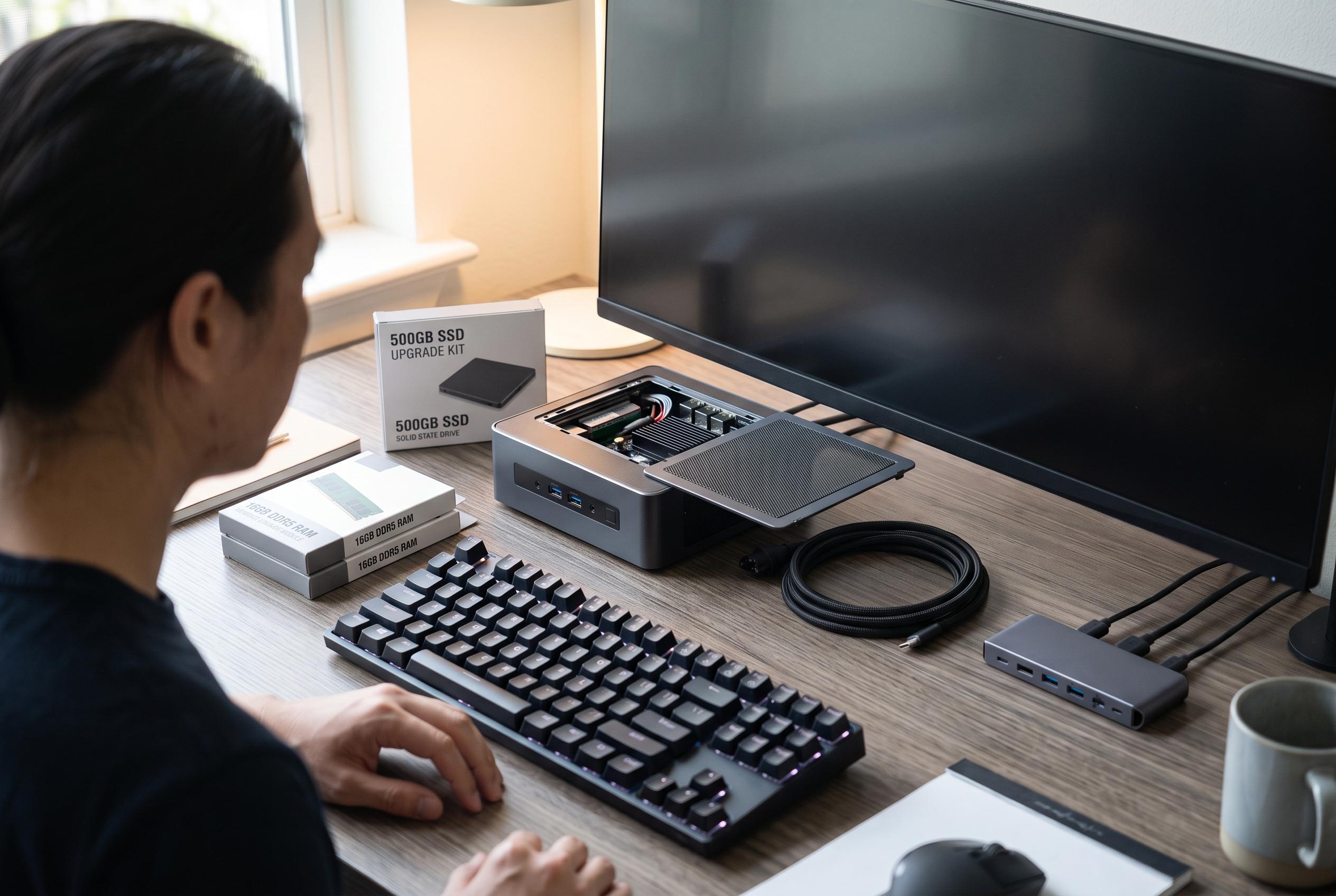

As mini PCs gain popularity as a versatile alternative to laptops and desktops, their true performance and upgradeability depend on configurations and intended use, highlighting the importance of matching device choice to specific needs.
Mini PCs occupy an awkward but increasingly credible middle ground between laptops and full desktops. They are often built around mobile-class processors, the same sort of chips found in thin-and-light notebooks, yet they are packaged as small stationary machines intended to live behind a monitor or television. That makes them attractive for home offices, but it also means buyers can be misled if they assume a shared processor name guarantees the same day-to-day behaviour across different devices.
That distinction matters because a processor is only part of the story. Cooling capacity, firmware and manufacturer-set power limits all shape how long a chip can sustain its top speeds under load. A compact system may post impressive benchmark figures in short bursts, but it can still throttle or settle at lower sustained performance once it has been working for a while. In practical terms, two systems built around the same CPU can feel quite different once they are asked to handle prolonged tasks such as exporting video, running virtual meetings alongside multiple browser tabs, or compiling code.
Upgradeability is another area where mini PCs can look better on paper than they do in a full comparison. The ASUS NUC 15 Pro, for example, supports laptop-style components including SO-DIMM memory and M.2 storage, and ASUS says some configurations can take up to 48GB of DDR5 memory, with additional storage options depending on the model. That is still more flexible than many slim laptops, where memory is often soldered and storage upgrades are limited. Even so, the upgrade story depends heavily on the exact configuration, and buyers should be careful not to confuse a barebones chassis with a ready-to-use bargain.
Price comparisons can also be deceptive. A low starting price for a mini PC often reflects the fact that it ships without memory, storage or an operating system. Once those parts are added, the total can move much closer to, or even beyond, the cost of a well-equipped laptop. The same caution applies to graphics. Integrated graphics are perfectly adequate for email, office software, video calls and general web use, but they are not a shortcut to serious creative or gaming performance. If the work involves demanding editing, 3D rendering or modern games, the small form factor alone does not guarantee stronger graphics than a portable machine.
That is why the choice between a mini PC and a laptop comes down less to abstract performance and more to usage pattern. Industry comparisons increasingly frame mini PCs as a strong option for people who work in one place and want a compact machine that can be updated over time. Gaming-focused mini PCs now push further than before, with some models pairing laptop processors with discrete GPUs in tiny cases, according to PC Gamer. But for users who need mobility above all else, a laptop remains the simpler answer. The most sensible decision is usually the one that matches the environment in which the machine will actually be used.
Disclaimer: This content is intended for informational purposes only. Readers are advised to exercise their own judgement, conduct due diligence, or consult a qualified expert before acting on any information provided.