

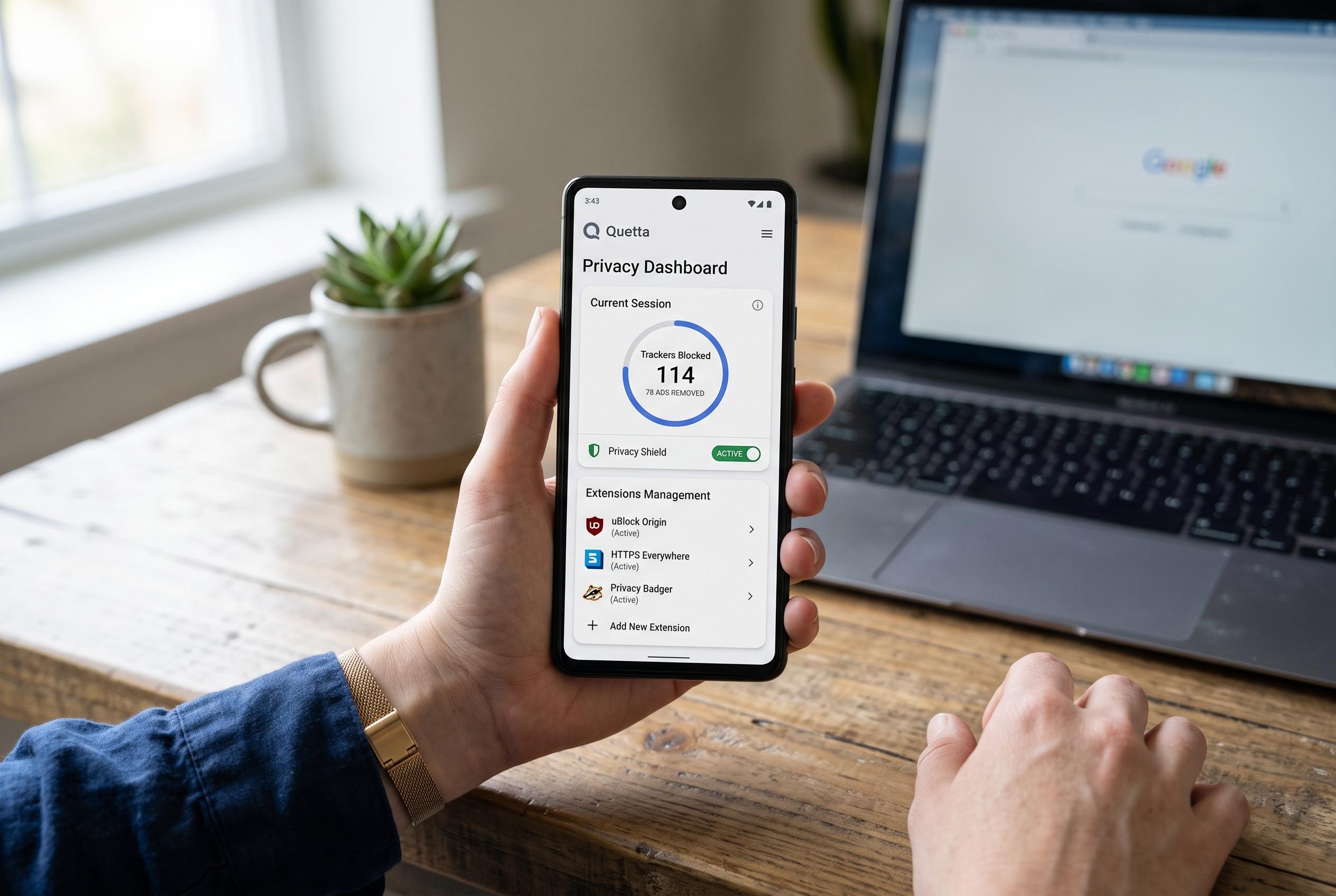

Following Kiwi Browser’s discontinuation, Quetta offers Android users a Chromium-based browser with extension support, privacy controls, and media download features, filling a significant gap for desktop-like browsing on mobile.
Kiwi Browser’s shutdown in January 2025 left a gap for Android users who wanted desktop-style extension support without returning to Chrome. According to Android Authority, the project was discontinued and removed from Google Play, with Microsoft Edge pointed to as a partial replacement. Quetta Browser has emerged as a more direct successor for users who want a familiar Chromium-based experience on mobile without giving up extension support.
What sets Quetta apart is that it can install add-ons from both the Chrome Web Store and Microsoft’s Edge Add-ons store, all from within the browser. Quetta’s own FAQ says it is built for Android and iOS with built-in ad and tracker blocking, Chrome and Edge extension support and an AES-256 Data Vault for protected local storage. Its Play Store listing also describes it as Chromium-based and focused on speed, smoother navigation and a cleaner browsing environment.
In practical use, that means tools such as ad blockers, password managers and privacy extensions can follow users from desktop to phone. Quetta does warn that compatibility varies, since many desktop extensions rely on browser interfaces or background functions that do not always map neatly to a handset. Even so, the browser’s support for extensions from both stores gives it a flexibility that Edge’s mobile implementation does not fully match, according to the materials from Quetta and Android Authority.
Quetta also leans heavily into privacy controls. The company says its browser includes ad and tracker blocking, HTTPS-only browsing, fingerprint protection, cookie controls, secure DNS options and a Data Vault that can be locked with biometrics. Its blog says it also offers an integrated VPN, while the browser’s privacy controls can be adjusted per site through a shield icon beside the address bar. That makes the app feel less cluttered than some feature-heavy alternatives, even though much of the power is tucked behind menus rather than placed in users’ faces.
The browser’s built-in video downloader is another notable addition. Quetta says it can surface download options for supported MP4, WebM, HLS and M3U8 media directly in the browser, reducing the need for third-party download sites. It also includes some site-specific controls, such as options related to YouTube Shorts and recommendations. The limitation, as Quetta notes, is that protected, restricted or DRM-locked media will not always work.
There are two caveats. First, Quetta is proprietary, so users who prefer open-source browsers such as Firefox or Cromite do not get the same level of public code auditability. Second, its underlying Chromium version can lag behind Google Chrome’s release line, which matters because browser security updates are a moving target. Even so, for Android users who want a lightweight browser that keeps extension support, privacy tools and media downloads in one place, Quetta is a persuasive alternative.
Disclaimer: This content is intended for informational purposes only. Readers are advised to exercise their own judgement, conduct due diligence, or consult a qualified expert before acting on any information provided.



