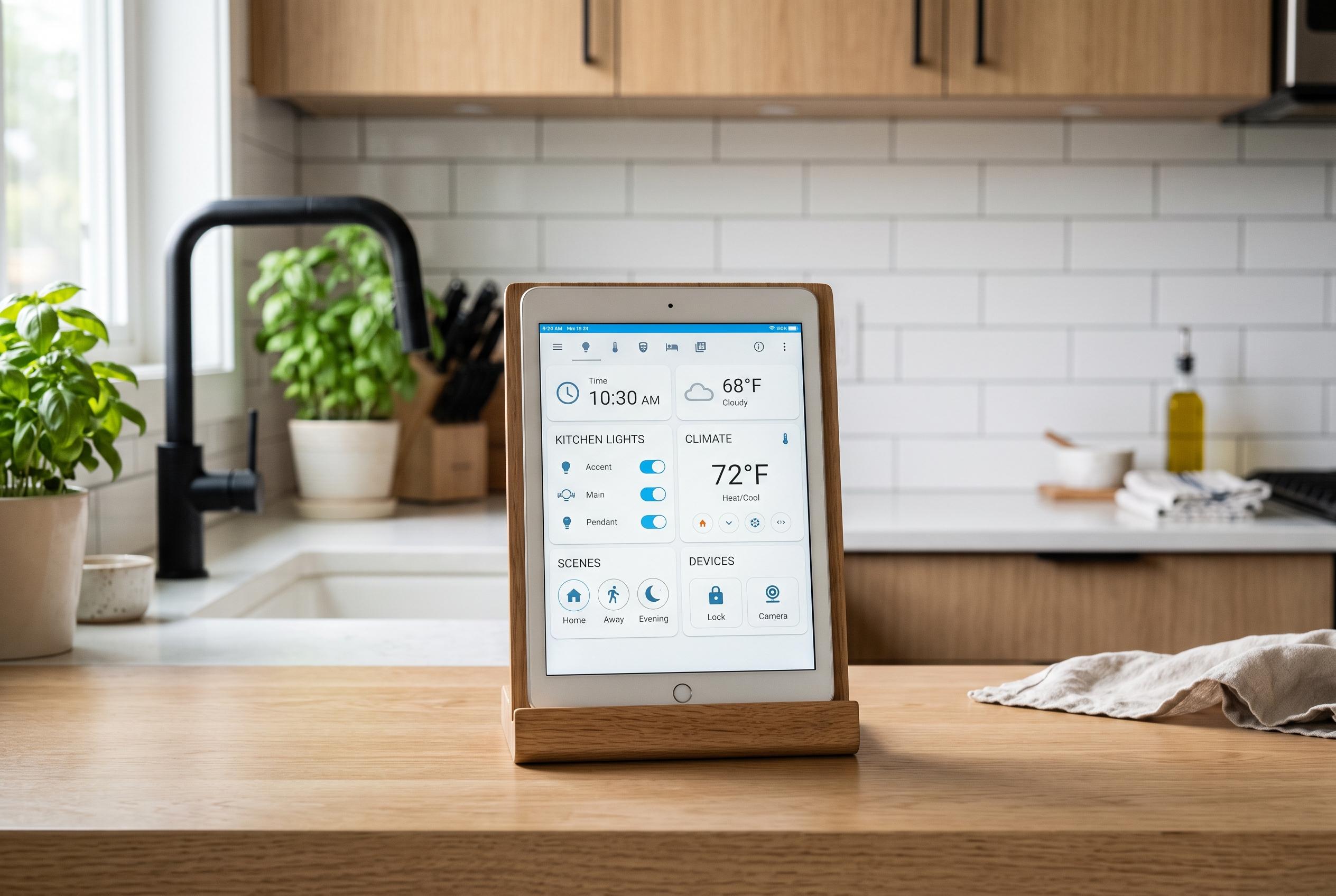

Repurposing old tablets as dedicated smart-home control panels can enhance home automation, reduce waste, and provide customisable interfaces, especially for users already invested in platforms like Home Assistant.
An old tablet gathering dust in a drawer can do more than sit there with a dead battery and a cracked case. Used as a smart-home control panel, it can provide a dedicated screen for lights, thermostats, speakers and security tools without the expense of buying a purpose-built dashboard. For households already running Home Assistant, the case for repurposing spare hardware is especially strong because the platform already offers a built-in dashboard with live device status and simple tap-to-control access. It also supports custom dashboards that can be tailored for guests, specific rooms or individual users.
The appeal starts with the modest hardware demands. A tablet does not need to be fast to act as a control surface, provided it can still run the apps or browser you need. Home Assistant can be accessed through a web browser, which helps extend the life of older Android devices that may no longer support newer apps. The service also allows users to build dashboards visually with drag-and-drop tools, add custom cards and adjust themes, icons and entity names. In practice, that makes an ageing tablet useful even if it is no longer fit for much else.
Flexibility is the real advantage. A dedicated smart-home display often ties the buyer to one ecosystem, but an old tablet can run whatever apps are useful in a particular home. That may mean using Home Assistant for the main dashboard and supplementing it with Google Home or another app for devices that do not integrate cleanly. Home Assistant also supports multiple dashboards, which means one tablet can be configured for a kitchen, another for a hallway and another for a living room, each with controls that suit the space.
That kind of setup can be made portable or fixed in place. One approach is to keep the tablet on a coffee table so it is easy to reach while watching television, though that may require occasional charging or a nearby power bank. Another is to mount it on a stand or wall near an outlet so it behaves more like a permanent smart display. If the tablet’s battery is weak, leaving it plugged in may be the simplest option. For devices that are no longer doing useful work, battery wear may matter less than making them functional again.
The broader smart-home market has also moved towards easier dashboard creation, with newer options aimed at people who want polished controls without coding. CasaBoard, for example, bills itself as a privacy-focused, local-only dashboard builder for Home Assistant, while HAHome and HA Components offer different ways to shape the look and feel of a control screen. Even so, the simplest solution may still be the one already in the house. A spare tablet can save money, reduce waste and give users far more control over how their smart home is presented than many off-the-shelf panels.
Disclaimer: This content is intended for informational purposes only. Readers are advised to exercise their own judgement, conduct due diligence, or consult a qualified expert before acting on any information provided.