

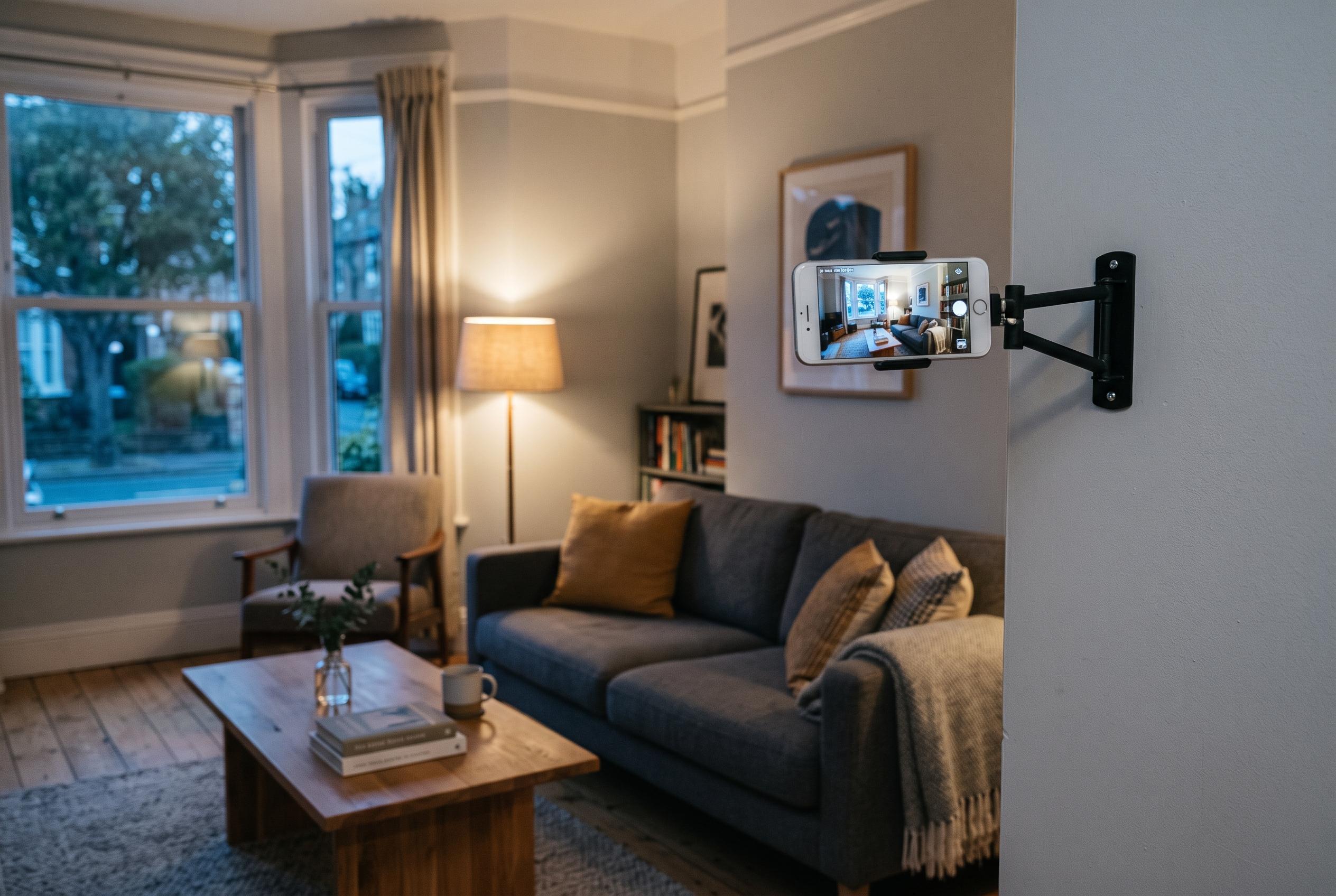

Reusing spare smartphones as home monitoring devices remains a cost-effective and practical solution, now enhanced by updated app features and better placement advice, despite some limitations due to ageing batteries and software support.
A spare smartphone can still do useful work as a basic home monitor, and the case for reusing one is stronger than ever as dedicated cameras pile on subscription costs. The idea itself is not new, but some of the advice circulating in older how-to pieces now needs updating. AlfredCamera, the app most often recommended for this job, still offers a free tier, yet free event recordings are now stored on the device rather than in the cloud, while cloud history and higher-quality video sit behind paid plans. Tom’s Guide presented the approach as a low-cost substitute for buying a dedicated security camera, and WIRED placed it in the broader context of keeping ageing devices in use rather than sending them straight to resale or recycling.
The basic setup remains simple. Fast Company and Tom’s Guide both describe the same pattern: install Alfred on the old handset and on the phone you carry every day, link the two devices either by signing into the same account or by scanning a QR code, then assign one as the camera and the other as the viewer. Fast Company’s Doug Aamoth said he had the method working on the first Google Pixel, dating from about 2016, as well as on even older phones, which suggests that a device does not need to be powerful to handle a single-camera role.
There is also a reason Alfred keeps turning up in these guides. Android Central described it in 2023 as one of the most popular options in the category, citing more than 10 million downloads and a 4.8-star Google Play rating, and later called it the “gold standard of security camera apps”. That does not mean it is the only route. TechRadar was recommending the same repurposing idea as far back as 2016 through the Manything app, with motion-triggered recording, remote viewing and browser access. The wider point is that turning an old phone into a monitoring device is now an established consumer-tech workaround, not an experiment.
What has changed most is the feature split between free and paid use. Alfred’s current free plan is built around up to two active cameras, live streaming, local event recording and motion-only alerts. WIRED noted that the free service comes with adverts, while Android Authority said the paid version removes them and adds sharper video and recording benefits. In the United States, Alfred’s Premium Standard tier now starts at $5.99 a month or $35.99 a year, with support for up to four active cameras, HD live streaming, an eight-hour recording loop and 14 days of cloud event storage. Premium Plus removes the camera limit, adds Full HD live streaming and extends cloud storage to 30 days. That means older articles that still describe free cloud history, or quote earlier annual prices, no longer reflect the current offer.
If you are going to leave an old handset connected to your home network all day, the sensible starting point is not the camera app but the phone itself. Tom’s Guide advises wiping the device first, resetting it to factory settings and keeping its software up to date. That is more than tidiness. An old phone used as an always-on camera may still contain old accounts, saved passwords, photos and app logins unless it is cleaned properly. Alfred’s own support guidance also recommends ensuring enough spare storage and a stable internet connection before relying on motion events or longer recordings.
Placement matters more than the app. Android Authority recommends budgeting for a charger and a proper mount, adding that a small tripod is often the best choice because it lifts the handset into a better position while leaving room for the charging cable. TechRadar’s older guidance still holds up here: use the rear camera rather than the selfie camera if possible, keep the phone near mains power, and position it in landscape for a wider field of view. Tom’s Guide adds a practical distance rule for motion monitoring, suggesting that activity detection works best when the phone is roughly one to two metres from the subject you most want to watch.
The drawbacks are real, particularly with older batteries. Android Authority warns that live streaming drains power quickly and says continuous charging can create problems, including reports of swollen batteries. That does not mean every retired phone becomes dangerous overnight, but it does mean a neglected, heat-prone handset is a poor candidate for permanent duty. There are also functional limits. Android Authority notes that Alfred cannot tell a familiar face from an unfamiliar one, so its alerts should not be confused with a full access-control system. And although very old devices may still serve as camera units, Alfred has narrowed support on the viewer side since 2025, dropping viewer-mode support for older operating systems on some handsets.
For many people, then, the old-phone camera makes most sense as a secondary layer rather than a complete security system. It can watch a hallway, monitor a pet, keep an eye on parcels or act as a simple baby monitor without the upfront cost of a separate camera. WIRED also points out that the same retired device might be more useful elsewhere, such as a webcam replacement, depending on what you need. But if the phone still has a reliable camera, a healthy battery and current enough software to stay connected, the repurposing case remains persuasive. As Fast Company put it, the “least-old ones” in the drawer may still have a job left in them.
Disclaimer: This content is intended for informational purposes only. Readers are advised to exercise their own judgement, conduct due diligence, or consult a qualified expert before acting on any information provided.



