
New insights reveal that Google’s Pixel offers everyday tools like flexible multitasking, app bubbles, and open-source options that keep it ahead of Apple’s iPhone in practical, routine use.
For many smartphone users, the most striking differences between Android and iPhone are not grand redesigns or headline-grabbing hardware. They are the small, practical tools that shape daily use. In an account published by Android Authority, Joe Maring argued that Google’s Pixel line still offers a set of ordinary but meaningful features that Apple’s iPhone does not match, from more flexible multitasking to deeper control over apps and notifications. For someone who splits time between both platforms, that gap can make the Android experience feel more adaptable in routine use.
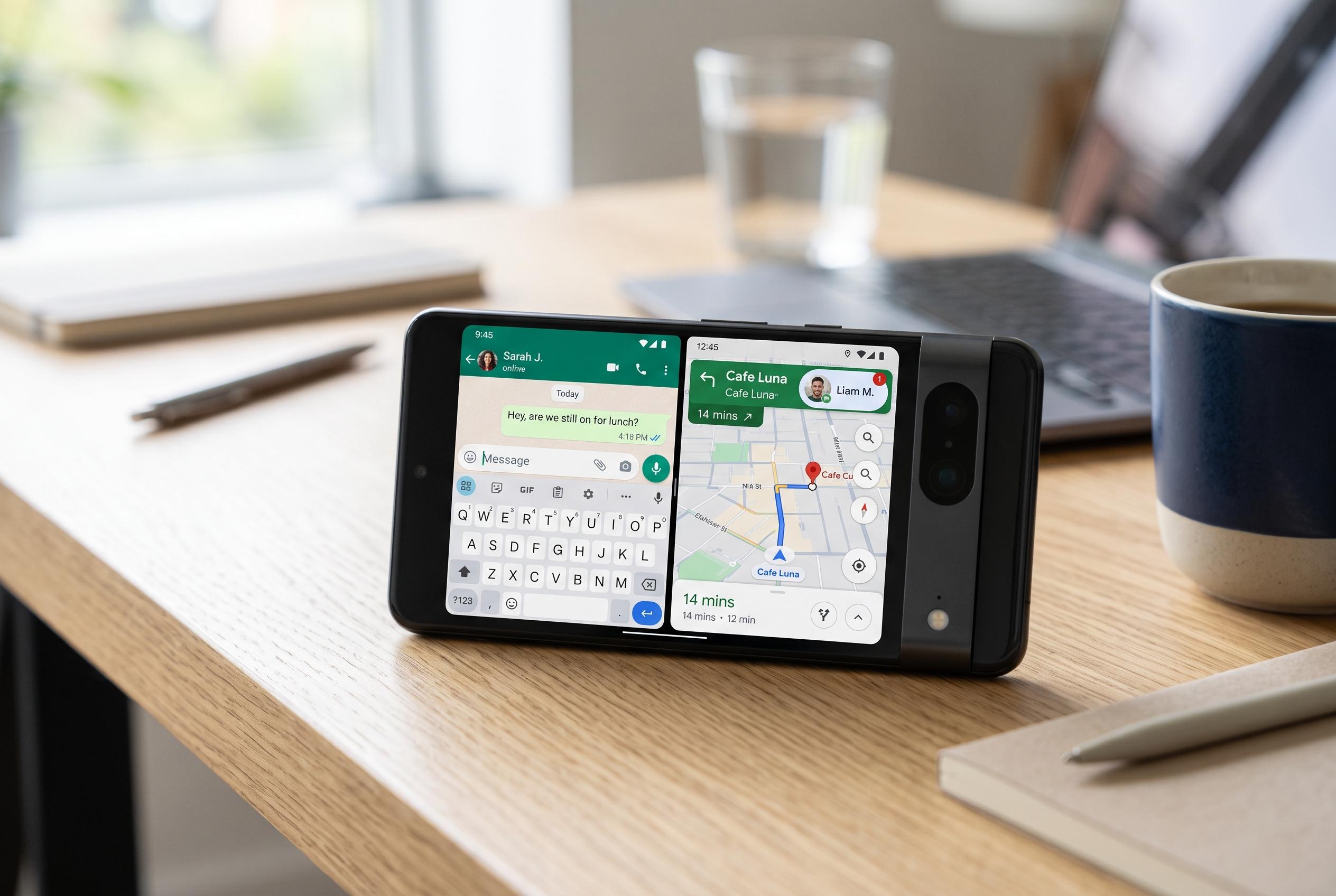
Multitasking remains one of the clearest divides. Android 16 added a 90:10 split-screen mode that lets one app dominate the display while a second stays available in a narrow pane, making it easier to keep a note, browser or AI assistant open alongside the main task. Android Authority and Android Central both describe that approach as a refinement of the traditional split-screen model, one that is better suited to smaller phones and quicker switching. iPhone users, by contrast, still lack true side-by-side multitasking on the handset, which keeps Apple behind in this specific area of productivity.
Android has also pushed further into floating interfaces. Android 17’s App Bubbles feature turns any app into a draggable, persistent bubble that can sit above other apps and be reopened in a floating window. Android Central says the feature can be launched from a long press on an app icon, while other guides note that multiple bubbles can be managed at once without cluttering the screen. The result is a more flexible way to keep messaging, maps or notes close at hand, and one that has no direct equivalent on the iPhone.
The same pattern appears in Android’s openness to third-party software. On Pixel devices, users can install apps outside the Play Store through sideloading or repositories such as F-Droid, which gives access to open-source tools that may never appear in Apple’s App Store. That matters for users who prefer privacy-focused utilities, lighter-weight browsers or alternative media apps. Android Authority’s account also pointed out that Google’s platform gives users more room to choose their own default applications, whether for calling, browsing or launching the home screen, whereas Apple still keeps tighter system control even after recent changes to browser defaults.
Privacy and notifications are another area where Pixel devices offer more control. Android’s Private Space feature creates a separate, sandboxed area for apps and accounts, hiding it from the rest of the phone when closed. Android also gives users finer notification controls, including per-app channels and notification history, which can help recover dismissed alerts such as one-time passcodes. Android Authority’s article framed these features as everyday conveniences rather than advanced power-user tools, and that is the point: on Pixel, many of the most persuasive advantages are quiet, cumulative and practical rather than dramatic.
Disclaimer: This content is intended for informational purposes only. Readers are advised to exercise their own judgement, conduct due diligence, or consult a qualified expert before acting on any information provided.