

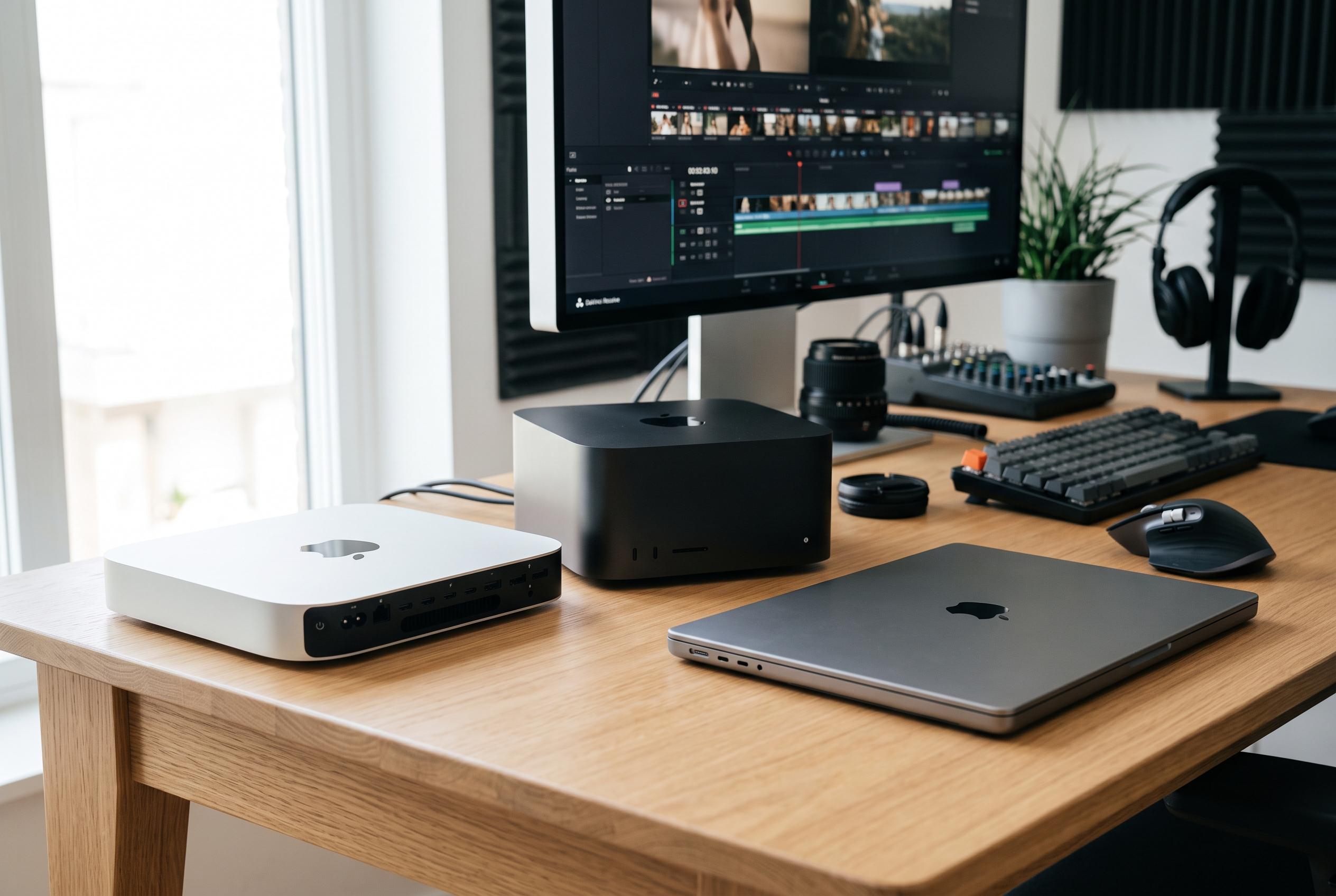

The latest Apple desktop refresh highlights a more defined range of silicon options across the Mac mini, Mac Studio, and MacBook Pro, transforming the landscape for video editors seeking optimal performance for different workflows.
Choosing the right Mac for video editing depends less on brand and more on workload. A machine that copes comfortably with 1080p cuts can still struggle once multiple 4K streams, noise reduction, masking and long exports are added. The latest Apple desktop refresh matters because the company has spread its silicon more clearly across entry, mid-range and flagship systems, making the differences between the Mac mini, Mac Studio and MacBook Pro more consequential for editors than a simple chip name might suggest.
For lighter work, the Mac mini with M6 is the most accessible option. It suits 1080p projects and modestly graded 4K timelines, particularly in Final Cut Pro, and its 2.5Gb Ethernet makes it practical for footage stored on a NAS. But its soldered memory and 32GB ceiling limit how far it can be pushed, especially in DaVinci Resolve when effects and reduction layers start to pile up.
The Mac mini with M5 Pro is a stronger choice for Premiere Pro users who want desktop performance without moving to a tower. It adds more headroom for multicam 4K, higher memory ceilings and Thunderbolt 5 connectivity, which helps with fast external storage and RAID arrays. Even so, compact enclosures are always more constrained for cooling, so sustained exports are where a Mac Studio becomes easier to justify.
That is why many reviewers now place the Mac Studio at the centre of the serious editing conversation. According to Machow2, Creative Bloq and TechRadar, Apple’s Studio line remains the most capable all-round option for professional video workflows, while Macworld argues that processor power, graphics capacity, storage and future-proofing should guide the purchase. In practical terms, the M5 Max Studio is the better fit for Resolve colour grading, Magic Mask work and other GPU-heavy tasks that can otherwise slow a session to a crawl.
At the top end, the M5 Ultra Mac Studio is aimed at editors working with 8K ProRes RAW and other demanding finishing jobs. Apple says its highest-tier configuration can handle large numbers of 8K ProRes streams and offers enough unified memory to remove most practical ceiling concerns. That level of performance comes at a steep price, but it is the machine most likely to hold up when timelines are dense and delivery deadlines are unforgiving.
For editors who move between locations, the 14-inch MacBook Pro remains the most sensible portable option. It is strong enough for field cuts, interview assemblies and even heavier 4K work when configured properly, while the higher-end M5 Max version brings a second media engine that materially improves export times. Across the broader market, the same conclusion keeps appearing: buy for the footage you handle now, but leave room for the projects you expect to grow into.
Disclaimer: This content is intended for informational purposes only. Readers are advised to exercise their own judgement, conduct due diligence, or consult a qualified expert before acting on any information provided.



