

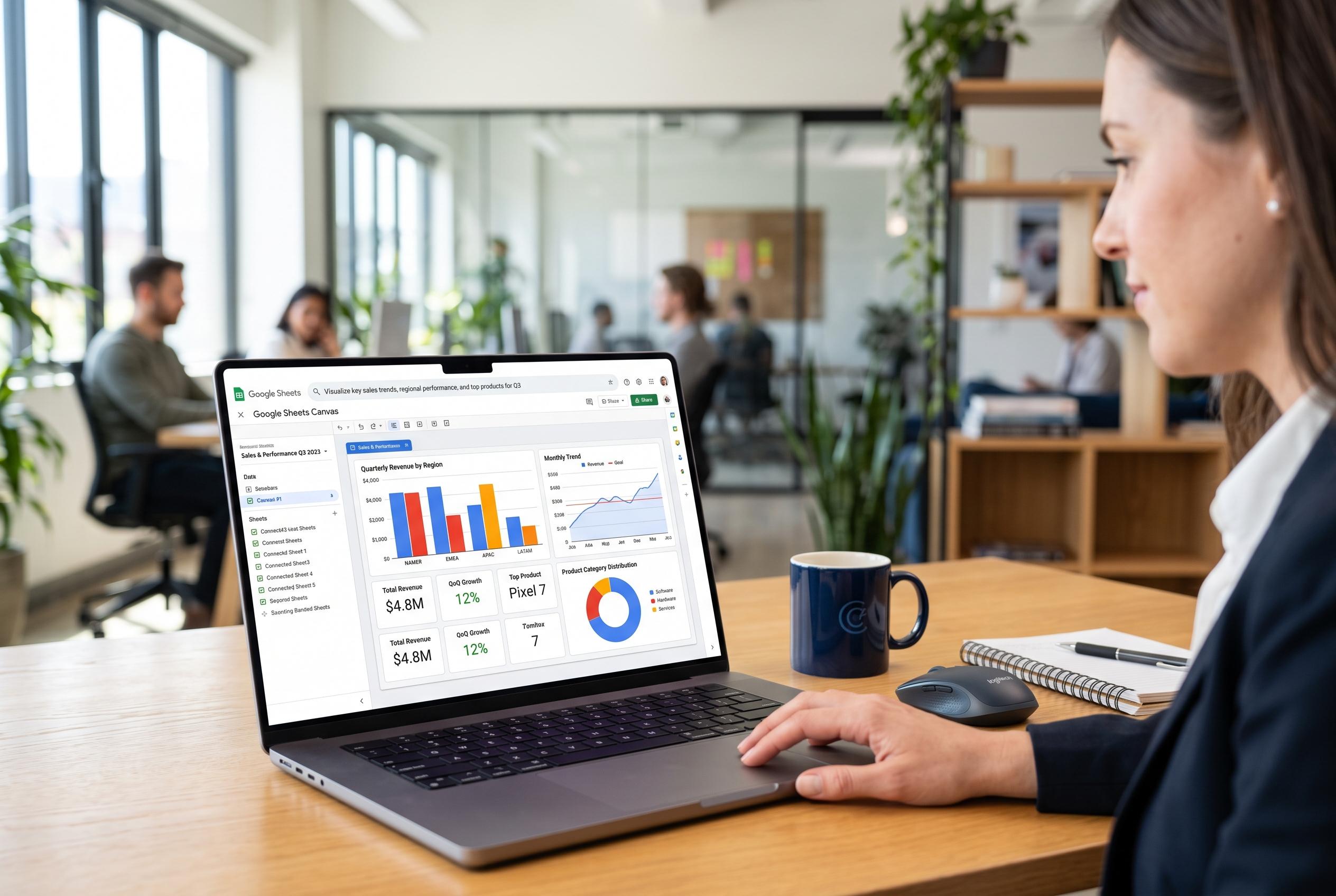

Google introduces Sheets Canvas, a new feature that transforms spreadsheet data into interactive, customisable visual layouts created from plain-language prompts, making complex sheets more accessible and functional.
Google is adding a new layer to Sheets that moves it beyond static tables and standard charts. The company has introduced Sheets Canvas, a Gemini-powered feature that turns spreadsheet data into interactive visual layouts that can be created from plain-language prompts. According to Google’s description, the aim is to make large or complex sheets easier to use when users need a quicker, more visual way to work with the same underlying information.
The feature is designed to generate what Google describes as a custom mini-app from existing spreadsheet data. Rather than building formulas or dashboards by hand, a user can open a sheet, choose the Canvas option from the Gemini side panel, and describe the interface they want. Google says this can be useful for tasks such as school planning, event management, sports tracking and business analysis, where a conventional grid can become difficult to interpret at a glance.
A key part of the appeal is that Canvas is not just a presentation layer. Google says edits made in the generated interface are synchronised with the source sheet, and changes made in the sheet are reflected back in the canvas view. That means a visual layout can function as a working front end for the same data, whether the user is adjusting a study tracker, managing guest seating or reordering items in a project list.
Support documentation shows that the feature is currently limited in scope. It is available in English, works with Gemini Beta on work and school accounts, and can be enabled by administrators for eligible organisations. For personal accounts, Google AI Ultra and Google AI Pro subscribers qualify, while Workspace availability extends to selected Business and Enterprise Standard and Plus customers, as well as Google AI Pro for Education subscribers. Google also says the feature is not available on mobile devices and requires files to be stored in Google Drive. That places Canvas within Google’s broader push to make Gemini more practical across Workspace, alongside other no-code and low-code tools such as Gemini Canvas more generally and Workspace Studio for automating work with natural language prompts.
Disclaimer: This content is intended for informational purposes only. Readers are advised to exercise their own judgement, conduct due diligence, or consult a qualified expert before acting on any information provided.



