

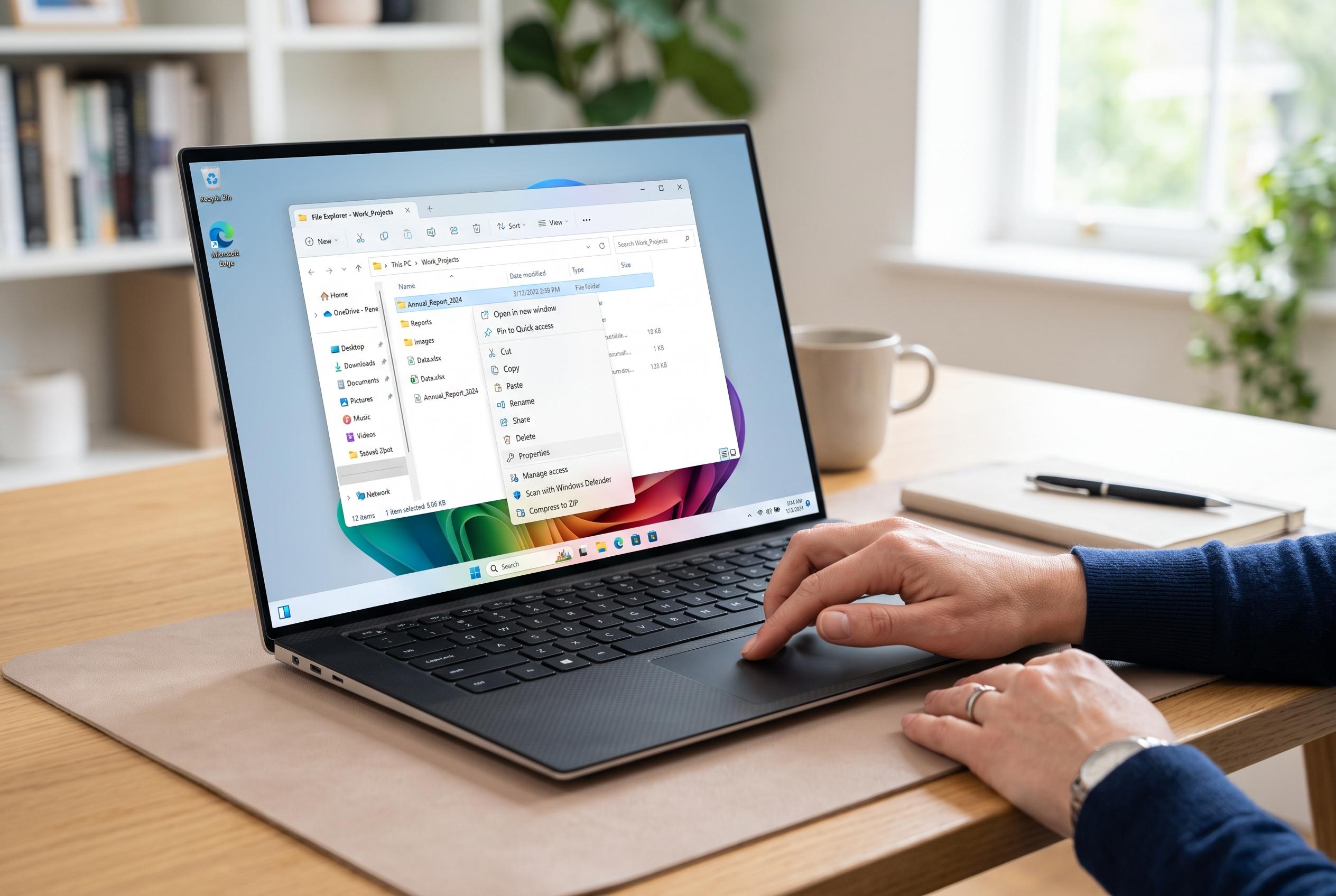

Microsoft is rolling out significant improvements to Windows 11’s File Explorer, including performance enhancements and a redesigned, more flexible context menu aimed at improving daily usability for Insiders and regular users alike.
Microsoft is widening its work on File Explorer in Windows 11, combining speed fixes with a more flexible right-click menu. According to Microsoft’s latest blog update, the aim is to reduce the freezes, delays and other small interruptions that have made the app feel less reliable in daily use. The changes are now appearing for Windows Insiders in Build 26340.9212, while some users have already found ways to turn on the redesigned context menu earlier.
The performance work is broader than a simple interface refresh. Microsoft says File Explorer should launch faster and behave more consistently, with dozens of potential stalls removed from browsing, renaming, navigation and file selection. Renames are meant to proceed without being blocked by background synchronisation, while changes that only alter capitalisation should now appear immediately. The Address Bar has also been updated to handle quoted paths and double backslashes more cleanly, and middle-clicking can now open folders in new tabs. Home will remember which sections were expanded or collapsed between sessions.
Microsoft has also reorganised parts of the interface to make information easier to find. File sizes now appear in units such as KB, MB and GB, which should make large files easier to spot at a glance. The Details pane has been adjusted as well, so file properties are simpler to review. These changes fit with Microsoft’s wider description of File Explorer as an area of continuing refinement rather than a one-off update.
The biggest visible change is the redesigned context menu. Microsoft says it opens more quickly, carries less clutter and keeps common actions easier to reach. A new Customise menu entry leads to settings under Personalisation, where users can enable or disable built-in commands such as Send to, Create shortcut and Print. The menu also gives more control over app extensions: they can be shown directly, moved into a submenu or hidden altogether. In a further nod to older Windows behaviour, Cut, Copy, Paste, Rename, Delete and Share can now appear inline again, while Properties can be moved to the bottom. Microsoft says more changes will follow based on Insider feedback.
The company’s own support material still describes the streamlined Windows 11 context menu as the default route for common actions, with the older Windows 10-style menu available through additional options. That reflects the current tension in Microsoft’s design approach: simplify the interface for most users, but keep enough flexibility for people who want more control. Alongside the File Explorer work, Microsoft has also released Experimental Build 29648.1000, which removes WMIC and Drag Tray, and Beta Build 26220.9202 for users who want a steadier experience.
Disclaimer: This content is intended for informational purposes only. Readers are advised to exercise their own judgement, conduct due diligence, or consult a qualified expert before acting on any information provided.



