

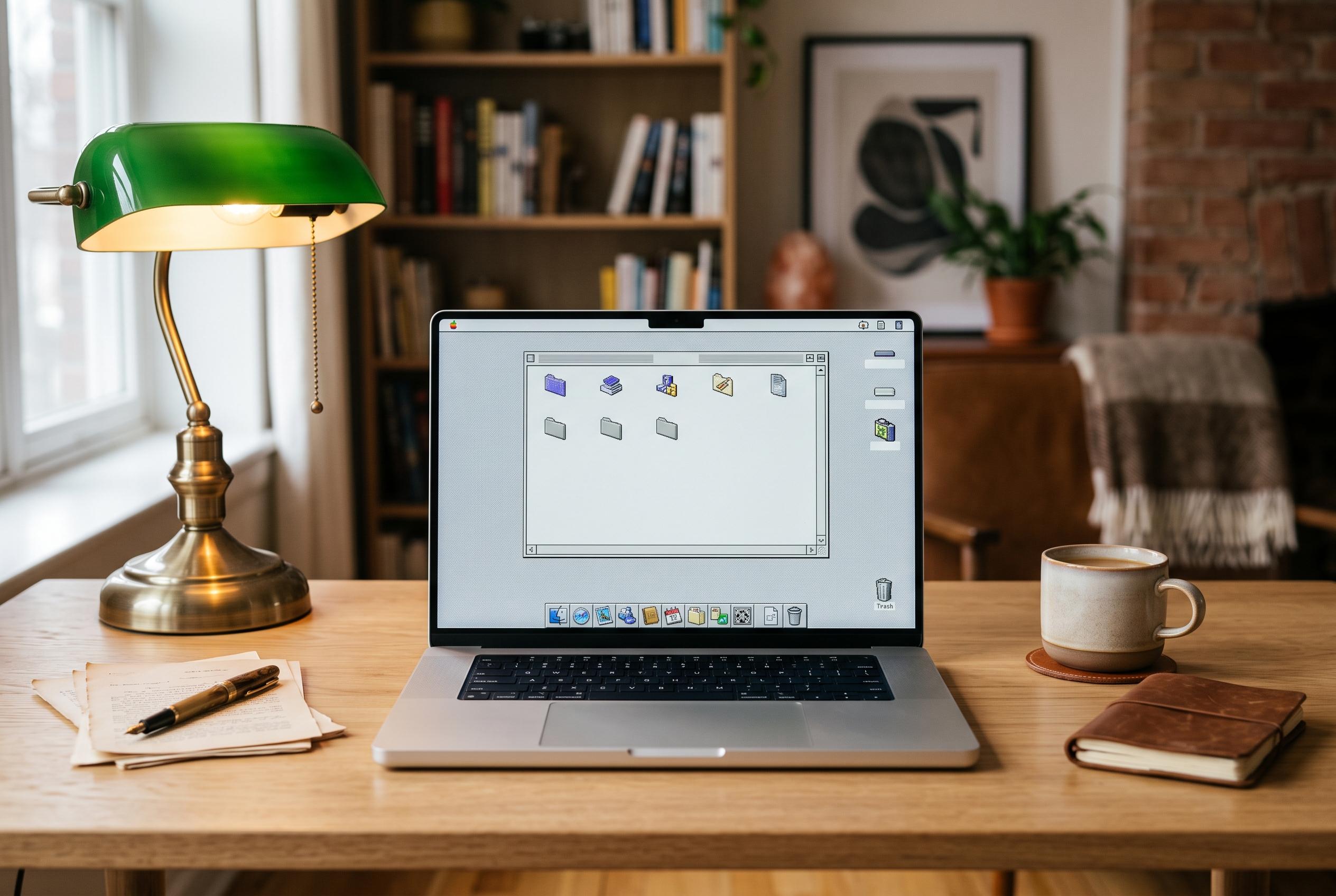

A new macOS app, RetroMac, enables users to seamlessly switch between detailed retro-inspired environments, recreating classic systems such as Mac OS 9, Windows 98, and Snow Leopard with authentic visual and functional elements in real time.
RetroMac is a menu bar app for macOS that turns a modern Mac into a carefully staged nostalgia machine. According to MacMagazine, it applies retro effects in real time and lets users switch with one click between looks inspired by CRT displays, VHS, LCD panels and complete classic systems such as Mac OS 9 and Windows 98. The result is more than a colour filter: it changes the overall interface presentation to match the era being referenced.
The app goes further than surface-level visual tweaks. Information from the developer’s site and MacUpdate shows that RetroMac can recreate period-accurate docks or taskbars, old-style cursors, boot screens, screensavers and desktop widgets. It also supports classic environments including Mac OS 6, Mac OS 9, Windows 98, Snow Leopard and, in some promotional material, NeXTSTEP and BeOS. A built-in virtual camera adds retro effects to video calls, extending the theme beyond the desktop itself.
One of the more notable additions is the Snow Leopard mode introduced in version 2.8, which MacMagazine says reproduces the appearance of Mac OS X 10.6 with its distinctive window design, Dashboard widgets, Exposé, Stacks and Quick Look previews, along with new wallpapers. The developer’s own guidance for Snow Leopard and older System 6 or Mac OS 9 setups also stresses that users can match wallpapers and icon sizes to high-resolution displays for a more convincing result.
RetroMac is designed to be reversible, which is important for an app that changes the look of the entire desktop. The company says it includes an integrity check and one-click restore function that returns the wallpaper, Dock, menu bar elements and desktop icons to their previous state when the app is closed. It runs on both Apple Silicon and Intel Macs, requires macOS Sonoma 14 or later, and is free to download with a Pro tier that removes theme limits and unlocks premium effects.
Disclaimer: This content is intended for informational purposes only. Readers are advised to exercise their own judgement, conduct due diligence, or consult a qualified expert before acting on any information provided.



