

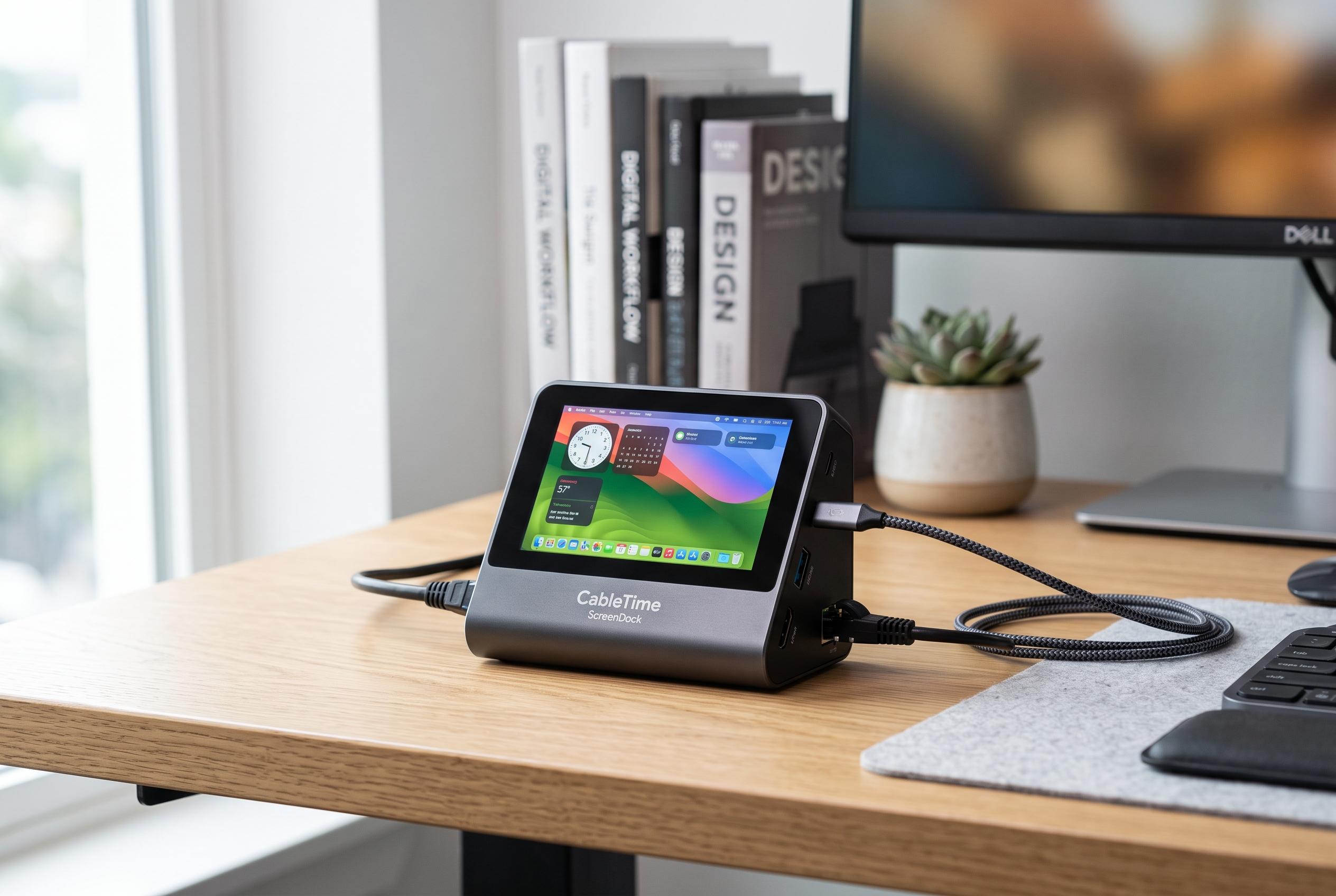

CableTime has initiated a Kickstarter campaign for the innovative ScreenDock, a compact docking station featuring a 5.5-inch display aimed at boosting workspace efficiency with system monitoring and secondary screen capabilities.
CableTime has opened a Kickstarter campaign for ScreenDock, a low-cost docking station that adds a 5.5-inch display to a compact desktop hub. The panel has a resolution of 1,280 x 720, which is modest by monitor standards but should be adequate for status read-outs, dashboards and other secondary information. According to Notebookcheck, the screen can show CPU and GPU tests, system load, progress bars and step-by-step instructions, while gamers can use it for maps and chat windows.
The device is built around practical connectivity rather than novelty alone. It combines USB-C 3.0, USB-A 3.0 and USB-A 2.0 ports with SD and TF card readers rated at up to 104 MB/s, 100W USB-C Power Delivery, Gigabit Ethernet and HDMI output supporting 4K at 60Hz. CableTime also says the display brightness can be adjusted with physical buttons, and the software is designed so windows can be dragged from the main monitor on to the ScreenDock with little effort.
Support is listed for macOS 10.12 or later, Windows 10 or later and Linux. Early backers can reserve one for the equivalent of about €105, with delivery expected in October 2026. As with any crowdfunding project, however, buyers are taking a degree of execution risk until shipping begins. Notebookcheck notes that a similar dock without a screen is the Anker Nano Docking Station, which is available through Amazon.
The ScreenDock follows a broader pattern in which dock makers are adding small displays to turn a simple expansion hub into a more visible workspace tool. Similar products, such as the ViewDock and Vobot Mini Dock, have used Kickstarter to pair extra ports with mini screens aimed at productivity and quick system monitoring.
Disclaimer: This content is intended for informational purposes only. Readers are advised to exercise their own judgement, conduct due diligence, or consult a qualified expert before acting on any information provided.



