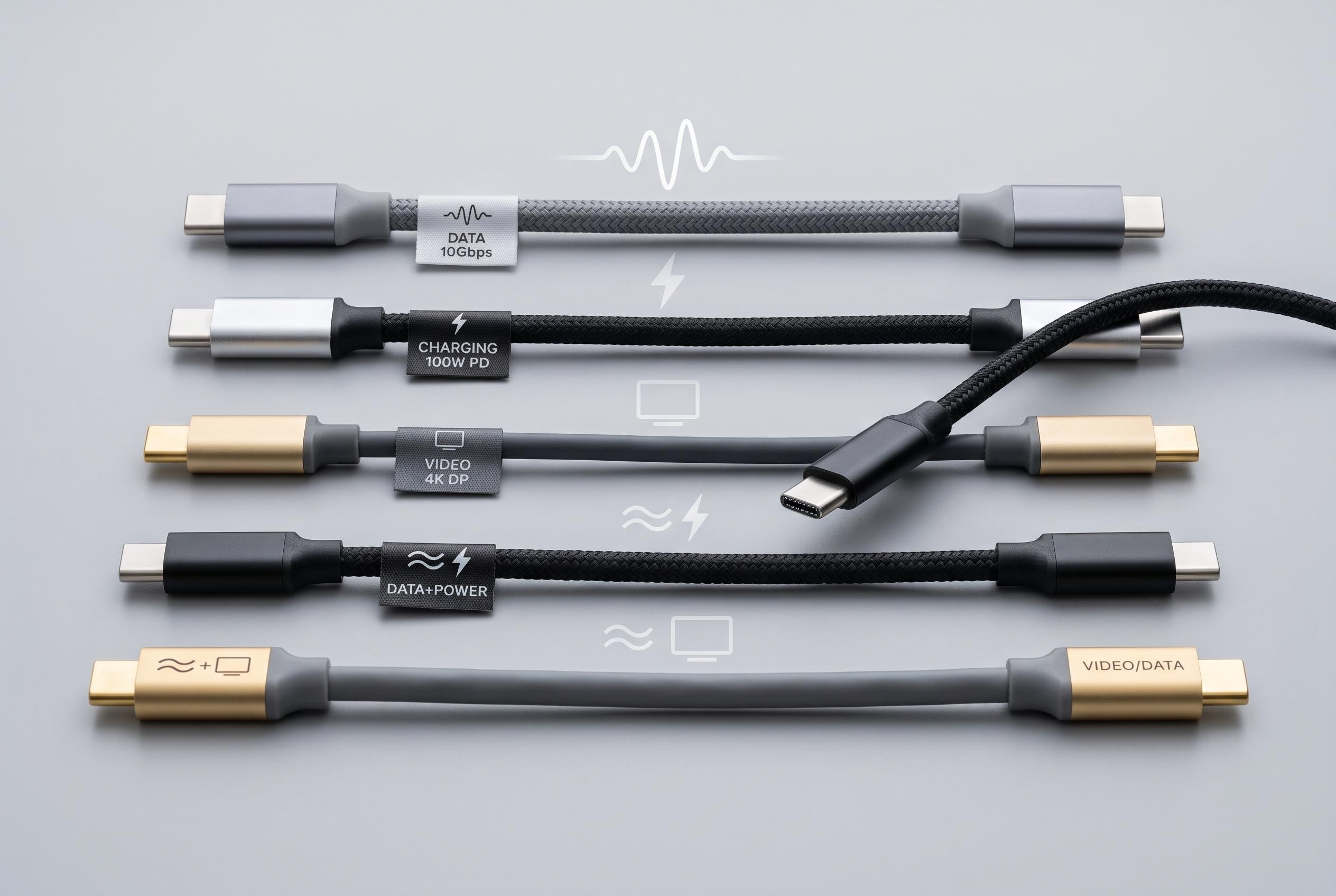

While USB-C appears standard, internal design and specifications determine its true capabilities. Consumers should check technical details to ensure optimal performance, especially for data transfer, charging, and video output.
A USB-C plug may look standard, but its capabilities are not. According to Tech Advisor, USB-C describes the connector shape rather than a fixed level of performance, which is why two apparently identical cables can behave very differently once connected to a device.
That distinction matters in day-to-day use. Some USB-C leads support rapid charging, fast data transfer and video output, while others do only basic charging or relatively slow file transfer. Lention and MAG Kabel both note that consumers often assume the plug format guarantees the same functions across all cables, when in practice the internal design and specification of the cable determine what it can actually do.
The difference becomes especially clear with data. A cable may charge a phone normally but still be limited to USB 2.0 transfer speeds of 480 Mbit/s, which is fine for simple tasks but slow for moving large files. SC&T says the cable’s wiring and, in some models, an E-Marker chip can also affect whether it can safely handle higher power levels or support features such as DisplayPort Alt Mode for external monitors.
Power delivery is another point where the label on the box can mislead. Under USB Power Delivery, compatible equipment can support up to 240 watts, but that does not mean every USB-C cable can handle that load. The final result depends on the device, the charger and the cable. If any one of those is limited, the whole setup is limited.
For consumers, the practical answer is to check specifications rather than rely on appearance. Netsilla and Anker both recommend looking for the maximum charging wattage, the data rate and whether video output is supported. A basic cable may be perfectly adequate for charging a smartphone, but a high-resolution monitor, external SSD or powerful laptop usually requires a cable with clearly stated support for higher performance. A USB-C connector alone does not guarantee that.
Disclaimer: This content is intended for informational purposes only. Readers are advised to exercise their own judgement, conduct due diligence, or consult a qualified expert before acting on any information provided.