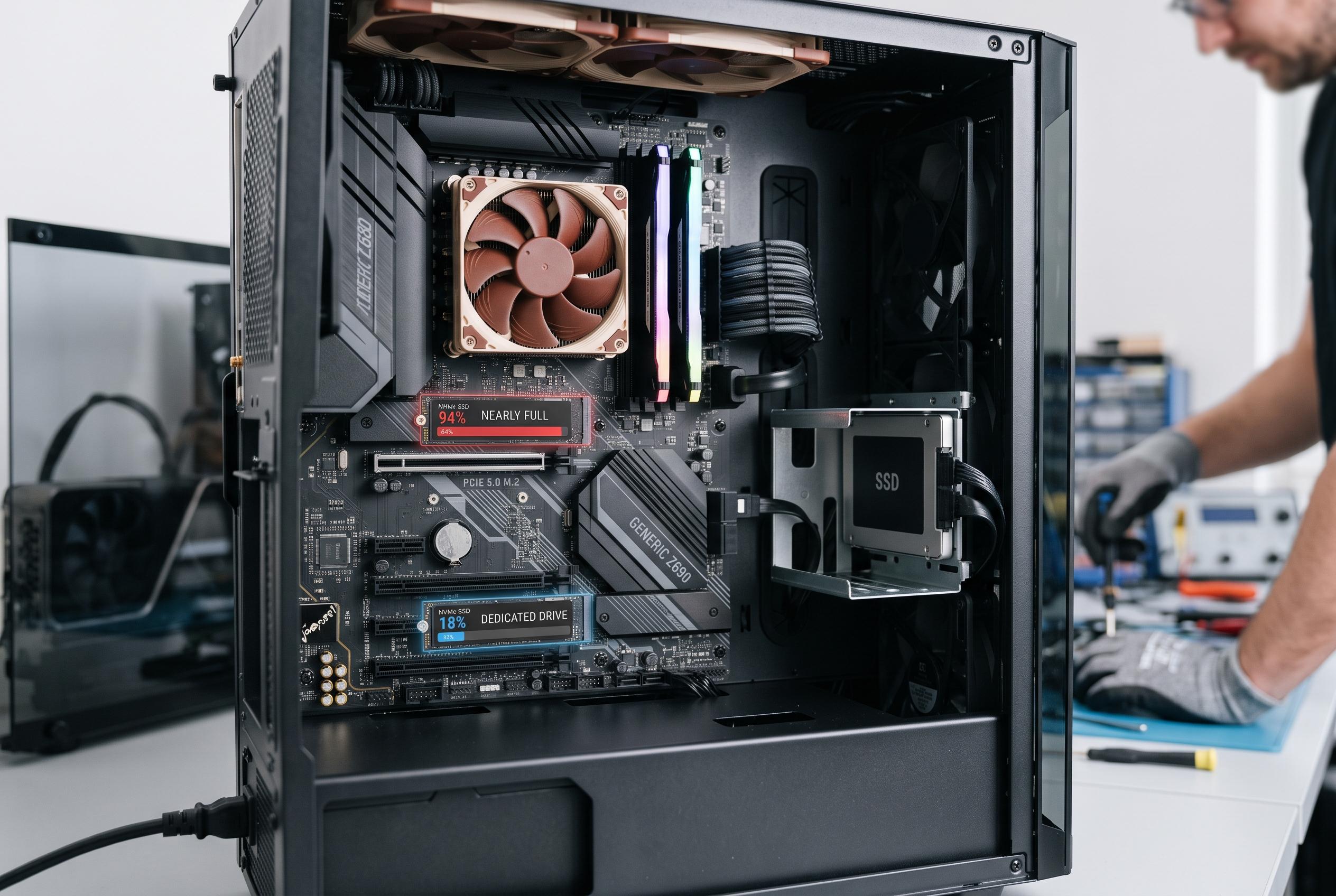

A high-spec gaming PC experienced stutters during modern titles, revealing that nearly full NVMe drives may bottleneck streaming performance. Moving the game to a dedicated, less saturated SSD eliminated the issue, highlighting the importance of storage layout for smooth gaming experiences.
A pricey gaming PC should not struggle with ordinary play, yet that was exactly what happened here. Newer titles such as Forza Horizon and Pragmata began to hitch whenever the game had to stream in fresh areas, leaving the impression that Windows 11 or the graphics stack was at fault. The machine itself was not obviously under strain: temperatures were controlled, benchmarking looked normal and the GPU, an RTX 4070 Ti Super with 16GB of VRAM, ought to have had ample headroom for 1440p gaming.
The first suspicion was software. That was not unreasonable, because Nvidia users have reported gaming problems after recent Windows 11 updates, including lower 1% lows, artefacts and black screens. Nvidia has acknowledged at least some of those complaints and, in response to the KB5074109 update cycle, advised affected users to remove the update while it investigated. But in this case, a review of installed updates did not reveal the same combination of patches tied to those problems.
Attention then shifted to the GPU drivers and the game installation itself. A clean driver removal in Safe Mode, followed by a fresh Game Ready install, changed nothing. Reinstalling the game also made no difference. What stood out instead was the pattern of the stutters: they appeared precisely when the game had to pull in new assets, such as when leaving a cave, crossing into a different region or loading another stretch of the map.
That clue pointed to storage. The main 1TB NVMe drive was nearly full, with only limited free space left. SSDs perform best when they are not close to capacity, because the controller needs spare room for cache management and wear levelling, and a boot drive is also handling Windows services, indexing and background maintenance at the same time. Intel says SSDs are especially helpful in games that stream assets from storage, even if they do not materially raise average frame rates. In practice, a saturated drive can become a bottleneck when a game needs a sudden burst of data.
The fix was unexpectedly modest: the game was moved to a $60 Crucial BX500 240GB SATA SSD that was otherwise idle. With the title isolated on a separate drive, the stuttering vanished. The episode is a useful reminder that storage layout can matter as much as storage speed. NVMe is usually faster on paper, but for gaming the more important question is often whether the boot drive is too full and too busy to serve the game smoothly. For anyone with multiple drives, simple compartmentalisation may be the cheapest performance upgrade of all.
Disclaimer: This content is intended for informational purposes only. Readers are advised to exercise their own judgement, conduct due diligence, or consult a qualified expert before acting on any information provided.