

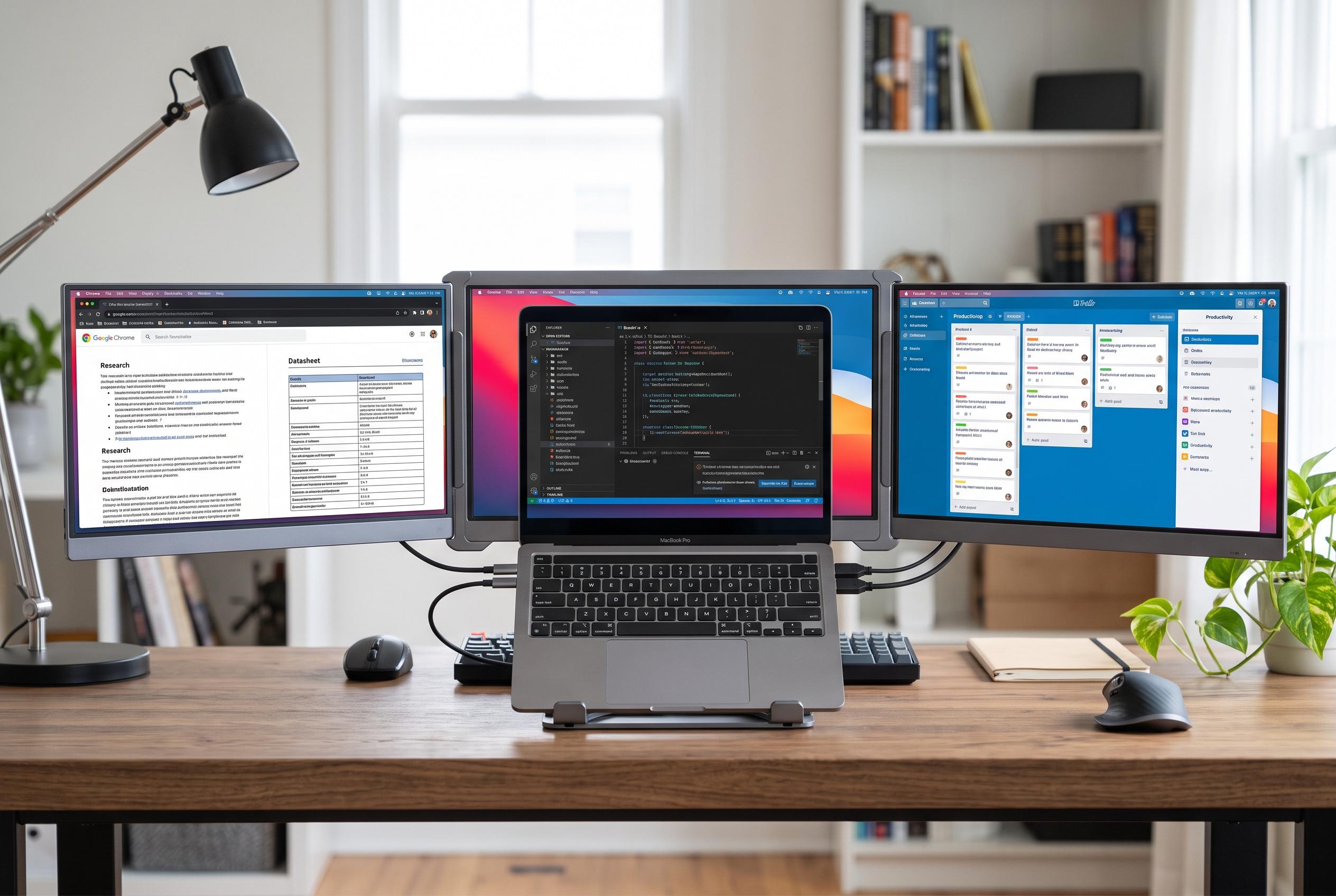

KYY’s new X90D portable monitor introduces a folding, dual-panel design that transforms a laptop into a three-screen workstation, offering enhanced flexibility for professionals on the go despite some setup and usability trade-offs.
KYY’s X90D “Triple” portable monitor is not a conventional single-screen accessory. It is a folding, dual-panel unit designed to turn a laptop into a three-display workstation, with the notebook in the middle and one 15.6-inch screen on either side. ServeTheHome said the arrangement is more useful than the name suggests, especially for users who need extra screen space without assembling a complex desk setup.
The hardware is built around two 1,920×1,080 IPS panels running at 60Hz, with a claimed 1,200:1 contrast ratio. Tom’s Hardware described the chassis as slim and neatly finished in aluminium, while KYY’s own product information says the screens can rotate through 360 degrees and support several display modes, including extended desktop, mirrored output, portrait use and single-screen operation. That flexibility makes the X90D more adaptable than a standard portable monitor, though the trade-off is size and weight.
Setup is also more involved than with a typical USB-C display. ServeTheHome reported that the unit can be powered from a Dell laptop over a single cable, but that getting all three screens working on a MacBook required additional software from Silicon Motion, which made the experience less straightforward than plug-and-play. Tom’s Hardware likewise noted that the X90D can run from a single USB-C connection for both power and data, but criticised the placement of the on-screen controls and the lack of HDMI input.
The appeal, then, is mainly practical. CGMagazine said the X90D is a strong option for professionals who value a portable multi-monitor workflow, even if its weight distribution can make positioning awkward and viewing angles less forgiving in some cases. Tom’s Hardware also pointed to weaker brightness than rivals and the absence of a protective case, suggesting that the X90D is best judged as a value-driven productivity tool rather than a premium display.
Disclaimer: This content is intended for informational purposes only. Readers are advised to exercise their own judgement, conduct due diligence, or consult a qualified expert before acting on any information provided.



