

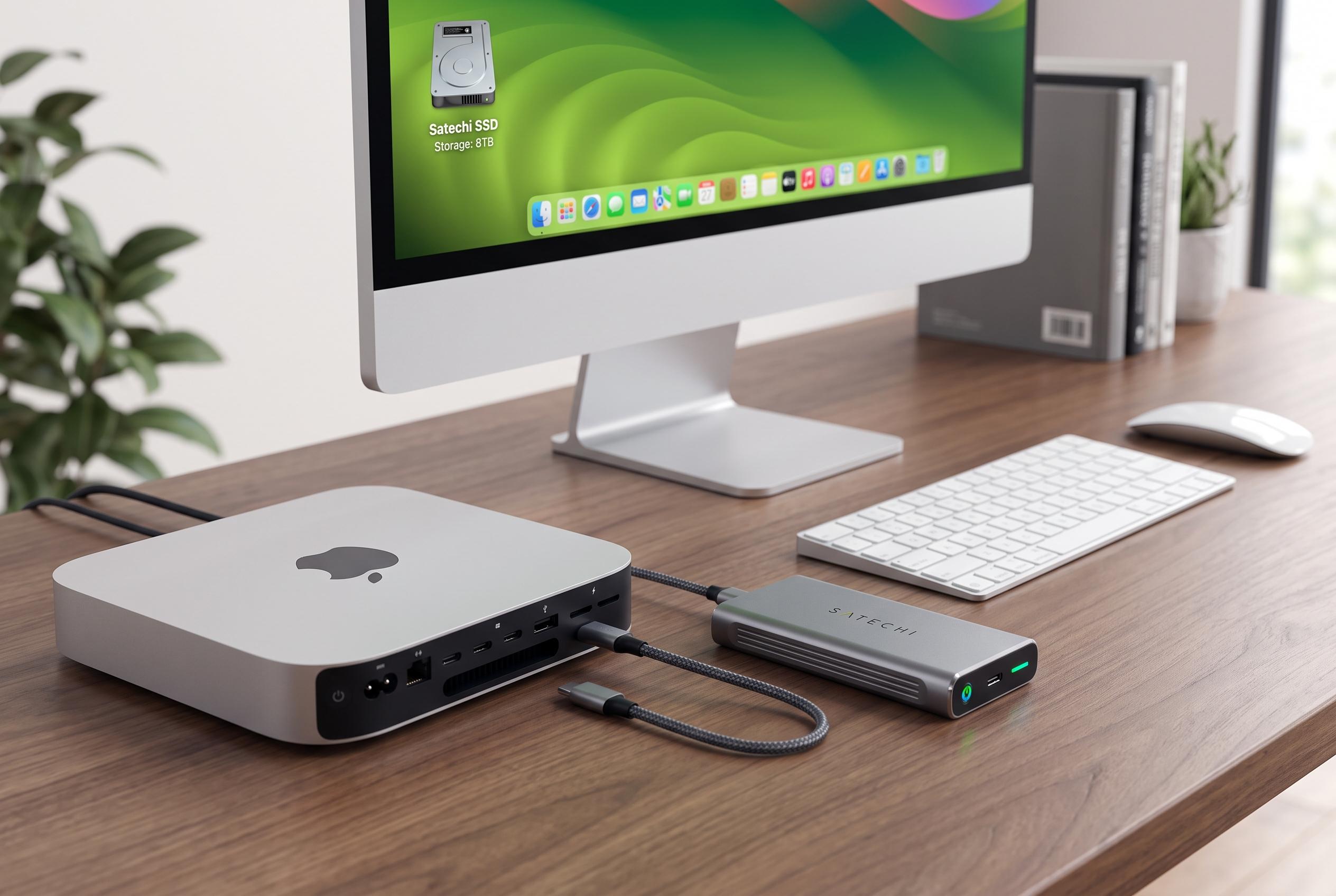

Satechi’s new NVMe enclosure offers Mac mini users an easy way to boost internal storage up to 8TB, tailored for 2024 models, though compatibility depends on specific chassis and SSD types.
Apple’s base-storage configurations often leave Mac users reaching for external options sooner than they expect, especially when a machine is bought with 256GB of internal storage. For owners of the Mac mini who mainly need more room for files, photos and video, Satechi’s NVMe enclosure is an obvious add-on because it turns a compact desk setup into one with much larger local storage, without requiring a full dock or a more intrusive modification.
According to Satechi’s product information, the Mac mini M4 Stand & Hub with SSD Enclosure is built for the 2024 Mac mini and accepts NVMe M.2 PCIe drives up to 8TB. It supports common SSD sizes, including 2230, 2242, 2260 and 2280, and connects through USB-C 3.2 Gen 2 at up to 10Gbps rather than through Thunderbolt. Satechi says the enclosure includes ventilation slots and a thermal pad to help manage heat, while the SSD itself must be bought separately.
That distinction matters. Satechi’s support documentation for its Mini NVMe SSD Enclosure makes clear that not every similar-looking accessory fits every Mac mini. One enclosure model is listed as incompatible with the Mac mini M4 because of Apple’s newer, smaller chassis design, even though it remains compatible with other Mac models. In practice, buyers need to check the exact model number before ordering, particularly because Satechi also sells enclosures intended for older Mac mini generations and for larger Macs such as Mac Studio.
The appeal of the accessory is straightforward: it offers expandable storage without clutter, and it can also suit MacBooks and iPads that support the required connection. But it is not a premium-speed answer for users who expect Thunderbolt-class performance, nor is it a universal fit for every M.2 drive type. Satechi says SATA M.2 drives are not supported, and neither are drives with heatsinks or double-sided layouts. For many users, though, it is a practical way to add large, local storage to Apple hardware that ships with too little.
Disclaimer: This content is intended for informational purposes only. Readers are advised to exercise their own judgement, conduct due diligence, or consult a qualified expert before acting on any information provided.



