

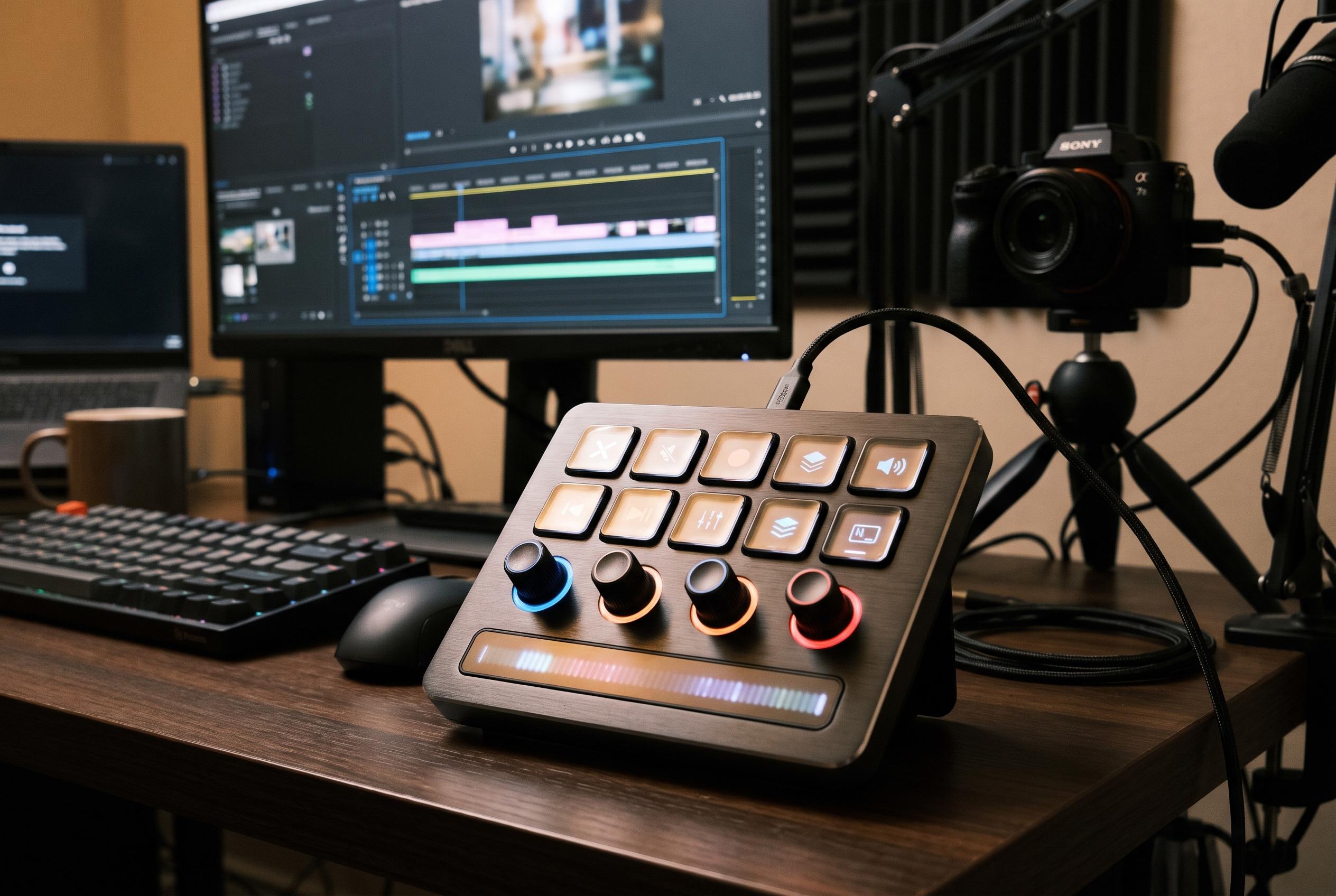

The VSD N4 Pro offers ten LCD keys, four RGB knobs and touch controls in a compact wired controller, but its limited key count and software dependence may not suit every workflow.
The VSD N4 Pro is best understood as a compact control surface for users who want more than a basic macro pad, but do not want a large deck taking over the desk. According to the product description and independent round-ups, it combines ten LCD keys with four RGB rotary knobs, a touch bar and a built-in USB-C dock, putting shortcut access, level control and touch-based actions into one wired device. That mix makes it more versatile than a simple key bank, but also more dependent on software and layout planning than a purely hardware-focused controller.
Its main appeal is flexibility. The LCD keys can show labels for the active profile, which makes them easier to read at a glance during streaming or editing. The rotary knobs are the more distinctive feature, because they can be assigned to tasks such as audio level changes or lighting adjustments, allowing finer control than repeated button presses. The touch bar adds another input method, while the ring lighting and full-screen visual customisation, highlighted by VSDInside, give the N4 Pro a more expressive presentation than the smaller N4 model.
That does not remove its central limitation: ten visible keys are still ten visible keys. Livebox Gallery notes that while the knobs are useful for audio mixing, the device’s smaller key count can restrict macro-heavy workflows, especially when compared with larger stream decks. In practice, that means the N4 Pro suits users who are happy to switch between profiles and rely on the knobs for some of their routine tasks. It is less suitable for people who want a large number of commands available at once without changing layouts.
Software remains a significant part of the experience. The N4 Pro supports one-tap multi-step macros without coding, and Of Zen and Computing reports that the platform includes a wide plugin ecosystem. But that convenience comes with a caveat: buyers need to install companion software to unlock the full feature set, and the usefulness of those plugins depends on how well they integrate with the apps the user already relies on. Some buyers may also find the dial action less refined than a dedicated audio interface, with one review describing the resistance as looser than premium alternatives.
There are also practical details worth weighing before buying. The device is specified for Mac and PC, with Windows 10 and macOS 11.0 or later listed as supported operating systems, and it connects over USB-C. Worldisround notes the foldable 60-degree stand and ambidextrous positioning as helpful daily-use features, while Of Zen and Computing points out that the soundboard function controls audio rather than playing it through built-in speakers. For that reason, anyone expecting the controller itself to output clips should look elsewhere.
On balance, the N4 Pro makes the most sense for streamers, creators and gamers who will actively use its mix of keys, knobs and touch input. It is a sensible choice for compact desks and custom workflows, especially where scene switching, audio adjustment and macro triggers all matter. Buyers who mainly want many dedicated shortcuts, or who prefer a simpler plug-and-play macro pad, should probably look to a larger deck or a more basic controller instead.
Disclaimer: This content is intended for informational purposes only. Readers are advised to exercise their own judgement, conduct due diligence, or consult a qualified expert before acting on any information provided.



