

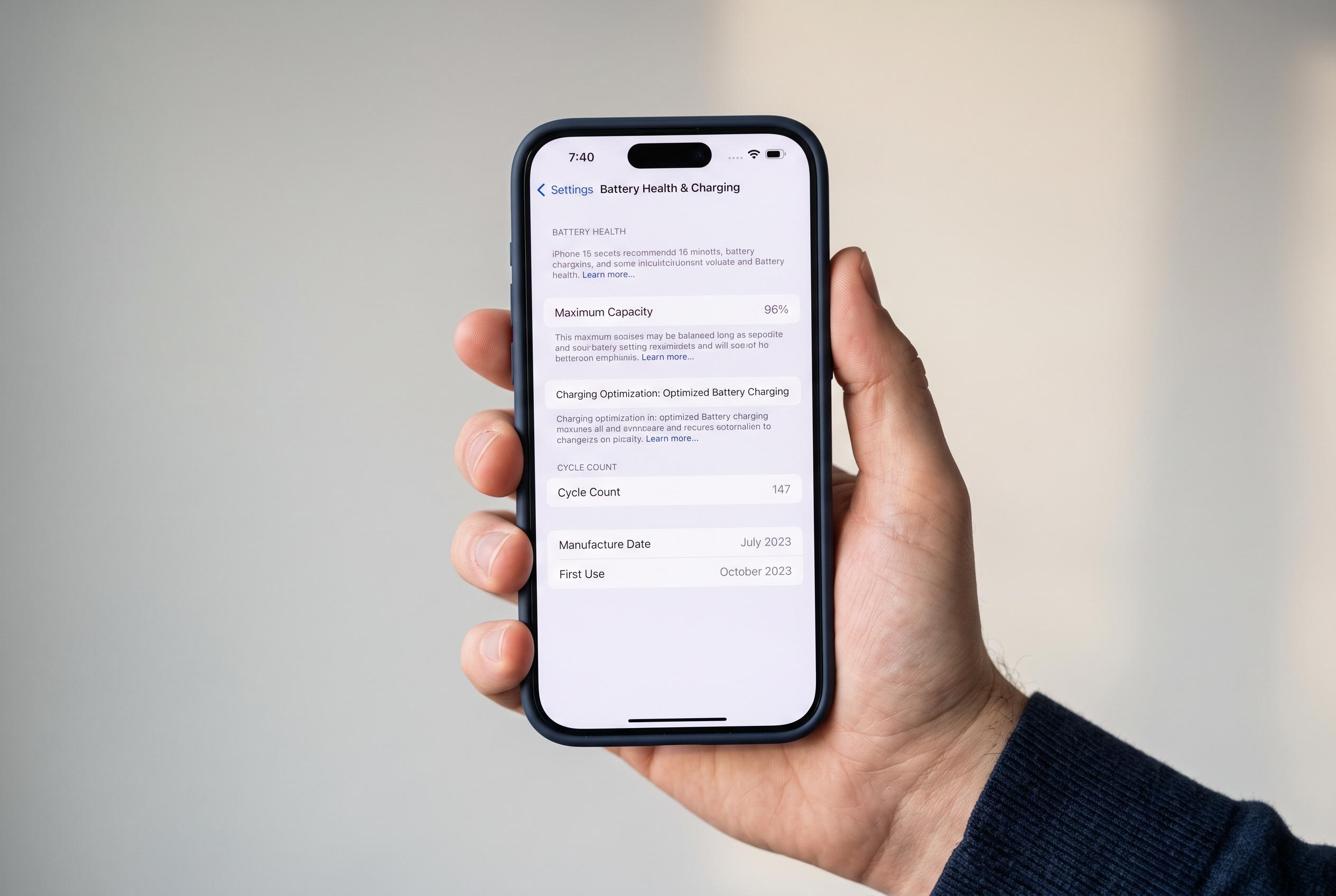

Apple has embedded detailed battery health and cycle count tools into iPhone settings, making it easier for users, especially second-hand buyers, to evaluate their device’s battery condition and longevity, signalling a shift towards greater transparency and battery management capabilities.
Apple has built battery-health tools into iPhone settings to help users judge how much wear the battery has accumulated and whether performance is likely to suffer. The practical value is clearest for people buying second-hand devices, because battery condition is often a better indicator of real-world use than the handset’s outward appearance. According to Engadget, Apple’s software now surfaces enough battery data on recent models to make that assessment much easier.
On most iPhones, the battery status screen sits under Settings and Battery, where users can see maximum capacity as a percentage of the battery’s original level. Apple says an iPhone battery is designed to retain up to 80% of its original capacity under normal conditions, with that target measured against 1,000 full charge cycles on iPhone 15 models and later, and around 500 cycles on older devices. If capacity falls below that level, the phone should continue working, but battery life will usually shorten and iOS may limit performance to prevent sudden shutdowns.
Recent iPhone 15 models also expose the battery cycle count directly in Settings, making it easier to compare ageing across devices without third-party software. Apple defines a cycle as the use of 100% of the battery’s capacity in total, which does not have to happen in one go. A user might, for example, use half the charge one day, recharge, and then use the remaining half later; that still counts as one cycle. On older iPhones, the same information is usually only available through external tools such as coconutBattery on a Mac.
Apple also offers controls designed to slow battery wear. Optimised Charging learns when the phone is usually charged and delays completion of the charge so the battery spends less time sitting at 100%. On iPhone 15 models and newer, users can additionally cap charging between 80% and 100% in 5% steps, which can reduce long-term degradation. While reaching 500 or 1,000 cycles does not mean a battery has failed, it is a sensible point at which replacement should be considered if capacity has dropped materially or endurance has become inadequate.
Disclaimer: This content is intended for informational purposes only. Readers are advised to exercise their own judgement, conduct due diligence, or consult a qualified expert before acting on any information provided.



