

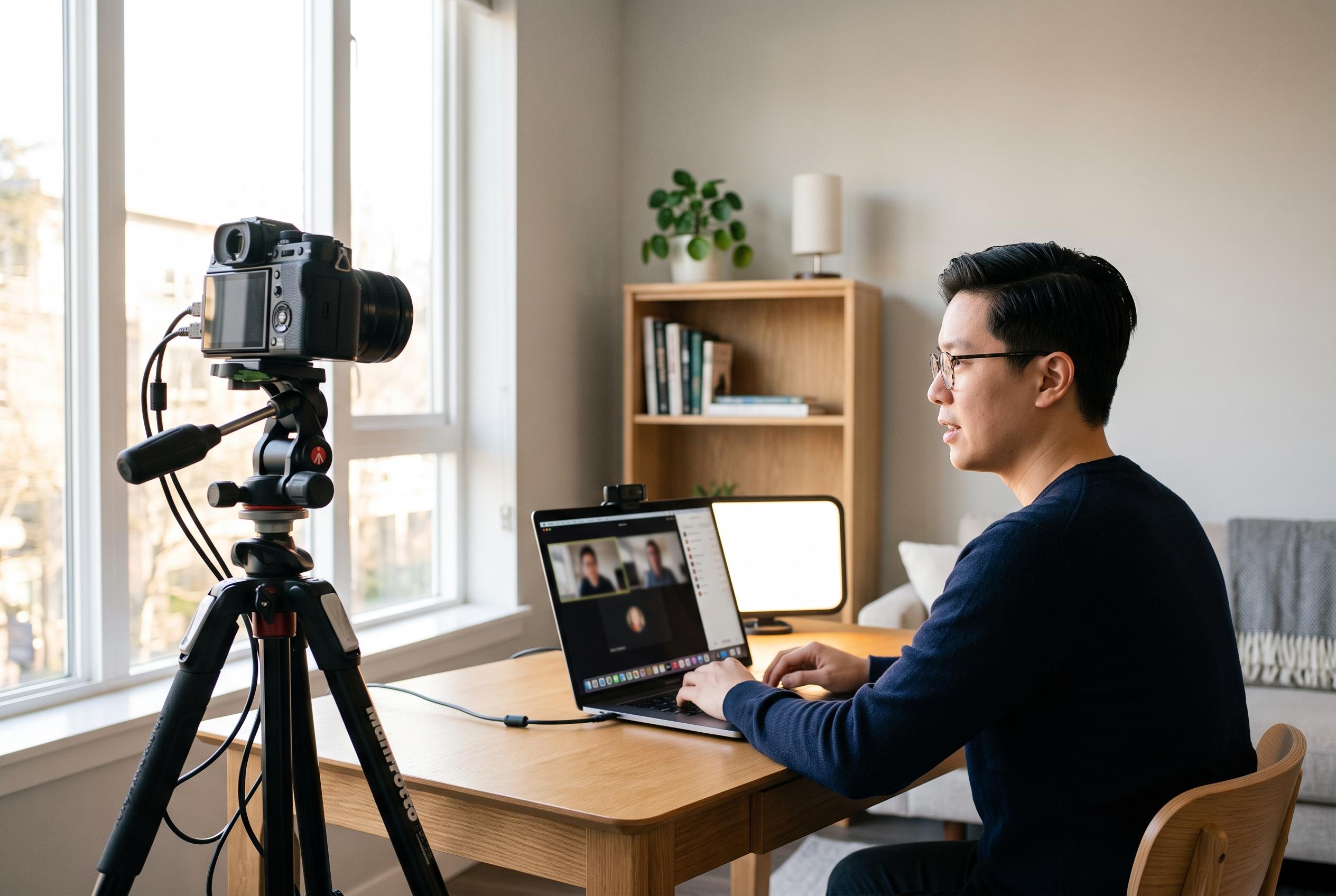

Improving home video calls starts with simple adjustments to camera height, framing, lighting, and background. Experts recommend eye-level positioning, balanced lighting, and clutter-free backgrounds to create a more natural and credible appearance during virtual meetings.
A better home video call setup begins with the camera. Practical guides from Docam, WebCamMicTest, CertoJob and GlobalOneMedia all point to the same basic rule: place the lens at eye level, or just above it, so the image feels direct and natural. If you are using a laptop, a stand, a monitor riser or even a stack of books can lift the screen to the right height. Keeping the device roughly arm’s length away helps avoid distortion and gives enough room to frame the head and shoulders cleanly.
Framing matters as much as height. The guidance from those same technical checklists recommends centring yourself in the image, leaving a small amount of space above the head, and avoiding angles that make the face look compressed or exaggerated. A camera that sits too low can create an unflattering upward view, while one set too high can make the shot feel detached. The simplest test is to look at the image before a meeting and adjust until your posture, face and shoulders sit comfortably within the frame.
Lighting is the next variable. HomeDeskEssentials recommends facing a window so that natural light falls on the face evenly, rather than from behind, where it can turn the speaker into a silhouette. Where daylight is unreliable, a lamp or ring light placed in front of the camera can provide more even illumination. Several guides also note that a soft diffuser, such as sheer curtains, can reduce harsh sunlight and create a steadier look across the day.
The background should support the image, not compete with it. A tidy wall, a simple bookshelf or a minimally decorated room is usually better than a busy domestic scene. Test calls remain useful because they reveal problems that are easy to miss in real time, including glare, shadows, lens smudges and poor device placement. The most effective setups are often modest ones: clear sightlines, balanced light and a stable camera position that keeps the speaker looking composed and credible.
Disclaimer: This content is intended for informational purposes only. Readers are advised to exercise their own judgement, conduct due diligence, or consult a qualified expert before acting on any information provided.



