

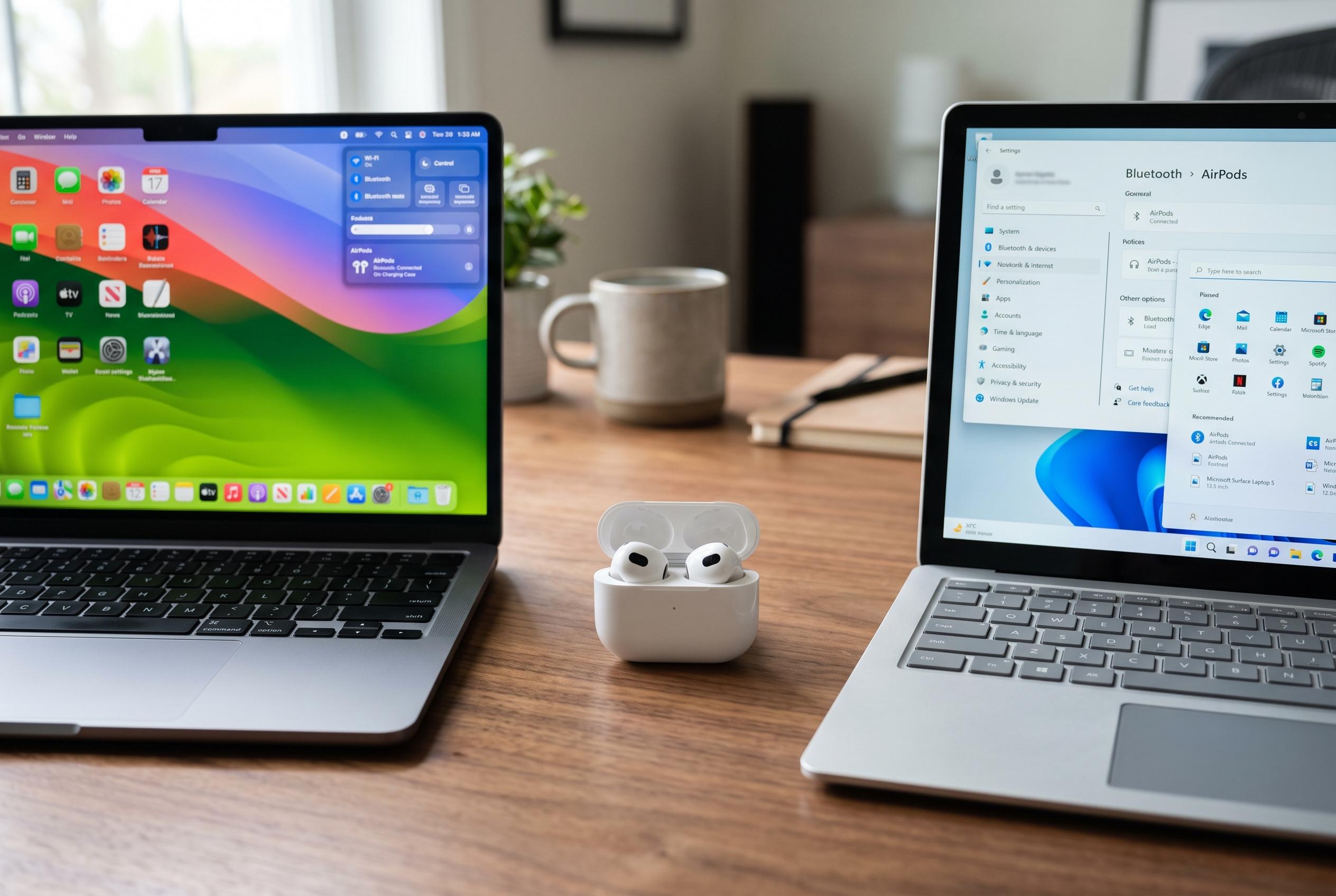

Guidance on setting up and resolving common connectivity issues when connecting AirPods to Windows and MacBook laptops, including tips for improving stability and maintaining seamless pairing.
Connecting AirPods to a laptop is usually a simple Bluetooth task, but the exact steps depend on the machine’s operating system rather than the AirPods model. HP’s official guide for Windows 11 says the process starts with charged earbuds, active Bluetooth on the laptop and the AirPods placed in pairing mode. Guides from PC Webopaedia and Tech News Today say Dell laptops follow the same basic Windows route, while MacBooks use Apple’s Bluetooth settings and often reconnect automatically when the devices share an Apple account.
On Windows laptops, the pairing flow is broadly the same for Dell and HP devices. Open Settings, go to Bluetooth and devices, switch Bluetooth on if needed, then add a new Bluetooth device and select the AirPods when they appear. HP’s instructions and the third-party Dell and HP guides say the earbuds should be kept in the charging case with the lid open until the status light flashes white, which indicates pairing mode. If audio does not move across automatically, the AirPods can usually be selected manually as the sound output device.
MacBooks follow a similar principle, but Apple’s system settings handle the connection. Open Bluetooth in System Settings, confirm that Bluetooth is enabled, then choose Connect next to the AirPods when they appear in nearby devices. Apple devices may reconnect without any manual action when the same Apple Account is in use, although Apple still recommends using the Bluetooth panel when the earbuds do not show up immediately.
When AirPods keep dropping off a laptop, the problem is often practical rather than technical. HP, Asurion and Headphonesty all point to low battery, weak Bluetooth signal, interference from other wireless devices, incorrect audio output selection or a stale pairing record as common causes. Recharging the earbuds and case, moving closer to the laptop, toggling Bluetooth off and on again, and removing the AirPods from saved devices before pairing them afresh can resolve many faults.
If the connection remains unstable, a fuller reset may be needed. The reports advise deleting the existing pairing, returning the AirPods to pairing mode, and rebuilding the connection from scratch so Windows or macOS creates a clean device profile. The same advice applies when the earbuds connect but sound continues to play through the laptop speakers, which usually means the AirPods have not been chosen as the active audio output.
Not every AirPods feature carries over neatly to Windows. Apple says AirPods can work as a Bluetooth headset on non-Apple devices, including for calls and listening, but some Apple-specific functions are limited outside the company’s own ecosystem. That means the microphone should work on a laptop, provided the AirPods are also selected as the input device in the operating system’s sound settings.
TAG Mobile’s material adds a wider connectivity angle for users who want a phone to sit alongside a laptop and AirPods setup. The company says it offers Lifeline-supported service to qualifying customers, including free smartphone offers in some states, discounted handsets, monthly data, unlimited talk and text, and international calling to more than 200 countries and territories. Eligibility depends on household income or participation in programmes such as SNAP or Medicaid, and availability varies by location and inventory.
Disclaimer: This content is intended for informational purposes only. Readers are advised to exercise their own judgement, conduct due diligence, or consult a qualified expert before acting on any information provided.



