

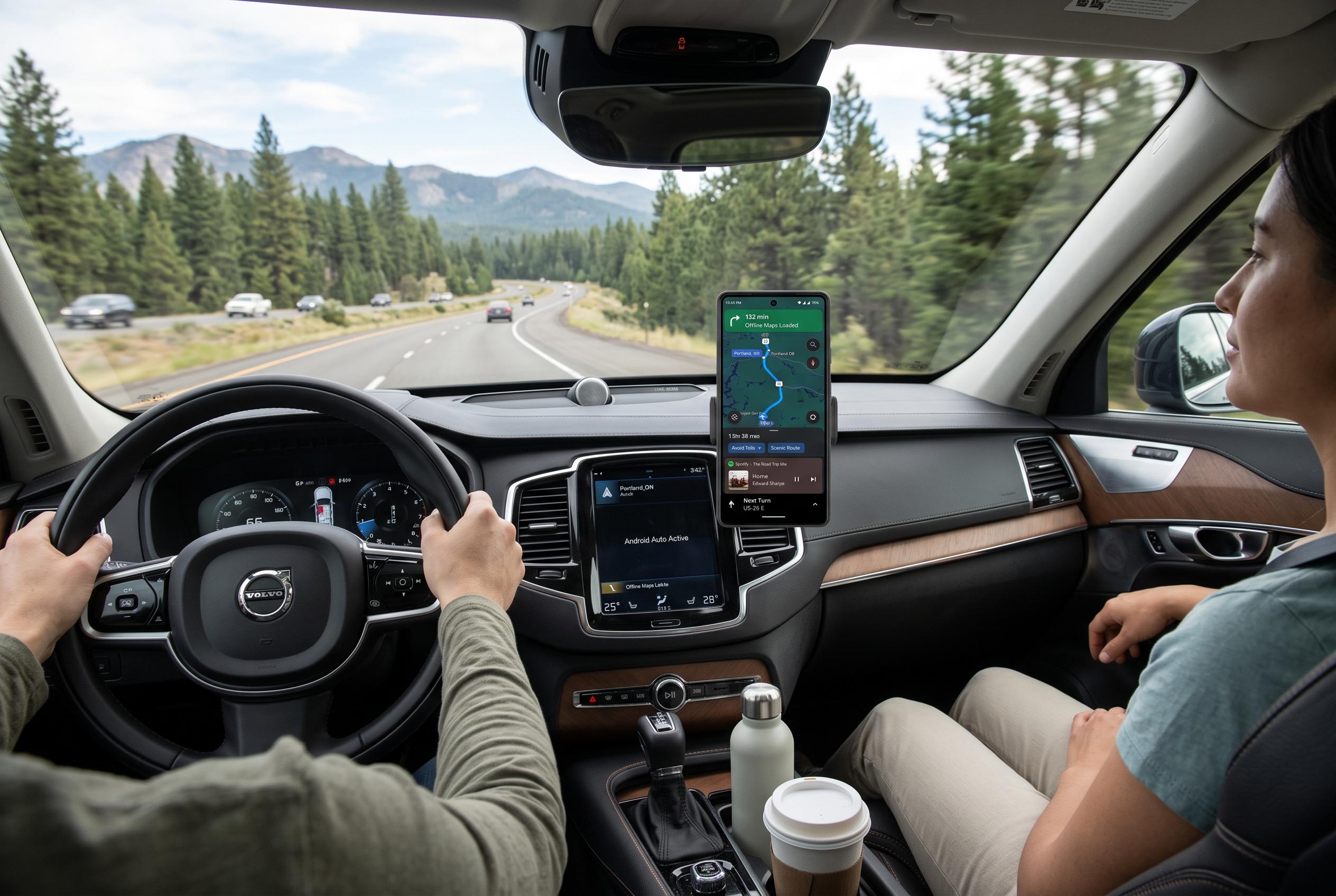

Customising offline maps, route preferences, audio, and notifications before setting off can transform Android Auto from a potential source of distraction into a reliable co-pilot during long trips.
Android Auto is built for convenience, but that convenience can start to fray on a long journey. Short city trips usually only demand turn-by-turn directions, music and the occasional voice command. Hours on the road expose the weak points: patchy data, repeated notifications, battery strain and an interface that can feel cluttered at exactly the wrong time.
One of the most useful precautions is to download offline maps before setting off. Google’s support documentation says Android Auto can work with Google Maps for voice-guided navigation, live traffic and lane guidance, but offline coverage remains important when mobile reception drops on motorways, in tunnels or in rural areas. SlashGear notes that offline maps can be downloaded in advance through Google Maps, although they do not replace live traffic data. The practical value is simple: if the signal disappears, the route still works.
It also helps to check route preferences before starting. Google Maps can remember choices such as avoiding toll roads or motorways, which is convenient until a long detour becomes an expensive mistake. Reviewing those settings before departure reduces the chance of following an unsuitable route for hundreds of miles.
Audio settings matter as well. Android Central recommends changing the default behaviour so music does not interrupt every stop and restart. On longer trips, automatic resumption of playback keeps podcasts, audiobooks and playlists flowing after fuel stops or meal breaks. It avoids the repeated task of reopening the media app each time the car reconnects.
Notifications are another source of fatigue. Android Central and other Android Auto guides advise muting message chimes and limiting what appears on the dashboard. Showing only that a message has arrived, rather than displaying the first line, can reduce distraction without cutting the driver off entirely. Voice assistants such as Gemini can still read messages when it is safe to do so.
A reliable cable is still worth carrying, even if wireless Android Auto is the usual setup. A tested USB cable can bypass connection problems without forcing the driver to troubleshoot Bluetooth or Wi-Fi at the roadside. Google’s own guidance also supports using voice commands and route tools through Android Auto, while Android Central recommends organising shortcuts and app access so the most common tasks are one tap away.
Taken together, these changes do not make much difference on a five-minute commute. Over several hours, they can decide whether Android Auto feels like a helpful co-pilot or another source of irritation. Preparing the system before leaving town makes the drive calmer, safer and less dependent on luck.
Disclaimer: This content is intended for informational purposes only. Readers are advised to exercise their own judgement, conduct due diligence, or consult a qualified expert before acting on any information provided.



