

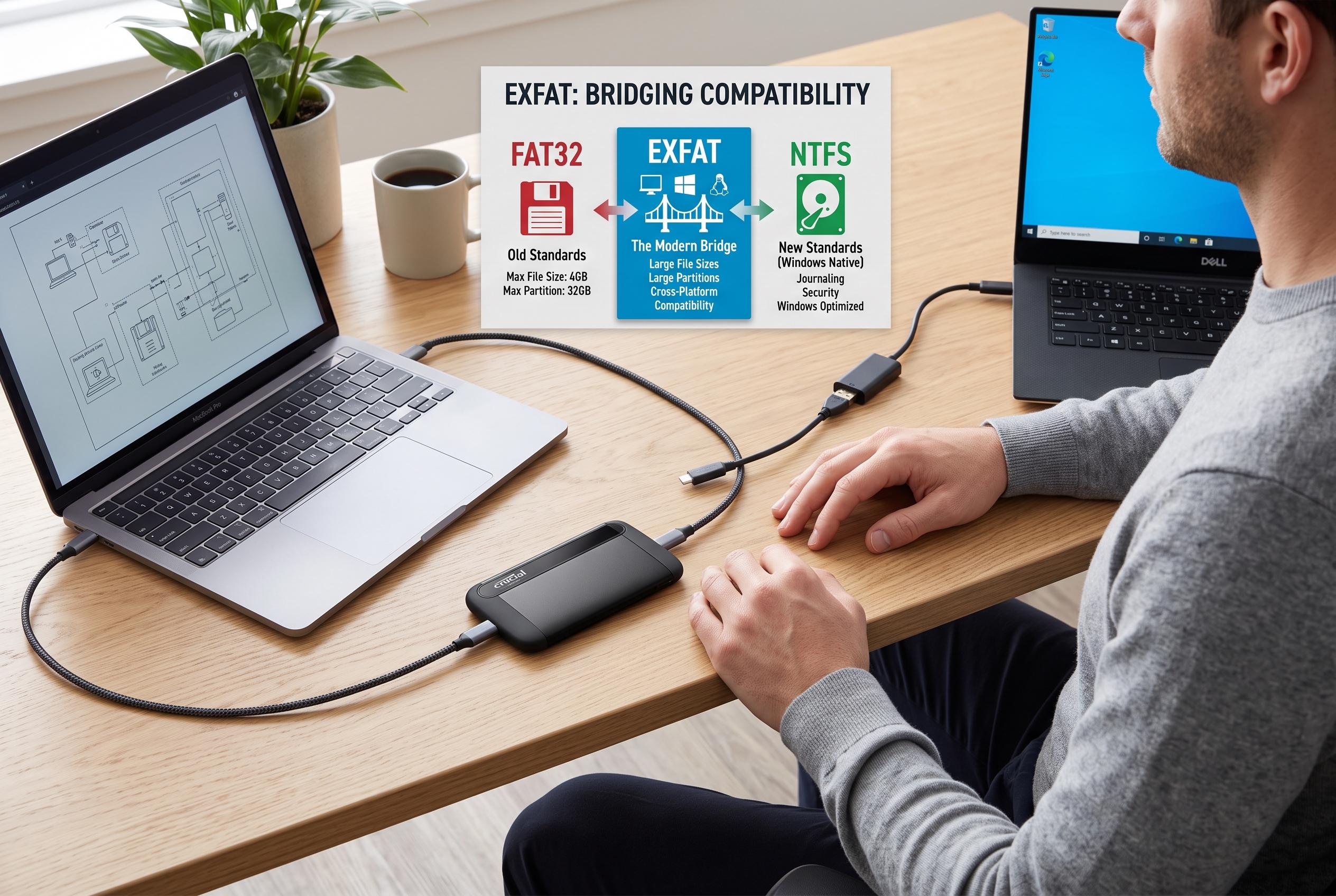

Selecting the appropriate file system for external drives is crucial, with exFAT emerging as a flexible alternative that bridges compatibility gaps between FAT32 and NTFS, influencing device performance and data transfer.
The file system you choose for an external drive can matter more than the storage itself. A drive that works perfectly on one device may refuse a large transfer on another, or lose useful features when moved between operating systems. According to MakeUseOf, that is why the familiar advice to use NTFS or exFAT is only part of the story: each format makes a different trade-off between compatibility, capacity and resilience. NTFS, exFAT and FAT32 are not simply better or worse than one another. They are optimised for different jobs.
FAT32 is the oldest of the three and remains valuable because of how widely it is still understood. Its key limitation is the 4GB ceiling on individual files, which follows from the way it records file size. NTFS.com and other technical comparisons note that FAT32 is still supported by many older devices, including some car stereos, cameras and consoles, which helps explain its longevity. The downside is obvious in practice: a drive can appear to have plenty of free space and still reject a single large video or archive.
exFAT was created to bridge that gap. Microsoft designed it to remove FAT32’s file-size restriction without bringing along the complexity of NTFS. Technical guides from NTFS.com, GeeksforGeeks and Baeldung describe exFAT as a lightweight format that supports large files and large volumes while staying broadly compatible with modern systems, including Windows, macOS, cameras and game consoles. Its lighter design also means it lacks some of the recovery and protection features found in journaled file systems, so it is best understood as a portability-first choice rather than a robustness-first one.
NTFS is the most capable option when a drive is staying in Windows. It supports features such as journalling, permissions, compression and encryption, which is why it is commonly recommended for internal Windows drives and backups that do not need to move elsewhere. The trade-off is cross-platform convenience: macOS can usually read NTFS, but native write support is limited without extra software. In other words, NTFS is designed around Windows reliability rather than universal portability, which makes it the strongest choice in the right environment and a weaker one outside it.
Disclaimer: This content is intended for informational purposes only. Readers are advised to exercise their own judgement, conduct due diligence, or consult a qualified expert before acting on any information provided.



