

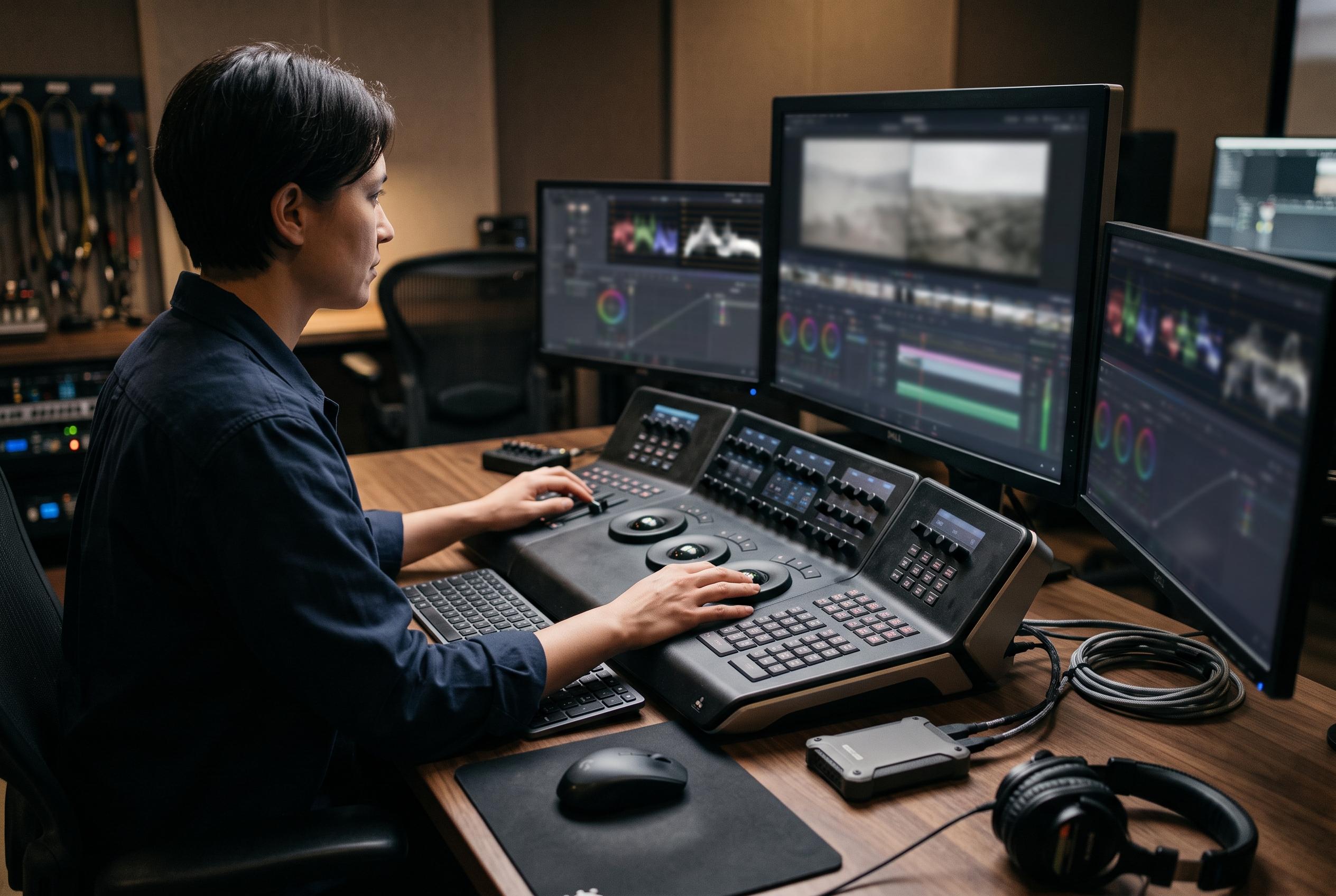

As DaVinci Resolve expands across grading, editing, and live replay, users must now choose control surfaces aligned with their specific workflow needs and budgets, with new options offering improved efficiency and versatility.
Choosing a DaVinci Resolve control panel is less about novelty than about workflow. For colourists who spend long stretches making fine adjustments, tactile controls can reduce fatigue and improve consistency. Blackmagic Design’s current range now spans portable colour surfaces, editing controllers and live replay hardware, reflecting how Resolve itself has expanded across grading, editing and still-image work. The central question is no longer whether a panel helps, but which type of control surface matches the job.
Among the available options, the Micro Panel remains the most direct colour-grading tool. Its three trackballs and twelve knobs are built for lift, gamma and gain work, which is still the core of most primary correction. Miracamp’s guide notes that this design is especially useful for freelancers and mobile professionals because it is compact enough for transport while still offering hands-on precision. Fstoppers likewise places the Micro Colour Panel at the top of its 2026 control-surface roundup, pointing to its two-handed workflow as a clear advantage over dial-and-key devices. The main limitation is that it does not replace the keyboard; node navigation, qualifiers and other advanced tasks still rely heavily on software shortcuts.
The strongest value case in the lineup is the Speed Editor bundle. Because it includes a DaVinci Resolve Studio licence, it can make financial sense even before the hardware is considered. That matters because Studio unlocks features that the free edition does not, including more advanced grading tools and AI-assisted functions. The standalone Speed Editor is the sensible alternative for anyone who already owns Studio. Both versions are designed around fast Cut Page operation rather than detailed grading, so they are better suited to editors who value trim speed, transport control and quick navigation than to colourists shaping individual shots.
Blackmagic’s Editor Keyboard takes a different approach again, replacing shortcut memorisation with a full layout of labelled keys and an integrated search wheel. It is aimed squarely at editors who want speed and visibility in dense timeline work. The Replay Editor is even more specialised, serving live multicam and sports workflows rather than post-production grading. Its arrival shows how far the Resolve ecosystem has broadened: the software is no longer only a colour suite, but also a platform for broadcast replay, editing and, in Resolve 21, even a Photo Page for still-image grading.
That broader software context matters when buyers are weighing hardware against other upgrades. TechRadar’s 2026 review of Resolve 21 notes that the latest version adds still-image colour tools and AI features such as Blemish Removal, Ultra Sharpen and IntelliSearch, while the free version still leaves some advanced capabilities behind the paid Studio tier. Creative Bloq also stresses a point that hardware cannot fix: accurate grading depends first on a calibrated, colour-correct monitor and a proper understanding of colour spaces. In practice, a panel accelerates good judgement; it does not create it.
For most users, the decision comes down to workflow and budget. Colourists who grade daily will gain the most from the Micro Panel. Editors who also need Studio should look hard at the Speed Editor bundle. Existing Studio owners can save money with the standalone Speed Editor, while broadcast teams with live replay requirements need the more specialised Replay Editor. Plugins and OFX tools may extend what Resolve can do, but the control surface you choose determines how efficiently you can use those tools. In that sense, the best panel is the one that matches the part of Resolve you actually use.
Disclaimer: This content is intended for informational purposes only. Readers are advised to exercise their own judgement, conduct due diligence, or consult a qualified expert before acting on any information provided.



