

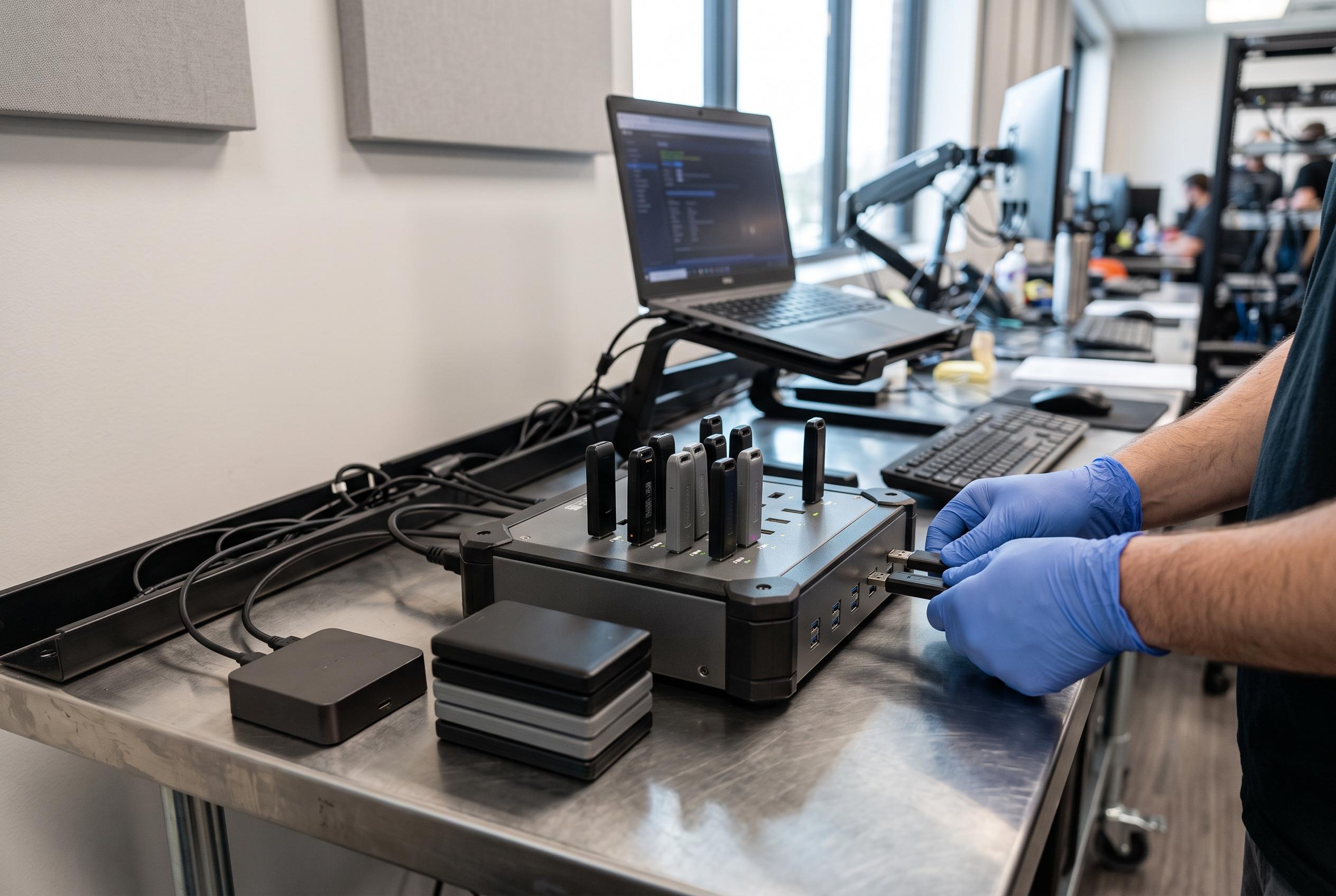

Organisations prioritising verification and secure erasure are driving innovation in USB duplicators, with models offering increased capacity, user-friendly interfaces, and specialised features on the rise for bulk data management.
USB duplicators have become a practical tool for organisations that need to clone, verify or wipe flash drives at scale without tying up a computer. The latest roundups aimed at 2026 all point in the same direction: buyers are prioritising standalone operation, consistent output, verification features and secure erase modes, rather than simple copy speed alone.
According to the lead roundup and the related guides from Roihacks, the strongest models are those that balance target count with workflow control. Small desktop units remain useful for technicians and office teams, while higher-capacity systems are better suited to deployment work, training runs and production environments where repeated duplication is routine.
At the compact end of the market, StarTech’s standalone 1-to-2 flash drive duplicator is presented as a sensible pick for small jobs. It combines quick copying, full sector-by-sector duplication and several erase modes, including 3-pass overwrite, while its LCD menu and copy-and-compare function are intended to reduce errors and confirm results. The roundup notes that asynchronous copying is limited by a 64 MB buffer, which makes it better for modest source content than for larger payloads.
For users who need more throughput, the same brand’s 1-to-5 and 1-to-15 standalone units extend the same basic approach into larger batch work. The 1-to-5 model is positioned as a straightforward option for IT staff handling boot drives or media sanitisation, while the 1-to-15 version adds heavier-duty duplication and erasure features for dedicated workspaces. In both cases, the emphasis is on no-PC operation, verification and practical sanitising tools.
Systor’s duplicators occupy the middle ground between compact desktop devices and full bulk systems. The 1-to-7 unit is described as a balanced option for recurring jobs that need more output than a two-port copier can provide, while the 1-to-15 system is aimed at high-volume runs. Both support standalone operation and bit-by-bit copying, and the larger model is positioned for organisations where throughput matters more than portability.
EZ Dupe’s mini range follows a similar pattern but with a slightly more user-friendly, compact design. The Mini USB Plus MK II copies up to four drives at once, while the MK III expands that to seven targets. The roundup highlights touchscreen-free plug-and-use simplicity, updated speed claims and support for USB 1.0, 2.0 and 3.0 flash drives, although external storage must have its own power source. That makes the units attractive for schools, small offices and labs that want a manageable footprint without sacrificing batch capacity.
Another notable entry is the EZ Dupe SOHO Touch, which shifts the focus towards interface design. Its touchscreen is intended to make copy, compare, format and erase functions easier to manage, especially in daily operational use. With support for 1-to-10 duplication and broad file compatibility, it appears designed for offices and service teams that value repeatability and operator simplicity as much as raw performance.
Vinpower’s USBShark stands out for combining seven-target duplication with maintenance tools such as smart copy, secure erase and USB prescan. The related summary treats it as a serious standalone workstation rather than a portable convenience device, and that is a fair characterisation given its emphasis on validation and drive checking. For teams that need both cloning and basic media hygiene in one box, that combination may be more useful than a narrower, faster copier.
The broader buying advice in the roundups is consistent. Lower-target duplicators are best for occasional use, test batches and smaller office workflows. Mid-range models suit classrooms, AV teams and growing businesses. Higher-capacity systems are more appropriate for IT roll-outs, fulfilment work and media production, where the cost of repetition quickly outweighs the purchase price of a better-equipped unit.
Verification and sanitisation matter almost as much as capacity. The related guide focused on data verification stresses that buyers should look for models that can confirm copies accurately, not merely move data quickly. Similarly, the standalone-focused roundup argues that no-PC operation is valuable because it reduces setup time and operator error, which is often where bulk duplication jobs lose efficiency.
Taken together, the 2026 recommendations show a market moving towards specialised but still accessible tools. A small office may only need a 1-to-2 or 1-to-5 unit, but teams that handle recurring bulk media jobs are better served by 1-to-7, 1-to-10 or 1-to-15 systems with verification and erase functions. For organisations that still rely on flash drives, a dedicated duplicator can save time, standardise workflows and reduce handling mistakes.
Disclaimer: This content is intended for informational purposes only. Readers are advised to exercise their own judgement, conduct due diligence, or consult a qualified expert before acting on any information provided.



