As US households prepare for the new academic year, the focus shifts towards choosing robust, cost-effective laptops tailored to students’ evolving needs, from lightweight Chromebooks to upgradeable kit for tech courses.
For many families, the back-to-school shopping list now begins with a serious computer purchase rather than a cheap stopgap. PwC says US households expect to spend an average of $922 on school shopping in 2026, and nearly half plan to spend more than they did last year. That makes the choice of laptop more consequential: students need a machine that fits the work they actually do, lasts through a full day, and does not become obsolete before the degree is finished.
Among this year’s strongest all-round options, the HP OmniBook 5 14 stands out for endurance. PCWorld’s testing found more than 25 hours of video playback on a Snapdragon X Plus model, while the review also praised its 14-inch OLED panel and roughly 3-pound chassis. That combination makes it unusually practical for students who move between lectures, libraries and home without wanting to think about chargers. The limitation is that the Snapdragon X Plus version is built for mainstream coursework rather than demanding creative work or gaming, and buyers should check whether specialist Windows software will run properly on Windows on Arm.
Apple’s new MacBook Neo is the most interesting low-cost entry into macOS this year. Tom’s Hardware reported that Apple launched it at $599, with a 13-inch Liquid Retina display, 8GB of memory, 256GB of storage and a chassis that weighs 2.7 pounds. The same reporting said the $699 model adds 512GB of storage and Touch ID. Tom’s Hardware’s review found the A18 Pro chip delivers strong single-core performance, but that the machine is less convincing under heavier multitasking loads. In practical terms, it looks best suited to writing, web research, email and ordinary student use rather than sustained heavy workloads.
For students whose work lives mostly in a browser, the Acer Chromebook Plus 514 remains the most economical sensible choice. ChromeOS continues to be a good fit for Google Docs, Google Meet, cloud storage and school portals, provided the course does not depend on desktop-only software. That same logic makes the device attractive for many school and early university users: it is inexpensive, simple to maintain and generally sufficient for coursework that stays online. Its weakness is also obvious: if a programme needs Windows or macOS software, a Chromebook quickly becomes the wrong tool.
Windows buyers have more to weigh. The Dell XPS 13 offers a premium feel in a small body, while the Microsoft Surface Laptop 13 pushes portability even further. The XPS line is especially compelling if you want a sharper screen and a more polished chassis, but a base model with limited memory can become restrictive if you keep many browser tabs and applications open. The Surface Laptop 13 is lighter still, yet its compact footprint and smaller storage options may suit cloud-first users better than students who keep large files locally.
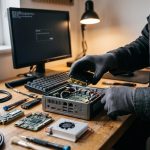
For technical courses, the Framework Laptop 13 remains the most distinctive recommendation. Its repairable, upgradeable design makes particular sense for engineering and computing students who expect to use one laptop across several years of software changes. By contrast, the Lenovo Yoga 7i 2-in-1 is better for note-taking, reading and presentation work, where a convertible hinge and touchscreen matter more than raw specification numbers. Creative students who want more screen space can look to the 15-inch MacBook Air M5, while students wanting one laptop for both study and gaming will still find the ASUS ROG Zephyrus G14 the most realistic compromise, albeit at a far higher price.
The central lesson is simple: the best back-to-school laptop is the one that matches the student’s software, not the one with the flashiest specification sheet. Battery life, weight, memory and operating system support matter more than headline performance for most people. If a course depends on Windows-only applications, that should rule out tempting alternatives. If the work is mostly writing and browsing, a lighter, longer-lasting machine will usually serve better than a more powerful model that spends the day tethered to a charger.
Disclaimer: This content is intended for informational purposes only. Readers are advised to exercise their own judgement, conduct due diligence, or consult a qualified expert before acting on any information provided.