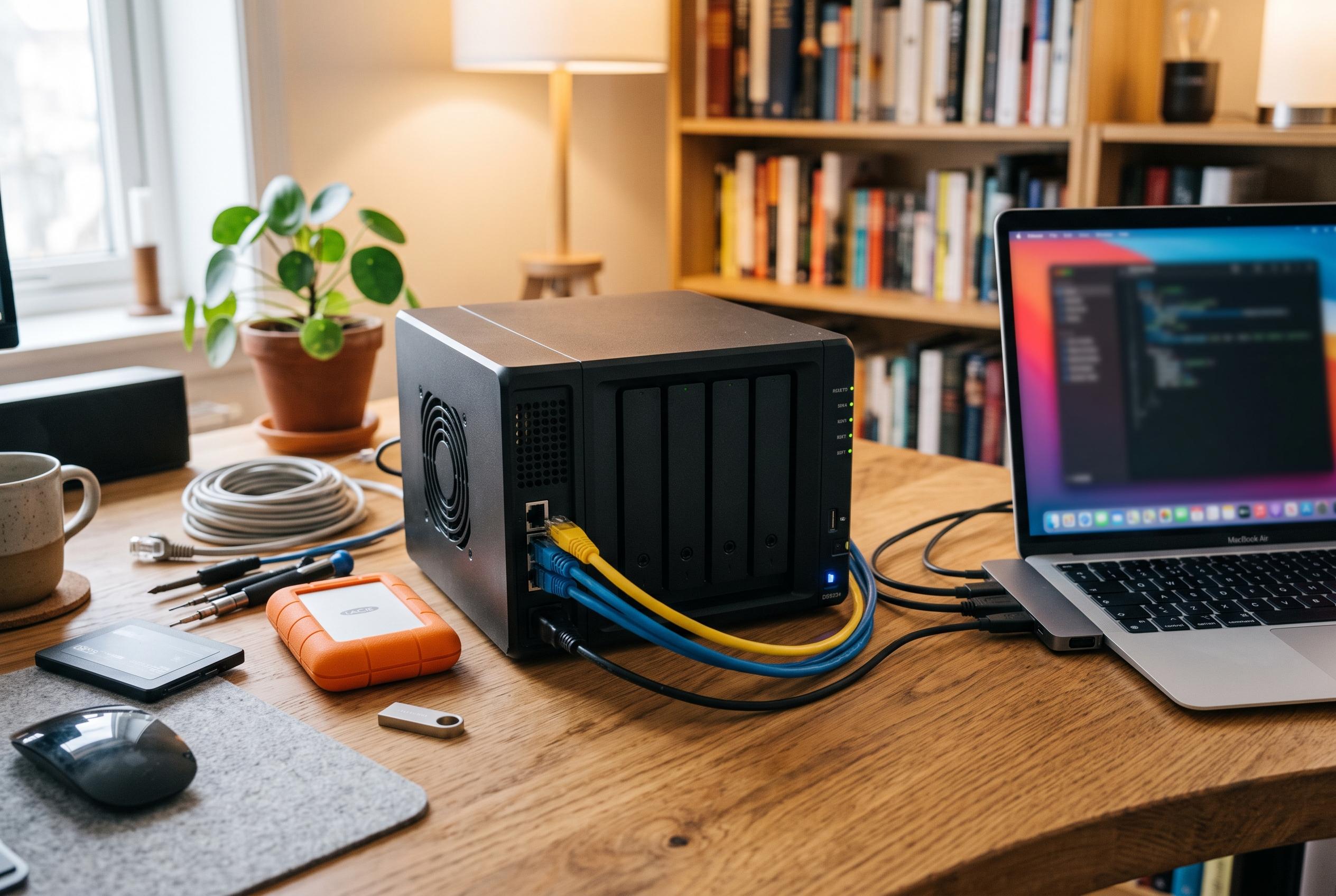

IceWhale’s expandable desktop NAS offers unusual freedom over operating systems and storage, but its Thunderbolt 4 promise, limited memory and slower Standard model temper the appeal.
The ZimaCube 2 is pitched as a desktop NAS for users who want storage hardware without being trapped inside a single software stack. In its Standard form, it costs $799 and pairs a six-bay chassis with four M.2 slots, dual 2.5GbE, twin Thunderbolt 4 ports and PCIe expansion, giving it an unusually open layout for a home server. That openness is the central appeal: IceWhale says the machine will run ZimaOS Plus, but it does not require it, and reviewers note that Linux distributions and other operating systems can be installed without the usual vendor restrictions.
Physically, the machine is designed to sit on a desk rather than disappear into a cupboard. The enclosure uses a dark metal shell with a magnetic front panel, six SATA drive bays and a separate expansion section for NVMe storage. Reviewers at TechRadar and Android Central both pointed to the easy internal access and the included accessories, while also noting that the drive trays still rely on screws, which feels less modern than the rest of the industrial design. IceWhale’s revised cooling layout is another notable change from the original model, with tests from Phoronix and others suggesting the newer system runs more calmly than its predecessor.
The storage layout is flexible, but the Standard model is not the fastest version of the product family. The four M.2 slots are useful for tiered storage, cache or active projects, yet IceWhale rates the Standard model’s shared bandwidth at about 800MB/s, far below the 3,200MB/s available on the Pro and Creator configurations. That matters for editors or other users who want several fast drives working together at full speed. For most home NAS tasks, though, the arrangement is practical: SSDs can handle live data while hard drives absorb the archive.
Performance is competent rather than ambitious. The Standard model uses Intel’s Core i3-1215U, a six-core, eight-thread mobile processor, and test results place it close to a 2020 M1 Mac mini in multi-core workloads while leaving it well behind newer Apple silicon in single-core responsiveness. That makes it adequate for file serving, backups and container workloads, but not ideal for users expecting workstation-class responsiveness. Memory is another limiting factor in the base configuration: the unit ships with a single 8GB DDR5 module, which means single-channel operation until a second stick is added. Reviewers consistently suggest that a matched pair of modules is a sensible upgrade.
Software is where the ZimaCube 2 differs most sharply from conventional NAS boxes. ZimaOS Plus is built around Docker containers rather than a tightly controlled proprietary app ecosystem, giving users access to a broad catalogue of community packages and self-hosted services. That approach favours flexibility over polish. Nascompares observed that the platform still has areas that need refinement, including backup scheduling and fan control, even if the underlying hardware is strong. For technically confident users, the trade-off is attractive: the device behaves more like an open small-form-factor PC with storage bays than a sealed appliance.
One of the more heavily marketed features is also the one that needs the most careful reading. IceWhale promotes the Thunderbolt 4 ports as a 40Gbps link to a Mac, but the connection is Thunderbolt Networking rather than direct-attached storage. In practice, that means the Mac sees a network share over Thunderbolt Bridge, not a locally attached disk. The link is still faster than 2.5GbE and can be useful for large file transfers, but it does not deliver the same behaviour as a direct storage connection. That distinction matters for buyers who may be expecting DAS-like performance from the headline specification.
Taken as a whole, the ZimaCube 2 looks strongest as a platform for tinkerers, homelab users and anyone who wants to choose their own operating system and storage layout. It is less convincing as a turnkey appliance for people who want the software to do most of the thinking for them. The Standard model’s price is reasonable for the hardware on offer, but the Pro may be a better fit for heavier creative workloads, and the base configuration would benefit from a second memory module before serious use. For buyers who value openness, expansion and control, it is one of the more interesting desktop NAS designs currently available.
Disclaimer: This content is intended for informational purposes only. Readers are advised to exercise their own judgement, conduct due diligence, or consult a qualified expert before acting on any information provided.