

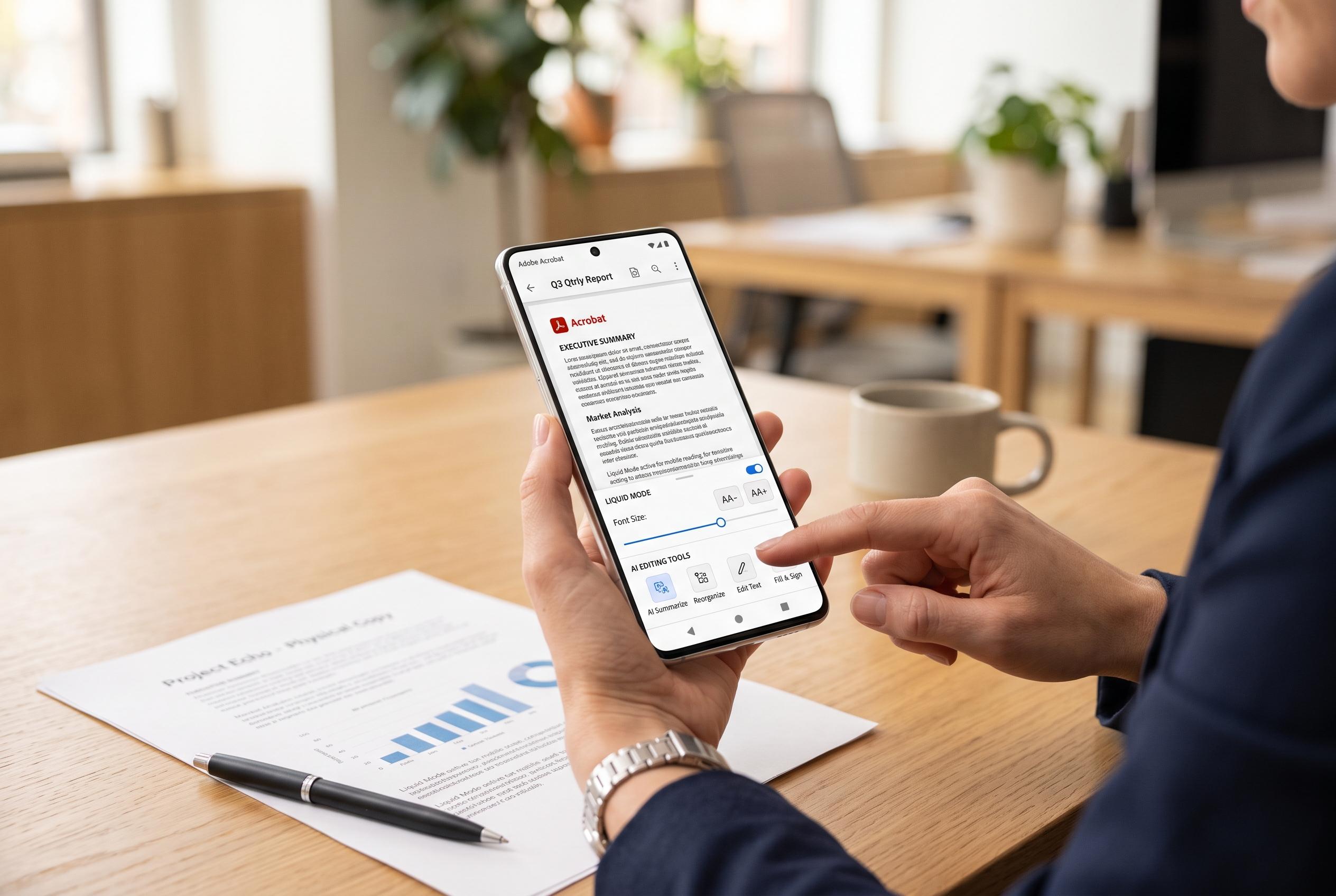

Adobe has expanded Acrobat Reader’s capabilities on mobile devices, adding AI-powered tools, Liquid Mode for better readability, and advanced editing features, transforming it from a simple viewer to a comprehensive mobile document platform.
Adobe Acrobat Reader has moved well beyond the role of a simple PDF viewer on phones and tablets. Adobe’s mobile product pages say the app now supports reading, annotation, signing and cloud-based access across devices, with Liquid Mode designed to make fixed-layout documents easier to read on small screens. That matters because PDFs remain a standard format for contracts, reports and forms, but mobile use demands faster navigation and clearer presentation than a desktop-first file often provides.
The core appeal is practical. According to Adobe, users can open PDFs, search within them, move between pages quickly and mark up text with comments, highlights and other annotation tools. The app is also built to work with Adobe Document Cloud and other storage services, so changes can follow a file from phone to laptop without repeated emailing or version confusion. Adobe also says its mobile reader now includes AI-powered tools for quicker document insight, reflecting a broader push to make the app useful for more than basic viewing.
Form handling remains one of the strongest reasons to use the app. Adobe says the mobile reader can fill in PDF forms and add signatures directly on a phone or tablet, reducing the need to print, scan or reattach files from other devices. Premium features extend that further, including PDF editing, page reordering, conversion to editable Office formats and other advanced functions that turn the app into a lightweight mobile workspace rather than a simple reader.
The same ecosystem advantage also helps Adobe stand apart from many rivals. Its mobile app is tied closely to Adobe’s broader PDF workflow, and the company’s official pages stress consistency across Android and iOS. Google Play and Apple’s App Store listings both describe the app as free to download with optional in-app purchases, which means the essential tools are available without a subscription while heavier users can pay for more advanced capabilities. For people who regularly review documents away from a desk, that split is often the deciding factor.
Accessibility is another notable part of the app’s design. Adobe says Liquid Mode improves readability on mobile devices by reflowing content without altering the original file, while the interface is built for touch input and quick access to common actions. In practice, that makes the reader useful not only for office work but for everyday tasks such as reviewing statements, signing school forms or reading long documents on a phone during travel.
Disclaimer: This content is intended for informational purposes only. Readers are advised to exercise their own judgement, conduct due diligence, or consult a qualified expert before acting on any information provided.



